

What is Claude Cowork? Claude Cowork is Anthropic’s autonomous agent environment built into the Claude Desktop app and cloud platform. Instead of a single-turn chatbot, Cowork plans multi-step tasks, reads local files, operates tools, and produces finished spreadsheets, documents, and reports. It is included with Claude Pro, Max, and Team subscriptions. Below: what it can do, how it works, which plans include it, how it compares with Claude Code, and whether it’s worth using.
Knowledge workers, analysts, and project managers juggling files and reports should use it immediately. Software developers looking to write code and run terminal builds should use Claude Code instead.
What is Claude Cowork?
Traditional AI chatbots give instructions on what you should do, leaving you to copy answers, reformat tables, and assemble deliverables manually.
What is Claude Cowork? At its core, Claude Cowork is Anthropic’s autonomous agent environment. Instead of acting as a passive advisor, claude cowork functions as a digital teammate that plans, organizes, and executes multi-step knowledge work directly on your files and desktop apps.
- Standard Chatbot: A consultant who gives you advice and outlines, leaving the execution to you.
- Claude Cowork: An executive assistant with access to your project folder who reads files, reconciles numbers, formats spreadsheets, and hands you the finished deliverable.
Originally tested as a desktop research preview, Anthropic unified claude co work into “One Claude” in 2026. The desktop prompt bar automatically detects whether your request needs a simple conversational reply or a multi-step agentic loop.
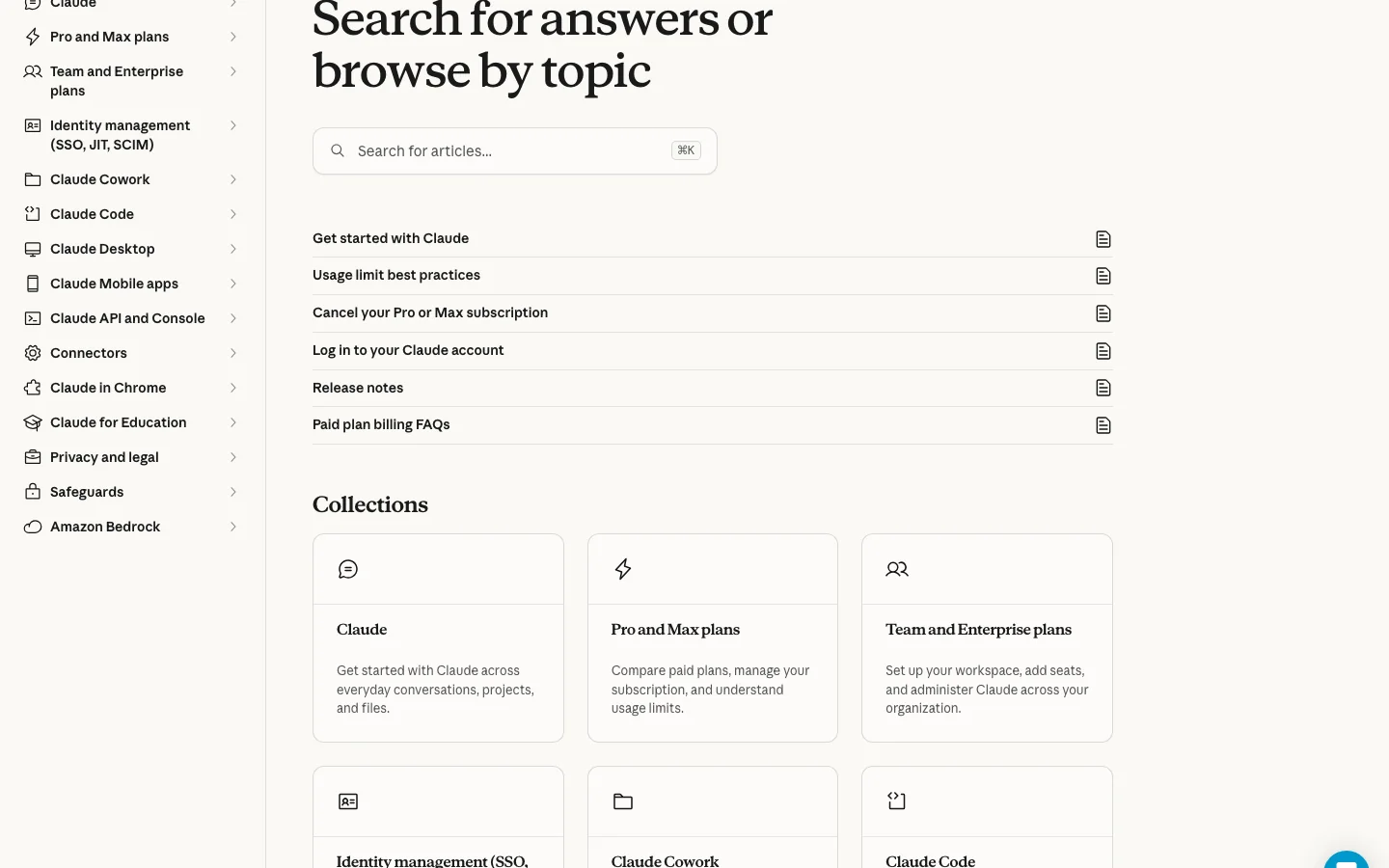
What can Claude Cowork do?
When asking claude cowork what is it capable of in everyday work, official Anthropic documentation details seven key capabilities:
- Local File Management: Reads, sorts, renames, and organizes files across authorized project folders.
- Document Synthesis: Extracts data from PDFs, Word docs, transcripts, and notes into unified reports.
- Spreadsheet Modeling: Pulls unstructured table data from invoices or websites into clean Excel or CSV sheets.
- Autonomous Web Research: Navigates websites via Claude in Chrome to gather live research and verify data.
- Desktop Computer Use (Beta): Views screens, clicks buttons, and types into macOS/Windows desktop apps when APIs are unavailable.
- Cloud Connectors: Integrates directly with Google Workspace, Microsoft 365, Slack, Salesforce, and MCP servers.
- Custom Skills Recording: On macOS, records screen workflows with voice walkthroughs to build reusable automated skills.
How does Claude Cowork work?
Understanding how does claude cowork work requires looking at Anthropic’s autonomous execution loop. Cowork follows a structured 5-stage pipeline:
- Goal Ingestion: You state a goal in plain English (e.g., “Scan my Q3 receipts folder, extract vendor spend to a CSV, and flag duplicate invoices”).
- Decomposition & Planning: Claude inspects authorized files, breaks the goal into sequential sub-tasks, and shows an execution plan in the sidebar.
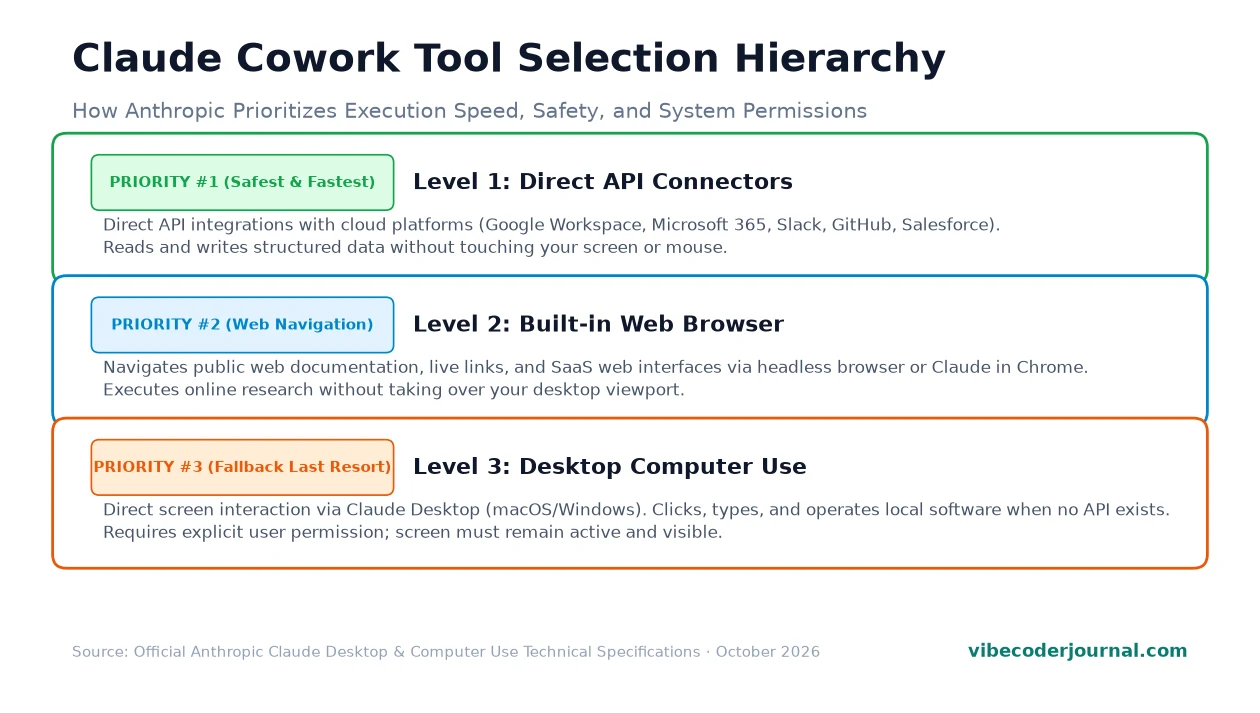
- Tool Hierarchy Execution: Claude selects tools using a strict 3-tier priority:
- Priority 1 (API Connectors): Direct API calls to Google Drive, Slack, or local filesystem (fastest and most reliable).
- Priority 2 (Web Browser): Headless navigation via Claude in Chrome for live web lookups.
- Priority 3 (Computer Use): Operating desktop GUI apps via clicks and keystrokes as a fallback.
- Human Approval Checkpoints: For irreversible actions (deleting files, sending emails, submitting forms), Claude pauses and asks for confirmation.
- Deliverable Handoff: Finished files are saved directly into your authorized output directory or displayed in the Artifacts viewer.
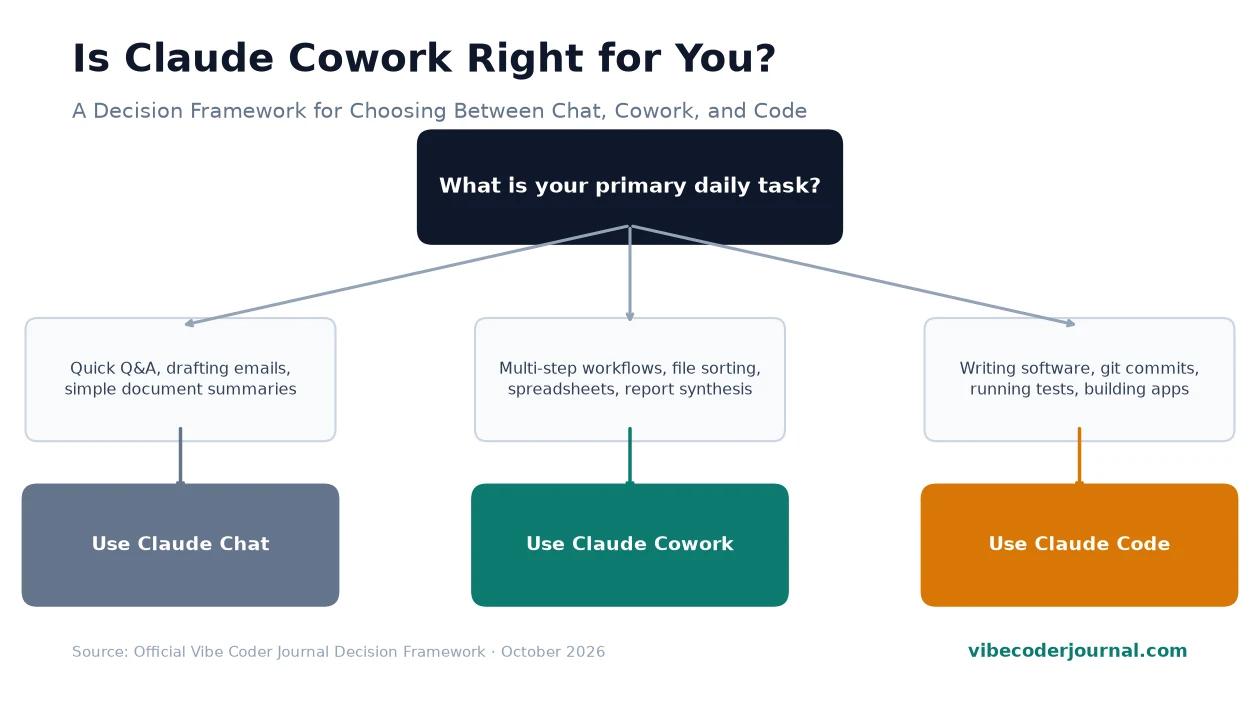
Claude Cowork vs Claude chat vs Claude Code
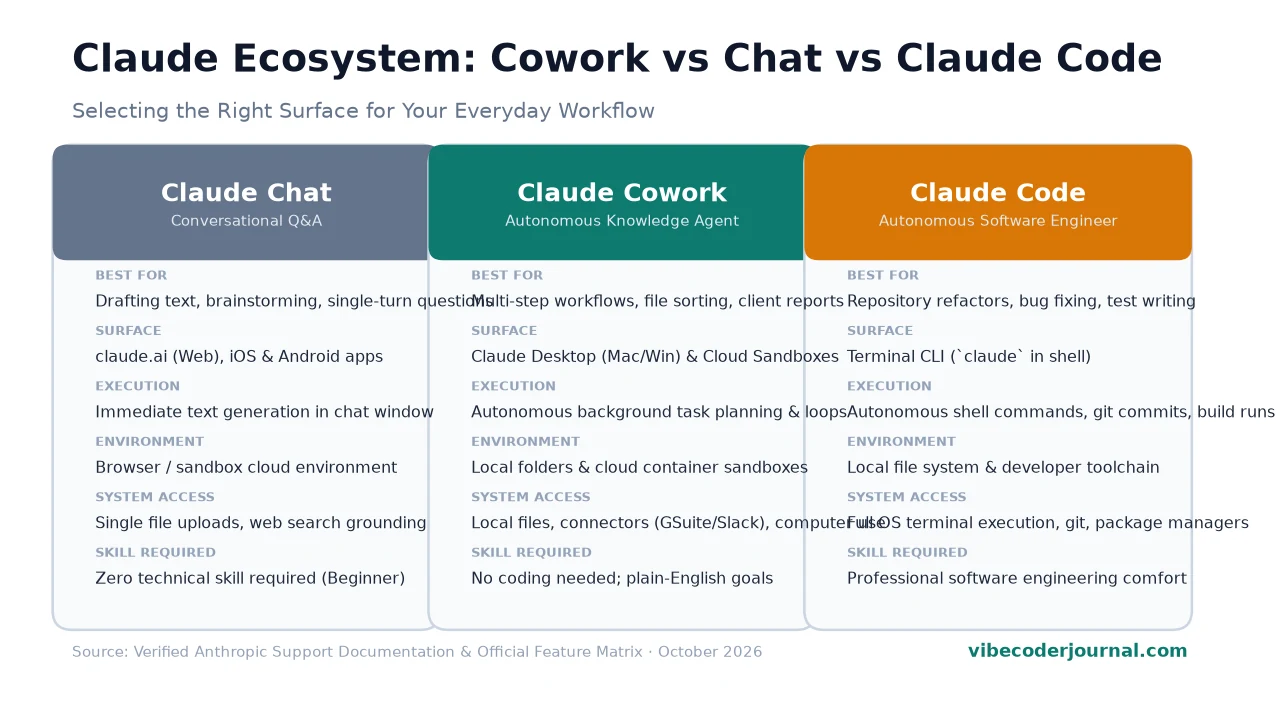
One of the most common points of confusion in the Anthropic ecosystem is evaluating claude cowork vs claude code alongside standard Claude chat. While all three are powered by Anthropic’s frontier models (such as Claude 3.5 and 3.7 Sonnet), they are engineered for entirely different users and operating environments:
| Feature / Dimension | Claude Chat | Claude Cowork | Claude Code |
|---|---|---|---|
| Primary Audience | General users, students, writers | Knowledge workers, analysts, ops | Software engineers & developers |
| Primary Interface | Web (claude.ai) & Mobile apps | Claude Desktop & Cloud Sandboxes | Terminal CLI (Command Line) |
| Execution Model | Single-turn prompt and response | Multi-step autonomous task loops | Autonomous coding agent loops |
| System Access | Isolated sandbox; single attachments | Authorized local folders & desktop apps | Full OS terminal, git, build tools |
| Required Technical Skill | Zero technical skill needed | Zero coding needed (Plain English) | Comfortable with command line & git |
| Ideal Deliverables | Quick answers, essays, summaries | Organized folders, Excel sheets, reports | Merged pull requests, bug fixes, tests |
| Subscription Required? | Free tier available | Requires Pro, Max, or Team | Requires Pro, Max, Team, or API key |
For a detailed breakdown of terminal coding workflows, check our deep-dive comparison of Codex CLI vs Claude Code, or explore where Anthropic’s flagship models rank overall on our AI Coding Model Rankings Leaderboard.
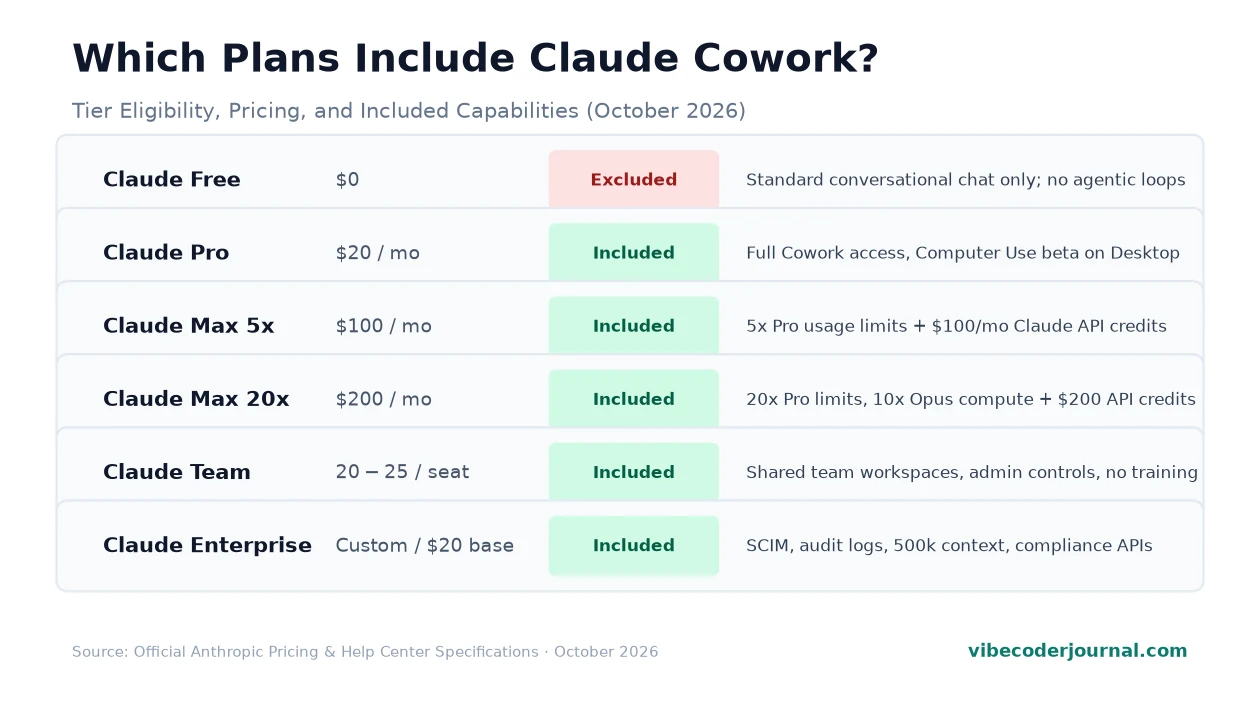
Which plans include Claude Cowork? Is it free?
Is Claude Cowork free? No. Cowork is not available on Anthropic’s free tier. Autonomous multi-step loops and computer use consume significant compute, reserved strictly for paid tiers:
- Claude Pro ($20/mo or $17/mo billed annually): Full Cowork access, Computer Use beta on Claude Desktop, and 5x free-tier capacity.
- Claude Max 5x ($100/mo): 5x Pro prompt capacity plus $100/mo in Platform API credits.
- Claude Max 20x ($200/mo): 20x Pro capacity, built for daily heavy agent workloads.
- Claude Team ($20–$25/seat/mo, 5-seat min): Pooled usage, admin management, and zero model training on customer data.
- Claude Enterprise (Custom contract, 20-seat min): SCIM provisioning, audit logs, and HIPAA compliance readiness.
For complete seat rules, prompt quotas, and token rates, read our Claude Pricing Guide. Students can review eligibility in our guide to the Claude Student Discount. (Note: We will publish a dedicated guide covering granular Claude Cowork pricing and token usage in an upcoming article.)
Is Claude Cowork safe?
Granting an AI system access to local files and software requires clear boundaries. Anthropic implements four core safety protections:
- Scoped Folder Permissions: Cowork only accesses folders you explicitly select. Unselected directories remain invisible.
- Approval Checkpoints: Actions with real-world impact—file deletion, terminal commands, or emails—require manual user confirmation.
- Ephemeral Sandboxing: Cloud sessions run in isolated containers destroyed immediately after task completion.
- Data Privacy Commitments: Prompts and files on Team and Enterprise tiers are never used to train Anthropic’s models. Pro and Max users can opt out in account settings.
/Users/username/ or C:\Users\). Create a dedicated folder (e.g., ~/Projects/Cowork-Tasks/) containing only the necessary files.
What Claude Cowork is good for
Based on official Anthropic documentation, Claude Cowork excels at multi-step knowledge workflows:
- 1. File Triage & Sorting: Ingesting messy folders of receipts or PDFs, renaming them semantically, and filing them into structured directories.
- 2. Invoice Reconciliation: Extracting line items, vendor names, and totals from invoices into verified summary spreadsheets.
- 3. Executive Research Reports: Synthesizing raw transcripts, client notes, and live web research into formatted briefs.
- 4. Back-Office Admin: Connecting QuickBooks, HubSpot, and PayPal via connectors to consolidate transactions automatically.
- 5. Presentation Outlines: Converting long project proposals into structured slide outlines via Claude Design.
- 6. Legacy App Data Entry: Automating repetitive desktop inputs across software lacking APIs via Computer Use.
For broader developer workflows, explore our curated guide to the Best Vibe Coding Tools.
Limits and things to know
Keep these operational constraints in mind before deploying Claude Cowork:
- Accelerated Quota Usage: Multi-step loops and file re-reads burn 5-hour rolling limits faster than standard chat. See how to see your Claude usage and remaining limits.
- Screen Interaction Latency: Computer Use relies on screenshot analysis and coordinate clicks. It is slower than API connectors and requires keeping your screen awake.
- Platform Availability: macOS and Windows desktop apps support Computer Use beta. Linux desktop remains in limited beta without screen control.
- Preview Status: Advanced connectors and GUI actions remain active research previews and receive regular updates from Anthropic.
How to get started
Setting up Claude Cowork takes under five minutes:
- Verify Your Plan: Ensure an active Claude Pro ($20/mo), Max, or Team subscription. Free accounts do not include Cowork.
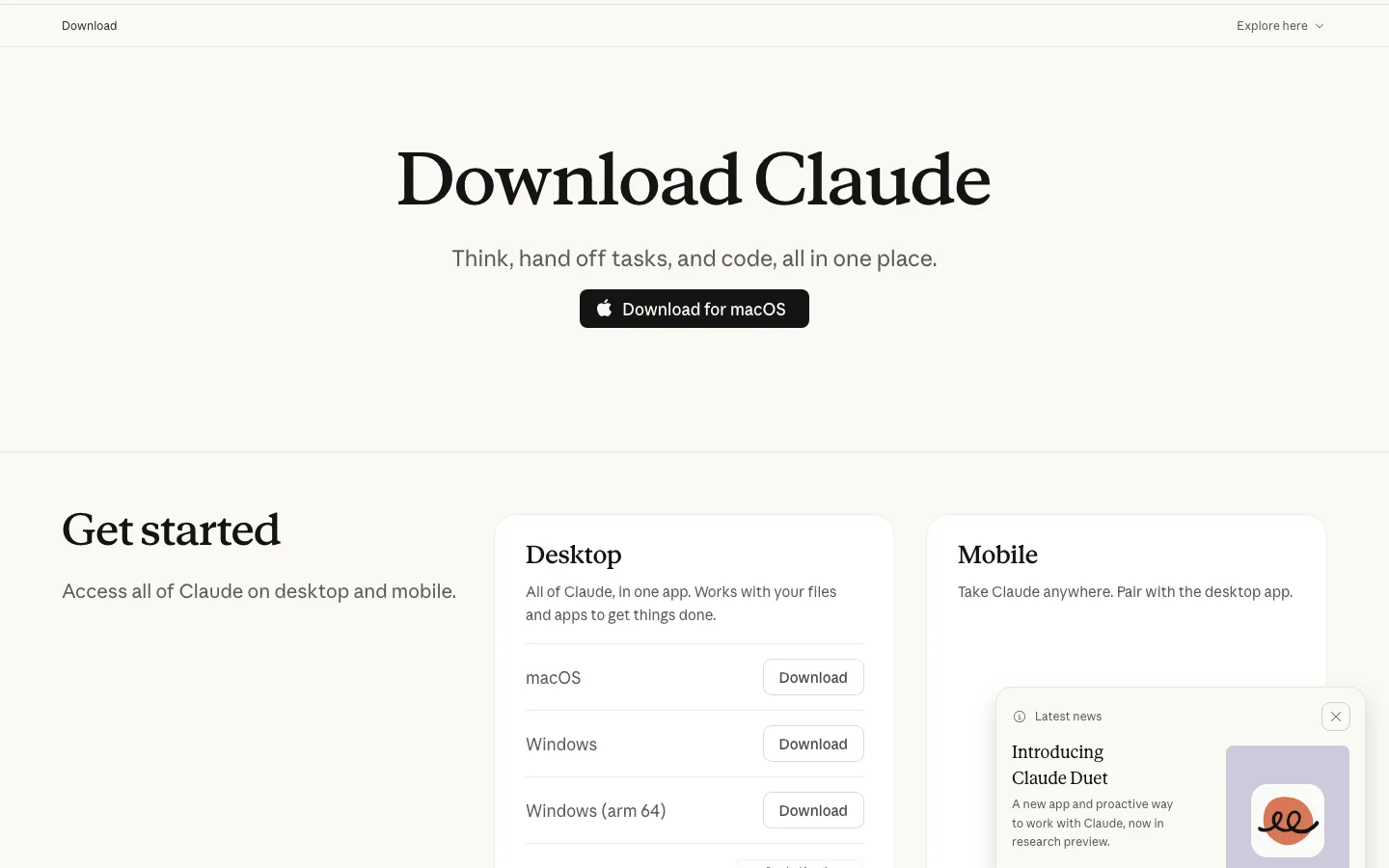
- Install Claude Desktop: Download the official app for macOS or Windows from claude.com/download.
- Enable Computer Use (Optional): In Settings > General, toggle on Enable Computer Use for desktop app control.
- Attach Connectors: Under Settings > Connectors, link Google Workspace, Microsoft 365, or Slack.
- Run Your First Task: Choose a dedicated working folder in the prompt bar and assign an autonomous task (e.g., “Reorganize these PDF invoices by month and build a summary table”).
(Note: We will publish a comprehensive tutorial on mastering advanced Claude Cowork agent loops, custom MCP configurations, and automated file pipelines in an upcoming guide.)
Verdict
Is Claude Cowork worth it? If your working hours are consumed by administrative busywork—organizing files, extracting table data from PDFs, formatting spreadsheets, and cross-referencing documents across apps—Claude Cowork delivers exceptional return on investment on a standard $20/month Claude Pro plan.
By shifting AI from passive text generator to active task executor, Cowork bridges the gap between conversational chat and full-scale autonomous software engineering. For general knowledge professionals, it is the most capable desktop productivity assistant available today.
Frequently asked questions
What is Claude Cowork?
Claude Cowork is Anthropic’s autonomous agent environment built into Claude Desktop and cloud sandboxes. It plans multi-step tasks, reads local files, interacts with software tools, and delivers finished spreadsheets and documents rather than just chat text.Is Claude Cowork free?
No. Claude Cowork requires a paid subscription: Claude Pro ($20/mo), Claude Max 5x ($100/mo), Claude Max 20x ($200/mo), Claude Team ($20–$25/seat/mo), or Enterprise. Free accounts do not include Cowork.
Is Claude Cowork the same as Claude Code?
No. Claude Cowork is designed for non-technical knowledge workers managing files, spreadsheets, and desktop software. Claude Code is a terminal CLI tool built specifically for developers to edit codebases, run tests, and manage git repositories.
What devices does Claude Cowork work on?
Claude Cowork runs on Claude Desktop for macOS and Windows, with cloud sandboxes accessible via claude.ai. Direct screen control via Computer Use is supported on macOS and Windows. Linux desktop currently does not support screen control.Can Claude Cowork access my files?
Only the folders you explicitly authorize. On Claude Desktop, Cowork cannot view unauthorized directories on your hard drive, and requires manual confirmation before performing destructive actions.
Do I need to know how to code to use Cowork?
No. Cowork is built for non-technical professionals. You prompt in plain English, and Claude handles the planning, file formatting, data extraction, and tool execution.
When was Claude Cowork released?
Anthropic launched Cowork as a desktop research preview alongside Computer Use in late 2024, expanding connectors through 2025 before unifying it into “One Claude” across Pro, Max, and Team tiers in 2026.
Sources
- Claude Product & Feature Overview — Official product specifications for Claude desktop applications, One Claude interface unification, and web tools. Verified 22 October 2026.
- Anthropic Support Center — Documentation on Claude Cowork architecture, Computer Use beta on Claude Desktop, scoped folder permissions, and tool selection hierarchy. Verified 22 October 2026.
- Claude Desktop Download Portal — System requirements, platform compatibility for macOS and Windows, and installation packages. Verified 22 October 2026.
- Claude Academy: Introduction to Claude Cowork — Official course curriculum covering multi-step agent loops, custom skills, and workspace setup. Verified 22 October 2026.
- Anthropic News & Announcements — Launch releases for Computer Use, One Claude interface unification, and enterprise integrations. Verified 22 October 2026.
Leave a Reply