
This free chatgpt watermark remover detects hidden Unicode characters in text pasted from ChatGPT — zero-width spaces, non-breaking spaces, soft hyphens and more — and removes them in one click. It runs 100% in your browser: no sign-up, no uploads, nothing stored or sent anywhere.
- 1 Paste your text
- 2 Review what was found
- 3 Clean & copy
What was found
Each hidden character is shown as a labelled badge — hover a badge to see its name and code point; the table below lists them all.
| Character | Code point | Count |
|---|
Cleaned text
Advanced cleaning options
How to remove a ChatGPT watermark in 3
steps
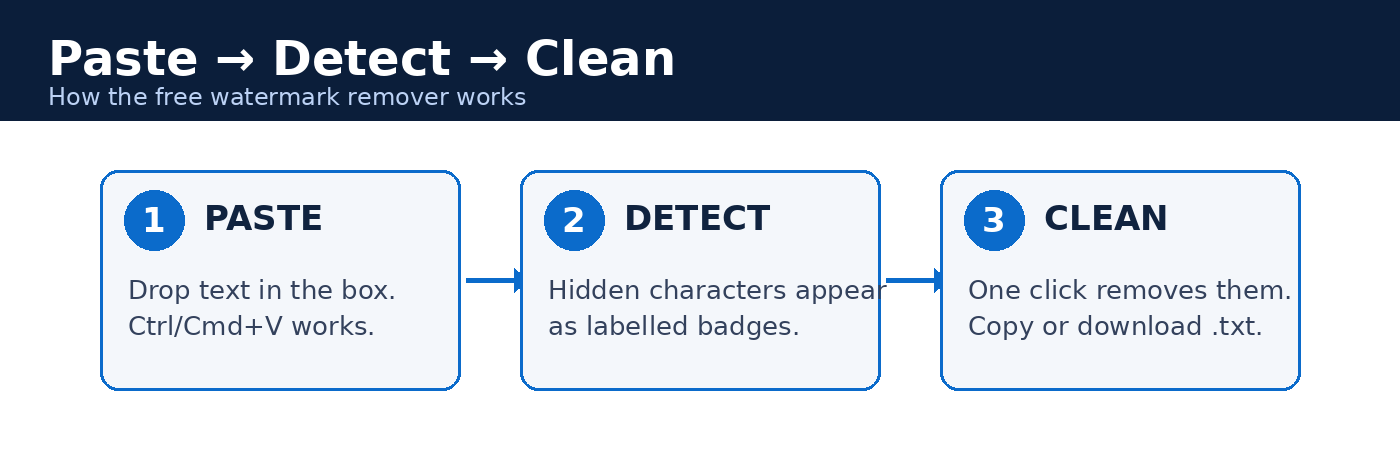
Paste, detect, clean — the whole process takes seconds. Diagram: Vibe Coder Journal.
Paste your text into the tool above, review the highlighted characters, then click "Remove hidden characters" and copy the result.
![Before and after screenshots of the ChatGPT Watermark Remover tool: the before state shows five hidden characters detected as labelled badges [BOM], [ZWSP], [NBSP], [THIN], [ZWNJ]; the after state shows the cleaned text with 'Removed 3 characters.'](https://vibecoderjournal.com/wp-content/uploads/2026/10/chatgpt-watermark-remover-before-after.png)
The real tool in action: hidden characters detected as badges, then removed with one click. Screenshot: Vibe Coder Journal.
- Paste. Drop text into the input box (Ctrl/Cmd+V works). The detector scans automatically as you type.
- Review. Every hidden character appears as a labelled badge (e.g. [ZWSP]) in the preview — hover or tap for its name and code point, and check the summary table for counts per type.
- Remove and copy. Click "Remove hidden characters". The cleaned text appears in the second box with a diff count. Copy it with one click or download it as a .txt file.
The cleaning options let you decide what changes: zero-width characters, the byte order mark, special spaces and soft hyphens are handled by default; quotes, dashes, spacing and line endings are opt-in style choices.
Does ChatGPT add a watermark to text?
Outside the EU, no — ChatGPT text is not watermarked by default. In the EU, OpenAI began phasing in a statistical watermark called textGrain in October 2026. What OpenAI has actually said, with dates:
- May 7, 2024 (updated August 4, 2024): in the official post "Understanding the source of what we see and hear online," OpenAI wrote: "Our teams have developed a text watermarking method that we continue to consider as we research alternatives." They held back over easy circumvention and potential disproportionate impact on non-native English speakers. (openai.com)
- October 5, 2026: OpenAI announced textGrain, a watermark for ChatGPT and Codex text rolling out across EU plans over the following weeks for EU AI Act transparency rules. API customers worldwide can opt in for select models; OpenAI said it is "not making text watermarking a global default at launch." (openai.com)
The crucial detail: textGrain is a statistical watermark on word choice, not hidden characters. It adds no invisible spaces or secret tokens, and light editing weakens it sharply. Removing invisible characters does not remove it — and OpenAI's detector is not public (access is limited to approved researchers), so no website can genuinely "check" text for it.
So if you find zero-width spaces or odd spacing in ChatGPT output, that is not OpenAI's watermark — it's stray formatting characters from the chat interface, exactly what the tool above removes.
What are invisible characters, and where do they come from?
Invisible characters are valid Unicode code points that render as nothing — or as strange spacing. They hitchhike into your text when you copy-paste from web pages, chat apps, editors, Markdown rendering, and mobile keyboards.
| Character | Code point | What it does |
|---|---|---|
| Zero-width space | U+200B | Invisible break opportunity; breaks code and words |
| Zero-width non-joiner | U+200C | Separates letters in Persian/Hindi scripts |
| Zero-width joiner | U+200D | Joins emoji sequences (👨👩👧) |
| Non-breaking space | U+00A0 | Looks like a space but isn't one |
| Soft hyphen | U+00AD | Invisible until a line breaks mid-word |
| Byte order mark | U+FEFF | Stray file-start marker in pasted text |
| Thin / hair space | U+2009 / U+200A | Narrower-than-normal spaces |
| Bidi overrides | U+202A–U+202E | Change text direction; a security risk in code |
None of these are a "ChatGPT watermark" in the deliberate sense. They're formatting debris — but debris that breaks things.
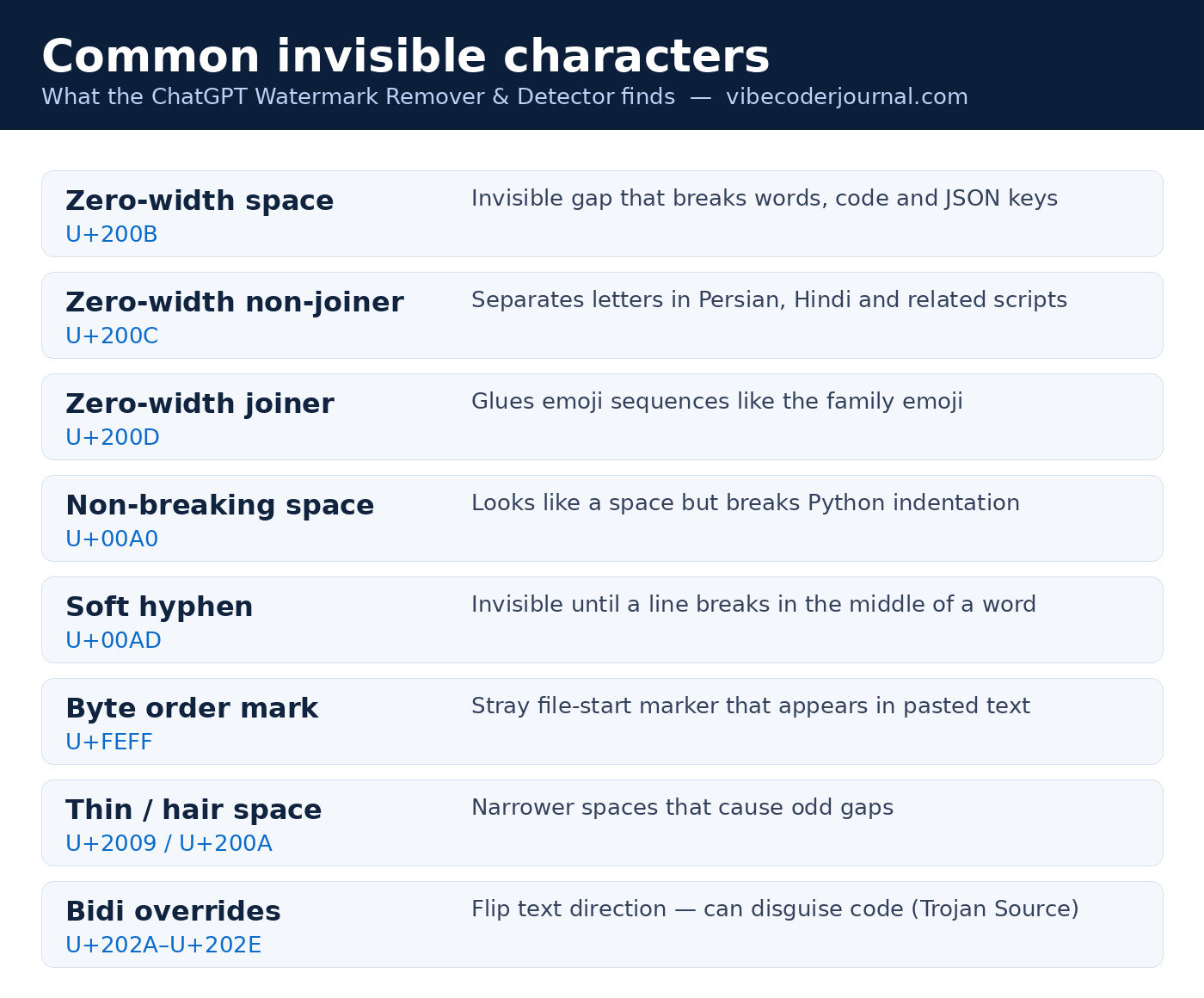
The invisible characters the detector finds, with code points. Graphic: Vibe Coder Journal.
Why pasting from ChatGPT can add hidden characters
Chat interfaces render Markdown to HTML behind the scenes, and that conversion leaves artifacts: non-breaking spaces that preserve layout, zero-width characters from rich-text handling, and stray markers from the page. The "chatgpt copy and paste watermark" people notice is almost always this debris, not a deliberate mark — a JSON key with a zero-width space parses fine but never matches a lookup, and Python pasted with non-breaking spaces throws an indentation error on a line that looks perfect.
How the ChatGPT watermark detector on this page works
The detector scans every character in your text — handling emoji and other surrogate pairs correctly — against a database of 40+ invisible Unicode characters, then shows each hit as a labelled badge with its name and code point.
One honest limit: if you're looking to detect AI watermarks in the statistical sense — textGrain-style signals in word choice — no browser tool can do that. OpenAI's detector isn't public. Some people call hidden characters a "chatgpt invisible watermark"; whatever the name, this page detects hidden characters, which is a different, solvable problem.
Why hidden characters break code, documents, and diffs
A single invisible character inside a variable name, JSON key, or URL makes things fail in ways you cannot see — the line looks identical.
const na[ZWSP]me = 1— the variable is notname; lookups and linters misbehave.{"to[ZWSP]ken": "abc"}— parses as valid JSON, butobj.tokenisundefined.- Python indented with U+00A0 instead of spaces —
IndentationErroron a visually perfect line. - Pasting into a CMS or email editor leaves double spacing; SEO titles pick up invisible junk; git diffs flag "changed" lines that look byte-identical.
- Security: a right-to-left override (U+202E) can make code display in a different order than it executes — the "Trojan Source" attack. Never compile pasted code without stripping bidi controls first.
Does removing hidden characters stop AI detection?
No. AI detectors analyze wording, sentence structure, and probability patterns — not invisible characters. Scrubbing zero-width spaces changes nothing about how "AI-like" your text reads.
Other ways to find hidden characters
You don't need a website for this — your editor and terminal can do it too.
- VS Code: set
Editor: Render Control Characterstotrue, and check theEditor > Unicode Highlightsettings, which flag invisible characters automatically. - Regex:
/[\u200B-\u200D\uFEFF]/matches the common zero-width characters in any editor with regex search. - Terminal (GNU grep):
grep -P '[\x{200B}-\x{200D}\x{FEFF}]' file.txtlists lines with zero-width characters. (Needs GNU grep for-P.)
Frequently asked questions
Is this ChatGPT watermark remover free? Yes — free, no sign-up, no quotas. If you were looking for a website to remove ChatGPT watermark characters, bookmark this page.
Is my text stored or sent anywhere? No. Everything runs locally in your browser with JavaScript. There are no network requests, no analytics on your text, and nothing is logged.
Does ChatGPT leave a watermark? Outside the EU, not by default. In the EU, OpenAI's textGrain watermark (announced October 5, 2026) is rolling out — but it works on word choice, not hidden characters, so a character cleaner neither detects nor removes it.
Can ChatGPT remove watermarks from images? This gpt watermark remover is for text only — it can't edit images or remove image watermarks, visible or invisible (like C2PA/SynthID). If you generated an AI image in Google Gemini and need the visible sparkle logo in the corner gone, use our free Gemini Watermark Remover. Removing watermarks from images you don't own may also violate the owner's rights.
Will it change my wording? No. It only removes or replaces invisible characters — every visible word stays exactly as pasted.
Does it work for Claude or Gemini text? Yes. Hidden characters aren't specific to ChatGPT — call it a chat gpt watermark remover or an invisible-character cleaner, it works on any pasted text.
Why did my emoji change after cleaning? Some emoji are sequences glued with a zero-width joiner (U+200D) — the family emoji 👨👩👧 is man+ZWJ+woman+ZWJ+girl. Removing the joiners splits it apart. Turn on "Keep zero-width joiners inside emoji" to preserve them.
Related tools and reading
- Gemini Watermark Remover — remove visible Google sparkle logos from Gemini & Imagen images (free, in-browser)
- What fits in 32GB? — our local LLM hardware guide
- Run LLMs locally — get started with local models
- Codex CLI vs Claude Code — which terminal agent to use
- Claude pricing plans — compare AI subscription costs
- How to see Claude Code usage — track what your agent consumes