
This free prompt enhancer turns rough ideas into clear, ready-to-use prompts for ChatGPT, Claude, Gemini, Grok, and coding agents like Claude Code, Codex, and Cursor. Pick a target model, choose a tone, hit enhance — no sign-up, and your keystrokes never leave the page except to reach Google's Gemini API, which powers the AI mode.
Loading the prompt enhancer…
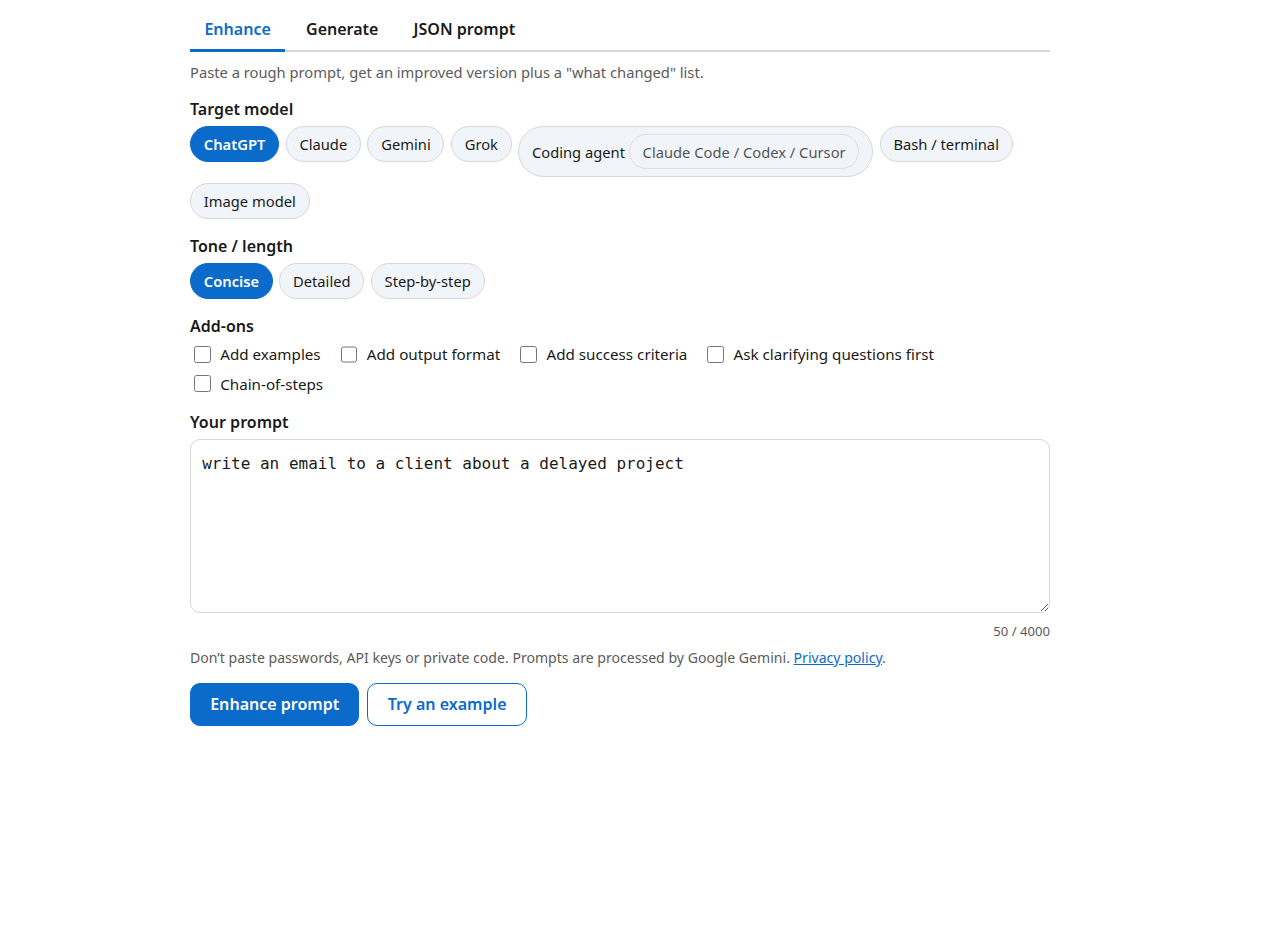
How do I use the prompt enhancer?
Three steps: pick a mode, describe what you want, copy the result into your AI app of choice.
- Choose a mode. Enhance improves a rough prompt you paste in. Generate builds a complete prompt from a one-line goal like "write unit tests for my React hook." JSON prompt outputs a structured JSON prompt with role, task, context, constraints, output format, examples, and style fields.
- Set the target model and options. Presets for ChatGPT, Claude, Gemini, Grok, coding agents (Claude Code / Codex / Cursor), Bash/terminal, and image models adjust the style to each vendor's official prompting guidance. The Bash/terminal preset doubles as a bash prompt generator for command-line work, and together the presets cover every common llm prompt generator use case, from chatbots to coding agents. Add tone (concise, detailed, step-by-step) and add-ons like examples or success criteria.
- Copy and go. Copy the result, download it as .txt or .json, or use the Open in… buttons — we copy the prompt to your clipboard first, then open ChatGPT, Claude, Gemini, or Grok, because most apps don't accept prefilled prompts reliably.
What makes a good AI prompt?
A good prompt has six parts: role, task, context, constraints, output format, and examples — and the single biggest upgrade is stating constraints explicitly.
Every major vendor says the same thing in different words. OpenAI's guide recommends being specific and splitting complex tasks into subtasks. Anthropic's docs say Claude responds best to clear, explicit instructions — "if a colleague would be confused, Claude will be too." Google's guide says to state constraints explicitly and define the response format up front.
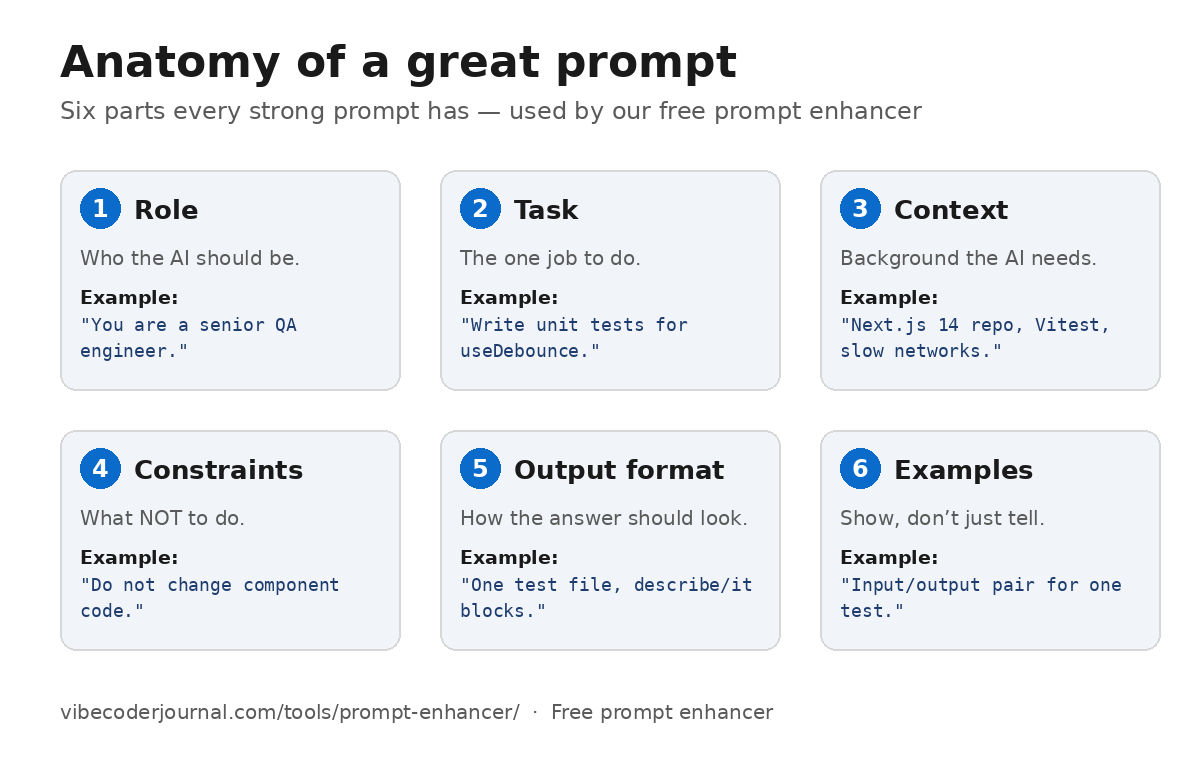
Here's the difference those six parts make:
Before: "write tests for my code"
After — here is the improved version:
You are a senior QA engineer. Write unit tests for the
useDebounceReact hook in our Next.js 14 repo (Vitest). Do not change component code. Cover edge cases: rapid value changes, unmount during delay, zero delay. Output one test file with describe/it blocks, plus a 3-line summary of what you covered.
The "What changed" list under every result teaches the pattern, so after a few uses you'll write better prompts without the tool.
What makes a good prompt for coding agents like Claude Code, Codex, and Cursor?
For coding agents, the winning structure is: goal, repository context, files to touch, do-not-change boundaries, a plan-first step, acceptance criteria, and tests to run.
This is this site's speciality, and the coding-agent preset bakes it in. OpenAI's Codex best practices describe a good prompt as goal, context, constraints, and "done when" — plus asking the agent to plan before it starts on anything complex. Anthropic's CLAUDE.md guidance says project instructions should be concrete enough to verify ("run npm test before committing") and kept short.
A worked example — the kind of instruction block the tool generates:
Goal: Fix the double-submit bug in the login form.
Context: Next.js 14 app,
components/LoginForm.tsx, React Hook Form. The submit handler fires twice on slow networks.
Files to touch:
components/LoginForm.tsxonly.
Do not change: auth API routes, styling, or unrelated components.
Plan first: Restate your plan in 3 bullet points before editing.
Done when: Double-clicking submit fires exactly one request; existing tests pass.
Tests to run:
npm test -- LoginForm
For more on agentic workflows, see our Codex CLI yolo mode guide and Codex CLI vs Claude Code comparison.
When should I use the JSON prompt generator?
Use structured JSON prompts when you need consistency, reuse, or automation — the same prompt run many times, or prompts generated by code.
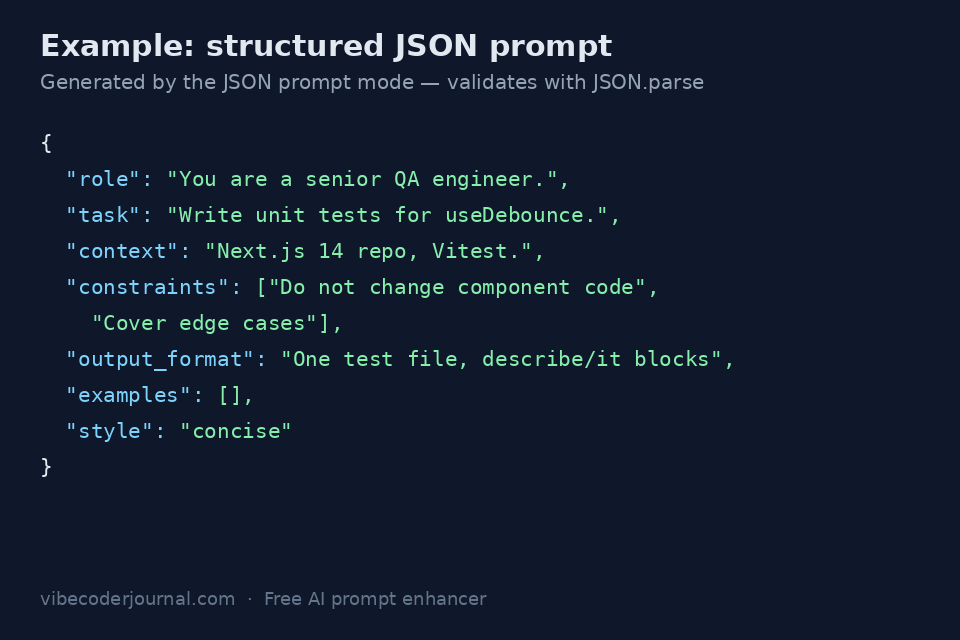
A JSON prompt generator turns a plain request into a prompt with fixed fields the model (or your pipeline) can parse reliably:
{
  "role": "You are a senior QA engineer.",
  "task": "Write unit tests for the useDebounce React hook.",
  "context": "Next.js 14 repo, Vitest, hook signature useDebounce(value, delay).",
  "constraints": ["Do not change component code", "Cover edge cases"],
  "output_format": "One test file with describe/it blocks",
  "examples": [],
  "style": "concise"
}
Benefits: the structure is identical every run, fields can be filled programmatically, and the output validates with JSON.parse before you use it — the tool checks this automatically and won't hand you broken JSON.
How do I write better prompts for Gemini?
For Gemini: be precise and direct, put critical instructions first, and always specify the output format and length.
These come straight from Google's official Gemini prompting guidance. Key points the Gemini preset applies: give clear, specific instructions; state constraints explicitly; define the response format (tables, bullets, JSON); include few-shot examples for format-sensitive tasks — Google notes prompts without examples "are likely to be less effective"; and with large context, put the context first and the actual question at the very end. Gemini's default answers are lean, so request detail explicitly when you want depth.
How do I write better prompts for Grok?
For Grok: keep it direct and outcome-first — role in the system prompt, task in the user prompt, no elaborate scaffolding.
xAI publishes no standalone prompting guide; its docs cover the Grok models and the Grok Build coding agent. The documented pattern is simple: system prompt carries the role ("You are Grok, an AI agent built to answer helpful questions"), the user prompt carries the task, phrased plainly ("Find and fix the bug, then explain it"). For agentic work, xAI's Grok Build docs recommend goal-first framing with success criteria, constraints, and a stop condition. The Grok preset here is strictly professional — there is no "unfiltered" or "spicy" mode, and the tool will not create one.
ChatGPT vs Claude prompts: what's different?
The core structure is the same, but Claude rewards XML tags and explicit literal instructions, while ChatGPT rewards reference text and task decomposition.
| ChatGPT (OpenAI) | Claude (Anthropic) | |
|---|---|---|
| Structure | Markdown headings work well | XML tags (<task>, <context>, <examples>) parse most reliably |
| Specificity | Give reference text the model can quote | Be literal — say exactly what you mean |
| Complex tasks | Split into subtasks | Numbered sequential steps |
| Examples | Helpful | Multishot examples in <example> tags are one of the most reliable steering tools |
| Context | Provide what the task needs | Explain why a behavior matters, not just what |
Sources: OpenAI's prompt engineering guide, Anthropic's prompt engineering docs, Google's Gemini prompting strategies, and xAI's Grok developer docs (all checked October 10, 2026).
FAQ
Is the prompt enhancer free?
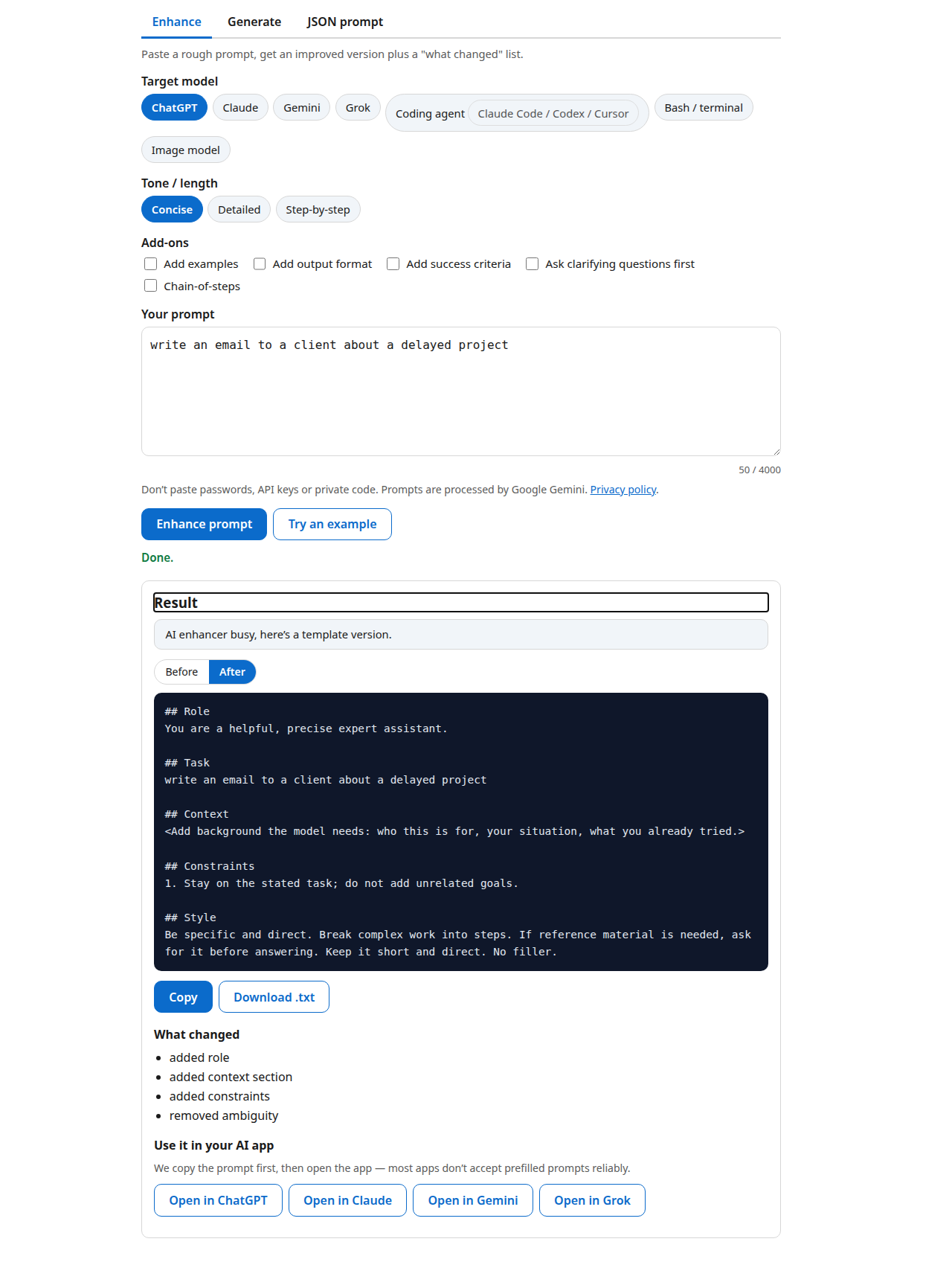
Yes — completely free, no sign-up. The AI mode runs on Google Gemini's free tier, and if the quota is ever exhausted the tool automatically switches to a built-in template enhancer that runs in your browser, so it never stops working.
Which AI powers the AI prompt enhancer?
Google Gemini (the gemini-3.5-flash-lite model), called server-side through our own API endpoint. Your prompt goes to Google for processing — that's the free-tier trade, and it's why the tool costs nothing to run.
Is my prompt stored?
No. We log only anonymous counts (how many requests, how many errors) — never your prompt text. Note that Google's free tier may use submitted content to improve its products, so don't paste passwords, API keys, or private code. We do not log prompt text. To serve identical requests faster, an anonymous cached result may be retained for up to 24 hours.
Does it work for Claude Code?
Yes — the coding-agent preset is built for Claude Code, Codex, and Cursor. It adds repository context, files to touch, do-not-change boundaries, a plan-first step, acceptance criteria, and tests to run, following the official AGENTS.md / CLAUDE.md conventions.
What is a JSON prompt?
A prompt written as structured JSON with fields like role, task, context, constraints, output_format, examples, and style. JSON prompts are consistent, reusable, and machine-readable — ideal when the same prompt runs many times or is generated by code. The JSON mode validates output with JSON.parse before showing it.
Can it write image prompts?
Yes, with generic descriptive wording — subject, composition, lighting, color, mood. It will never imitate a named living artist's style.
Why did I get a template version instead of the AI version?
Two reasons: the AI enhancer was busy (free-tier quota reached) or AI mode isn't configured yet. The template version applies the same proven structure — role, task, context, constraints, output format, examples — entirely in your browser. Nothing breaks; you'll see a small notice explaining which.
What is the best prompt generator for coding agents?
For Claude Code, Codex, and Cursor, the best prompts include repo context, exact files, what not to touch, and verifiable done criteria. That's what this tool's coding-agent preset generates — try it against a generic "make it better" prompt and compare.