

By Abdullah Zulfiqar · Updated 30 October 2026 · Steps checked in ChatGPT on 30 October 2026
Key Takeaways – On the web: Settings → Account → Delete account → Delete, then enter your email (or phone) and type DELETE, then select Permanently delete my account. – On iPhone or Android: Settings → Data controls → Delete account (Android may say “Delete OpenAI account”). – It’s permanent. Deleted accounts can’t be reactivated, and your data is deleted within 30 days. – It also ends API access on the same OpenAI account. – Cancel App Store subscriptions first. Deleting your account does not cancel an Apple subscription, so check Google Play too. – You can reuse your email after 30 days, as long as the old account was fully deleted, not deactivated.
How do you delete a ChatGPT account? On chatgpt.com, open your account menu, go to Settings → Account, select Delete next to “Delete account”, enter your account email or phone number, type DELETE, and select Permanently delete my account. On the iPhone or Android app, go to Settings → Data controls → Delete account. If you can’t sign in, request deletion through OpenAI’s Privacy Portal instead.
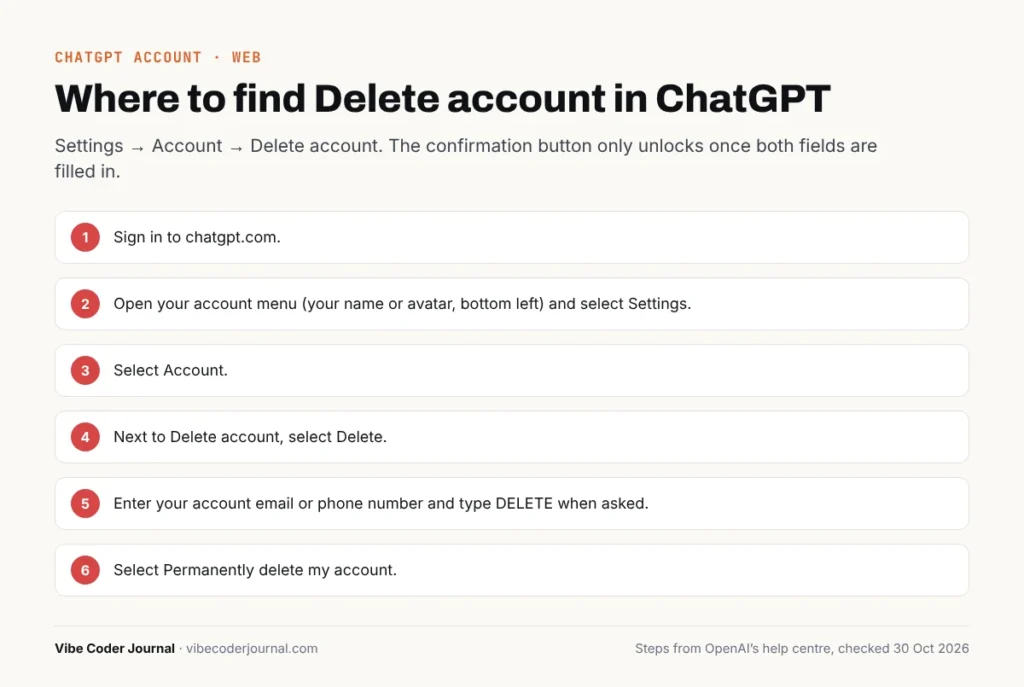 The Delete account option in ChatGPT’s Settings → Account page. Steps checked 30 October 2026.
Before you delete: do you really need to?
Account deletion is permanent, and OpenAI’s own help article suggests checking smaller options first. Pick the one that matches what you want:
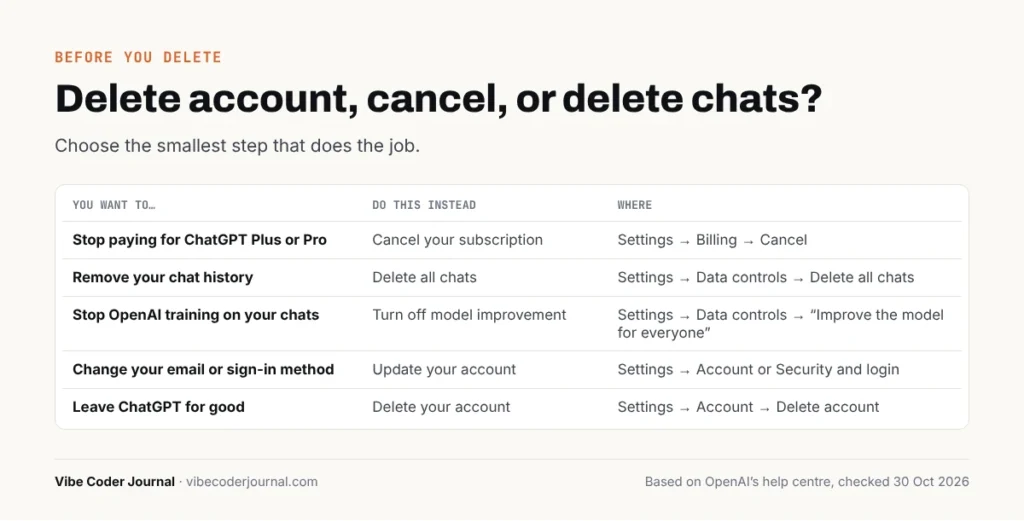 Choose the smallest step that does the job.
| You want to… | Do this instead | Where |
|---|---|---|
| Stop paying for ChatGPT Plus or Pro | Cancel your subscription | Settings → Billing → Cancel |
| Remove your chat history | Delete all chats | Settings → Data controls → Delete all chats |
| Stop OpenAI training on your chats | Turn off model improvement | Settings → Data controls → “Improve the model for everyone” |
| Change your email or sign-in method | Update your account | Settings → Account or Security and login |
| Leave ChatGPT for good | Delete your account | Settings → Account → Delete account |
If you only want to stop being charged, you don’t need to delete your account. If you still want to go, use the checklist below first.
Before you delete your ChatGPT account: 5-step checklist
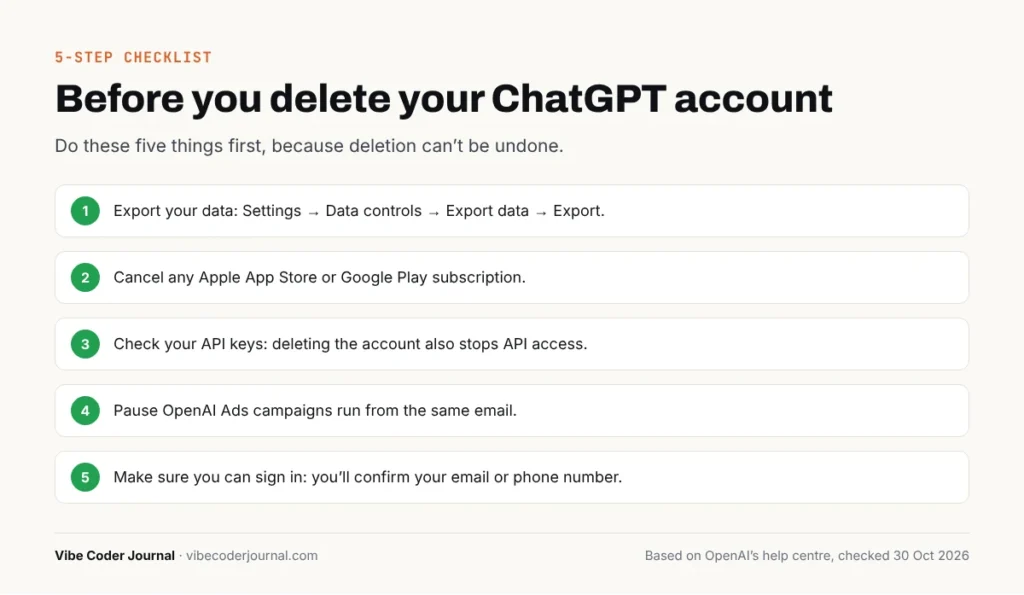 Do these five things first, because deletion can’t be undone.
- Export your data. Go to Settings → Data controls → Export data → Export. OpenAI emails you a download link with your chat history and account data.
- Cancel any Apple App Store or Google Play subscription. OpenAI says deleting your account cancels subscriptions billed directly by ChatGPT, but not an Apple subscription. For Google Play, check that the subscription is cancelled too.
- Check your API keys. Deleting your account stops access to OpenAI services, including ChatGPT and the API, so move any app or script that uses keys from this account.
- Pause OpenAI Ads campaigns. If the same email runs an Ads account, campaigns may keep running and charging. Pause them and make sure someone else has access, or contact Support first.
- Make sure you can sign in. You’ll need to confirm your email or phone number during deletion.
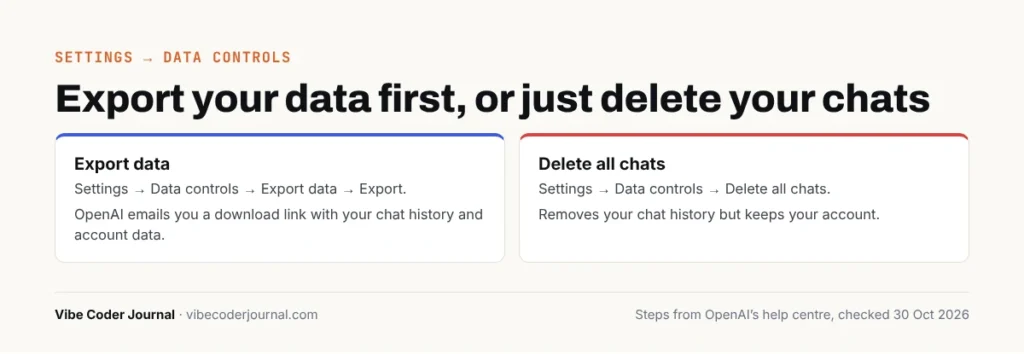 Settings → Data controls: “Export data” and “Delete all chats”. Checked 30 October 2026.
How to delete your ChatGPT account on the web
To delete your ChatGPT account on a computer, sign in at chatgpt.com, go to Settings → Account, and select Delete next to “Delete account”.
- Sign in to chatgpt.com.
- Open your account menu (your name or avatar, bottom left) and select Settings.
- Select Account.
- Next to Delete account, select Delete.
- Enter your account email or phone number and type DELETE when asked.
- Select Permanently delete my account.
The confirmation button only unlocks once both fields are filled in. Once you confirm, the account is deleted and can’t be restored.
How to delete your ChatGPT account on iPhone or iPad
- Open the ChatGPT app and open your account settings.
- Select Data controls.
- Select Delete account.
- If you have an active Apple subscription, you’ll see a warning. Select Manage subscriptions and cancel it first.
- Review the confirmation, then select Delete account (or Cancel to keep it).
How to delete your ChatGPT account on Android
- Open the ChatGPT app and open Settings from your profile menu.
- Select Data controls.
- Select Delete OpenAI account (older app versions say Delete Account).
- Review the confirmation and select Delete OpenAI account or Delete Account.
- Follow any sign-in or verification prompts.
OpenAI notes that finishing a sign-in prompt doesn’t by itself confirm deletion. If the app sends you back to your chats without a confirmation, use the Privacy Portal method below.
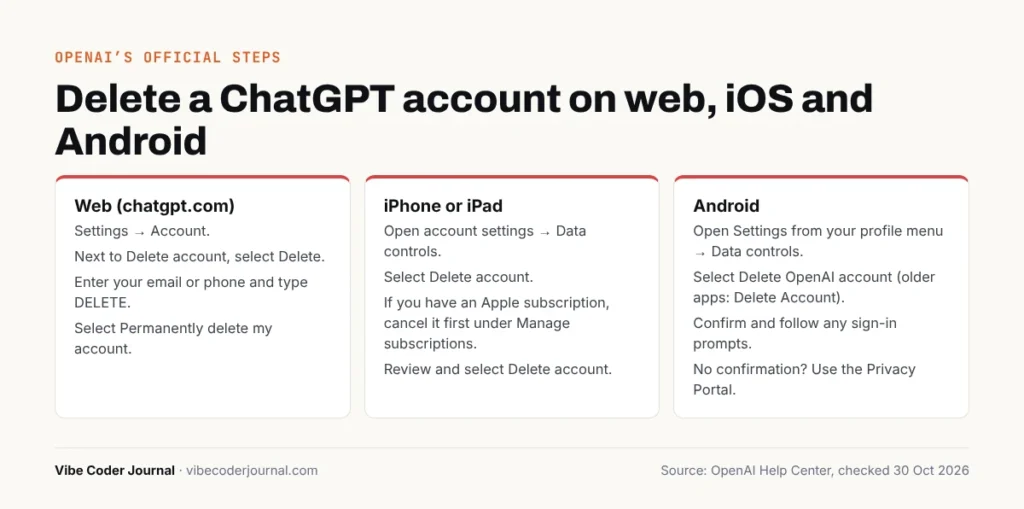 OpenAI’s official steps for web, iOS and Android, summarised from help.openai.com, checked 30 October 2026.
How to delete your ChatGPT account if you can’t sign in
If you can’t sign in, use OpenAI’s Privacy Portal:
- Go to the OpenAI Privacy Portal.
- Select Make a Privacy Request.
- Select I have a consumer ChatGPT account.
- Select Delete my ChatGPT account and follow the verification steps.
You need access to the email address or phone number linked to the account. If you can’t reach either, contact OpenAI Support for an ownership review.
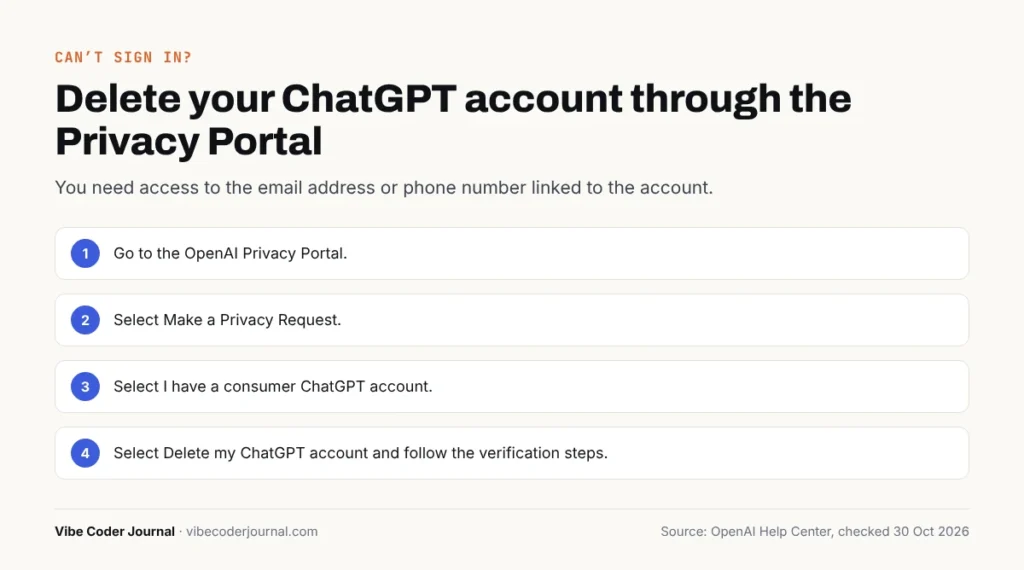 The Privacy Portal route, summarised from help.openai.com, checked 30 October 2026.
Can you delete a work, school or Enterprise ChatGPT account?
Not yourself. Self-service account deletion isn’t available in ChatGPT Business, Enterprise, Edu or ChatGPT for Healthcare workspaces. Ask your workspace admin or organisation for help.
What happens when you delete your ChatGPT account?
When you delete your ChatGPT account, you lose access to it straight away, OpenAI deletes your data within 30 days, and the account can’t be brought back.
- Access: you can no longer use the account for OpenAI services, including ChatGPT and the API.
- Data: deleted within 30 days, except a limited set OpenAI may keep longer where required or permitted by law.
- Chats: deleted chats can’t be recovered, by you or by Support.
- Subscription: a subscription billed directly by ChatGPT is cancelled. An Apple subscription isn’t, and you should check Google Play.
- Ads: active campaigns may not stop, so pause them first.
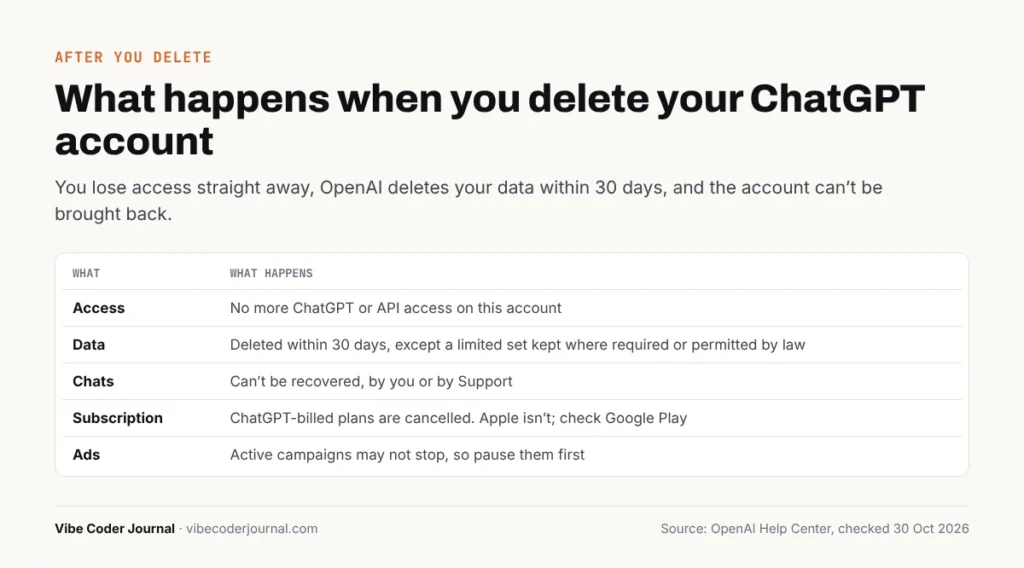 OpenAI’s explanation of what deletion does, summarised from help.openai.com, checked 30 October 2026.
Can you reuse your email or phone number after deleting?
Yes, after 30 days. OpenAI says you can create a new account with the same email address 30 days after the old account was fully deleted (not deactivated). Older guides that say you can never reuse your email are out of date.
Phone numbers work in a similar way: for a consumer account that you deleted yourself and that wasn’t disabled for breaking OpenAI’s rules, OpenAI removes the phone number from its system after 30 days, so you can sign up with it again. The exception is API verification: a phone number can verify the first API key for up to three accounts, and deleting an account doesn’t reset that count.
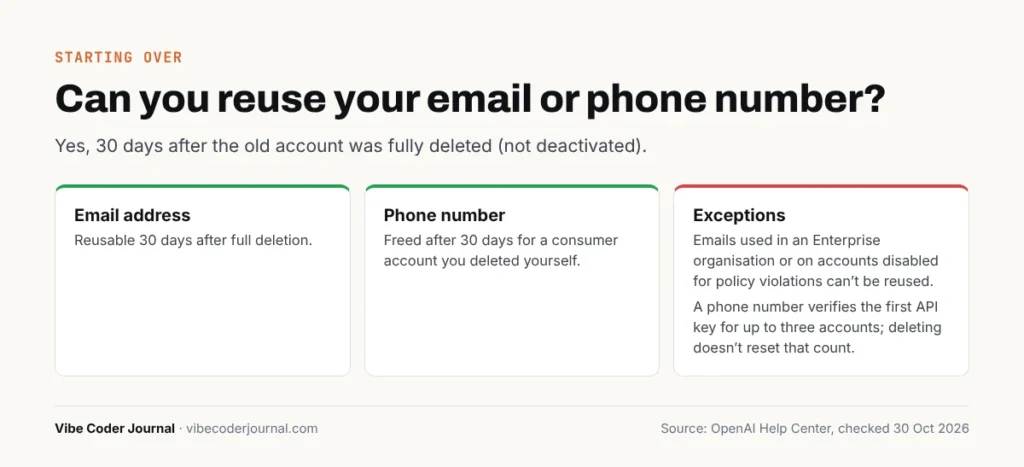 OpenAI’s FAQ on reusing your email and phone number, summarised from help.openai.com, checked 30 October 2026.
Email addresses used in an Enterprise organisation, or on accounts disabled for policy violations, can’t be reused.
How to delete your ChatGPT history without deleting your account
If you just want your chats gone, you don’t need to delete the account:
- One chat: in your chat history, open the ••• menu on the chat and select Delete. On mobile, press and hold the chat title, then select Delete.
- All chats: Settings → Data controls → Delete all chats.
- Hide without deleting: use Archive instead. Archived chats leave the sidebar but stay in your account.
Deleted chats disappear from your account straight away and are scheduled for permanent deletion within 30 days, unless they were already de-identified or must be kept for security or legal reasons. “Delete all chats” can’t be undone, and it doesn’t delete files saved separately in your Library.
How to cancel your ChatGPT subscription instead
If cost is the reason you want to leave, cancel the plan and keep a free account:
- Bought on chatgpt.com: Settings → Billing → under Cancel plan, select Cancel.
- iPhone or iPad: Settings app → your name → Subscriptions → ChatGPT → Cancel Subscription.
- Google Play: Play Store → Subscriptions → ChatGPT → Cancel subscription.
Cancel at least 24 hours before your next billing date. Paid features keep working until the end of the current billing period, and cancelling doesn’t automatically refund past charges. Uninstalling the app doesn’t cancel anything.
If you’re leaving ChatGPT for another assistant, our Copilot vs ChatGPT comparison and Claude pricing guide cover the main alternatives. Students should check the ChatGPT student discount before paying full price anywhere.
Common problems when deleting a ChatGPT account
- No “Delete account” option: you’re probably in a Business, Enterprise or Edu workspace. Ask your admin.
- The confirm button is greyed out: enter your account email or phone number exactly and type DELETE in capitals.
- The mobile app returns to your chats without confirming: use the Privacy Portal.
- “You do not have an account because it has been deleted or deactivated”: the account was deleted or deactivated. A deleted account can’t be restored, and waiting 30 days doesn’t reactivate a deactivated one.
- Still being charged after deleting: you probably subscribed through Apple or Google Play. Cancel it there.
Frequently asked questions
Can I delete my ChatGPT account?
Yes. On the web, go to Settings → Account → Delete account, enter your email or phone number, type DELETE and confirm. On iPhone or Android, go to Settings → Data controls → Delete account. If you can’t sign in, use OpenAI’s Privacy Portal. Work and school accounts must ask their admin.
Is deleting a ChatGPT account permanent?
Yes. OpenAI says deleted accounts can’t be reactivated and deleted chats can’t be recovered, even through Support. Your data is deleted within 30 days, except a limited set OpenAI may keep longer where the law requires or permits. Export your data first if you want a copy.
Does deleting my ChatGPT account cancel my subscription?
Only if you paid on chatgpt.com. Deleting your account cancels subscriptions billed directly by ChatGPT, but it doesn’t cancel an Apple App Store subscription. If you subscribed through Google Play, check and cancel it there too. Cancel mobile subscriptions before you delete the account.
Can I use the same email after deleting my ChatGPT account?
Yes, after 30 days. OpenAI lets you create a new account with the same email address 30 days after the old account was fully deleted. This doesn’t apply to deactivated accounts, emails used in an Enterprise organisation, or accounts disabled for breaking OpenAI’s policies.
Does deleting my ChatGPT account delete my OpenAI API account?
Yes. Your ChatGPT and OpenAI API access use the same OpenAI account, and OpenAI says deletion stops you using it for its services, including ChatGPT and the API. Move any apps or scripts that use your API keys before deleting the account.
How long does it take to delete a ChatGPT account?
The account is deleted when you confirm and can’t be reactivated. OpenAI then deletes your data within 30 days, except some data it may keep longer for legal reasons. After 30 days you can sign up again with the same email address.
How do I delete my ChatGPT history?
To delete one chat, open its ••• menu in your history and select Delete. To delete everything, go to Settings → Data controls → Delete all chats. Deleted chats can’t be restored and are permanently removed within 30 days. Your account and subscription stay as they are.
Can I delete my ChatGPT account without logging in?
Yes. Go to OpenAI’s Privacy Portal, select Make a Privacy Request, choose “I have a consumer ChatGPT account”, then “Delete my ChatGPT account”. You must verify the email address or phone number linked to the account, or contact OpenAI Support for an ownership review.
Sources
Checked 30 October 2026:
- Deleting your ChatGPT account — OpenAI Help Center
- Canceling your ChatGPT subscription — OpenAI Help Center
- Deleting and archiving chats in ChatGPT — OpenAI Help Center
- How to delete your account in the ChatGPT iOS app — OpenAI Help Center
- How to delete your OpenAI account in the ChatGPT Android app — OpenAI Help Center
- OpenAI Privacy Portal — OpenAI
- ChatGPT Settings (Account and Data controls pages), viewed on chatgpt.com

Keep exploring



Leave a Reply