

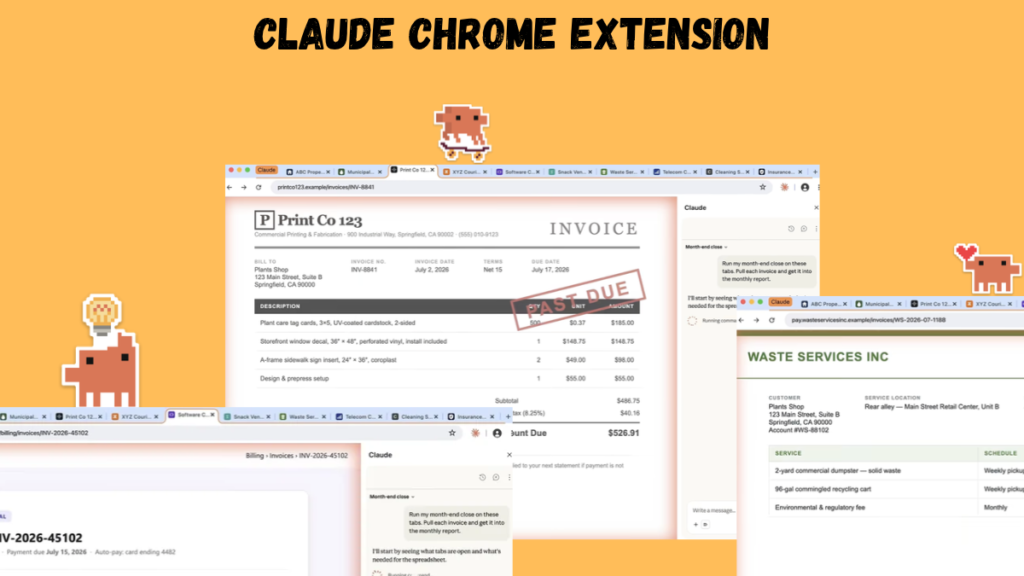
By Abdullah Zulfiqar · Updated 30 October 2026 · Data verified 30 October 2026
Key Takeaways – The Claude Chrome extension is called Claude in Chrome. It opens Claude in a side panel that can read the page, click, type, navigate and fill forms for you. – It’s on every paid plan: Pro, Max, Team and Enterprise. The cheapest way to get it is Claude Pro at $20/month ($17/month billed yearly). It’s not on the Free plan. – It’s generally available since 26 August 2026, after a pilot that started in August 2025. – The side panel only works in Google Chrome on desktop, not on mobile. Used from Claude Code, the extension also works in Microsoft Edge and other Chromium browsers such as Brave and Arc. – You choose how much it does alone: Manually approve, Automatically approve (the default in the Cowork-based side panel) or Skip all approvals. – Some actions are always blocked, like purchases, creating accounts and permanent deletions, and Anthropic still describes it as “risky”.
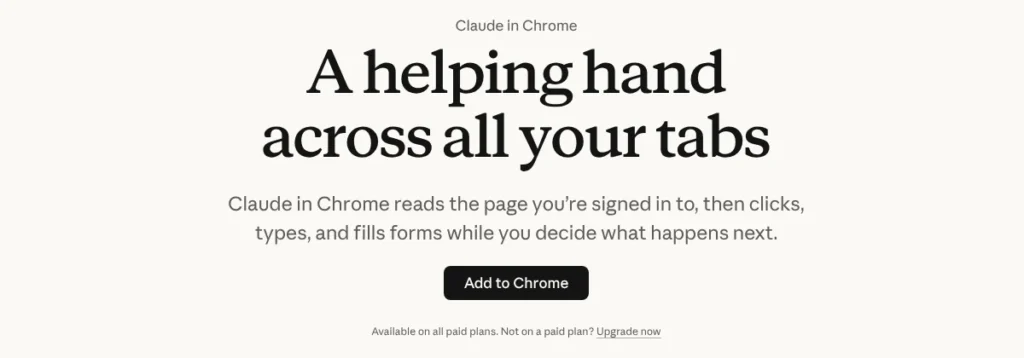 Claude in Chrome’s official page, with the “now generally available” notice. Screenshot: claude.com, 30 October 2026.
What is the Claude Chrome extension? It’s Anthropic’s official browser extension, called Claude in Chrome. Once installed, Claude sits in a side panel next to the website you’re on and can work on that page for you: reading it, clicking buttons, typing, moving between pages and filling in forms, using the logins you already have. It’s available on all paid Claude plans (Pro, Max, Team and Enterprise), and the side panel runs only in Google Chrome on desktop.
What can Claude in Chrome do?
Claude in Chrome lets Claude act inside your browser instead of only chatting about it. Anthropic’s getting-started guide lists these core features:
- Act on any page: read text, click, type, navigate and fill forms in the side panel while you watch.
- Work across tabs: drag tabs into Claude’s tab group and it can view and use all of them at once, for example to compare products or pull numbers from several dashboards.
- Scheduled tasks: set a browser task to run daily, weekly, monthly or annually from the clock icon in the panel.
- Shortcuts: save a prompt that worked and reuse it by typing “/” in the chat.
- Background workflows: tasks keep running when you switch tabs, as long as Chrome stays open, and you get a notification when Claude needs you or finishes.
- Built-in know-how for popular sites: Slack, Google Calendar, Gmail, Google Docs and GitHub, so prompts like “schedule a meeting” work without step-by-step instructions.
- Visual context and uploads: capture part of the screen to point Claude at something, or let it upload files such as an expense report, form attachment or picture.
- Console logs: for developers, Claude can read errors, network requests and the page’s DOM to help debug.
- Sign in with 1Password (beta, macOS): Claude asks 1Password for a login, you approve with biometrics, and Claude never sees the password.
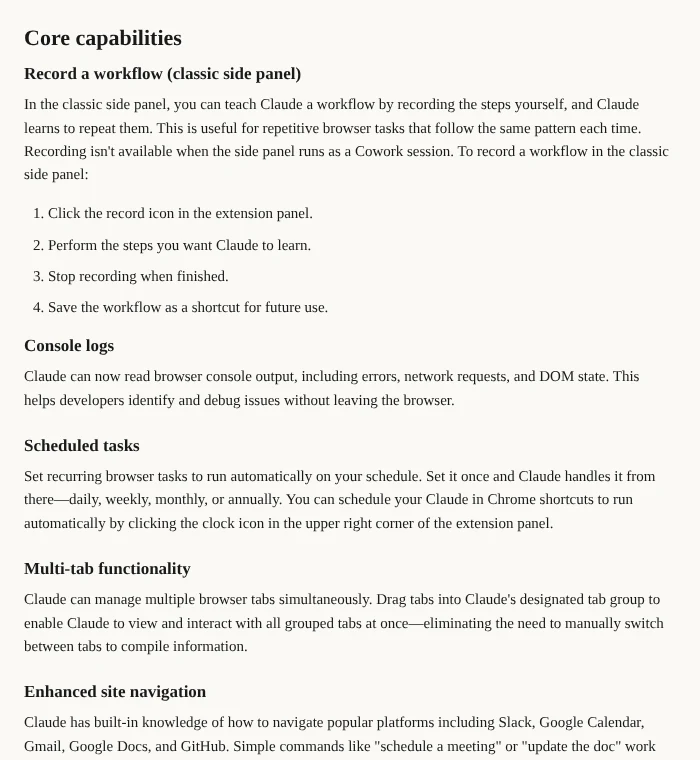 Scheduled tasks, multi-tab work, site navigation and 1Password sign-in. Screenshot: support.claude.com, 30 October 2026.
The point, according to Anthropic’s launch announcement, is to let Claude work on sites that have no connector, such as internal dashboards, legacy systems and vendor portals, using the logins you already have.
Which plans include the Claude Chrome extension?
Claude in Chrome is included in every paid Claude plan: Pro, Max, Team and Enterprise. It isn’t available on the Free plan. On Anthropic’s pricing page, “Claude in Chrome and Microsoft 365” is listed among the Pro features, and Max includes everything in Pro.
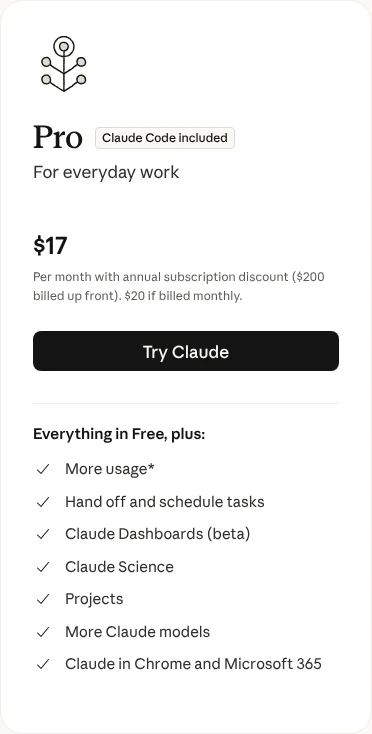 “Claude in Chrome and Microsoft 365” listed under Pro. Screenshot: claude.com/pricing, 30 October 2026.
Claude plans that include Claude in Chrome, checked 30 October 2026 (US prices, before tax):
| Plan | Price | Claude in Chrome |
|---|---|---|
| Free | $0 | No |
| Pro | $20/month, or $17/month billed yearly ($200) | Yes |
| Max | From $100/month (5x or 20x Pro usage) | Yes |
| Team | $20/seat/month billed yearly, $25 monthly (Standard seat) | Yes; admins can turn it on or off |
| Enterprise | $20/seat/month billed yearly (20-seat minimum) plus usage at API rates | Yes; the new side panel needs an owner to enable Cowork in the cloud |
On Enterprise, until an owner enables Claude in Chrome and Cowork in the cloud, the side panel uses the “classic” experience. Enterprise organisations with HIPAA enabled have Claude in Chrome off by default. For the full plan breakdown, see our Claude pricing guide. If you’re a student, our Claude student discount guide covers the cheapest way to get a paid plan.
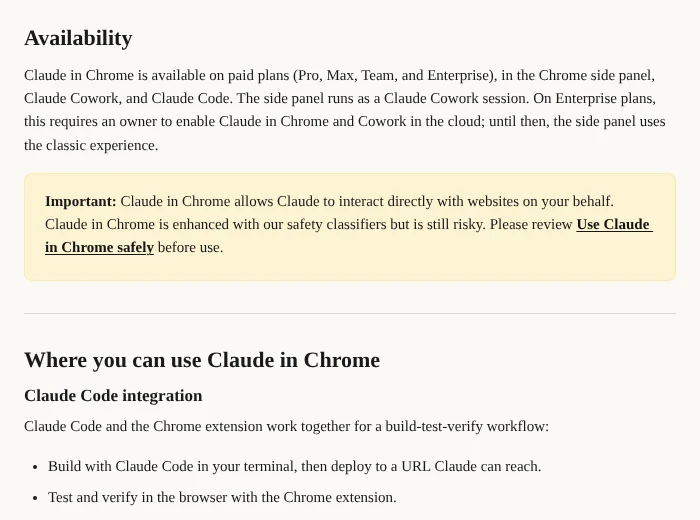 Availability section of Anthropic’s guide. Screenshot: support.claude.com, 30 October 2026.
How to install the Claude Chrome extension
To install the Claude Chrome extension, open Google Chrome on a computer, go to claude.com/chrome or the Chrome Web Store, click “Add to Chrome”, sign in with a paid Claude account and pin the Claude icon. It takes about a minute.
- Open Google Chrome. The side panel isn’t supported in other Chromium browsers or on phones.
- Go to the Chrome Web Store and search for “Claude”, or click “Add to Chrome” on claude.com/chrome. Check the publisher is Anthropic.
- Click “Add to Chrome” to install it.
- Sign in with your Claude account.
- Pin it: click the puzzle-piece icon in the toolbar, then the pin next to “Claude”.
- Grant the permissions Claude asks for.
Then click the Claude icon in your toolbar. Claude opens in a side panel that stays open while you browse.
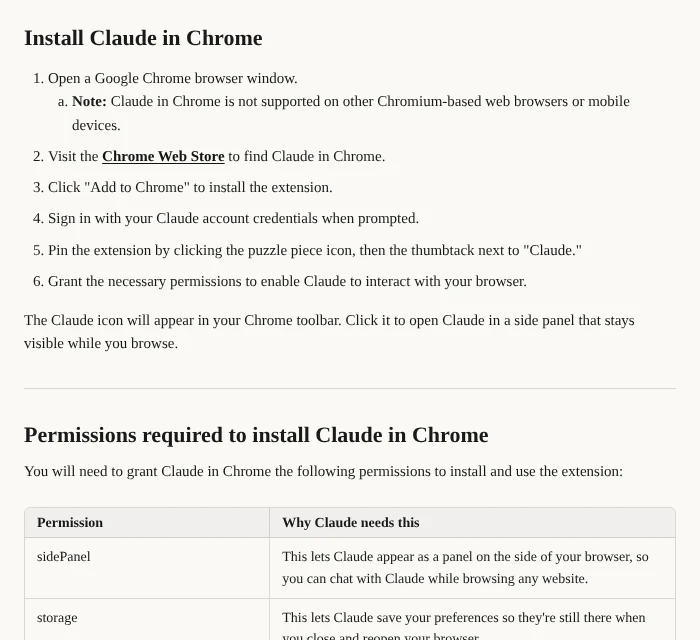 Anthropic’s official install steps. Screenshot: support.claude.com, 30 October 2026.
Why does the extension need so many permissions?
Because it has to control your browser. The extension asks for permissions such as debugger (to click, type and take screenshots), scripting (to read page text), tabs and tabGroups (to open tabs and keep Claude’s tabs in their own group), alarms (for scheduled tasks) and downloads (to download files in a workflow). Anthropic explains each one in the permissions table of its getting-started guide.
How to use Claude in Chrome
Open the side panel on the page you want to work on and describe the task in plain words, with a clear goal and end point. Prompts that fit what the extension is built for:
- “Go through the open tabs, pull the price, rating and delivery time for each product, and put them in a table.”
- “Check my calendar for meetings tomorrow and, for each external attendee, add a note about what their company does.”
- “Draft a project update from these notes and type it into my open Google Doc.”
- “Open the analytics dashboard, read last month’s sign-ups and summarise the trend.”
The demo on Anthropic’s Claude in Chrome page uses a bigger job: “Run my month-end close on these tabs. Pull each invoice and get the monthly report.”
Choose a model
Anthropic says Claude in Chrome is available on all public Claude models, and you pick one in the side panel. A faster model is fine for simple page tasks; for long multi-tab jobs a stronger model makes fewer mistakes. If you’re testing web apps from Claude Code, our guide to the best Claude model for coding compares the options.
Claude in Chrome with Claude Code
Claude Code can use the extension to open the site you’re building, test it, read console errors and compare it to a design. According to the Claude Code docs:
- Start Claude Code with claude –chrome, or run /chrome and select Enabled by default.
- You need extension version 1.0.36 or later and a direct Anthropic plan (Pro, Max, Team or Enterprise), signed in with /login. Chrome integration stays off if you use an API key, and it isn’t available through Amazon Bedrock, Google Cloud or Microsoft Foundry.
- It works with Google Chrome and Microsoft Edge, and Claude Code also detects the extension in Brave, Arc, Vivaldi and Opera. It isn’t supported in WSL.
- When Claude hits a login page or CAPTCHA, it pauses and asks you to handle it.
Keeping Chrome enabled by default loads the browser tools into every session, which uses more context. See how to check your Claude Code usage, and our Claude Code install guide if you’re setting it up.
Claude in Chrome with Claude Desktop and Cowork
- Claude Desktop: go to Settings → Customize → Connectors, find Claude in Chrome, click Configure and turn it on. It’s off by default and you enable it per conversation.
- Claude Cowork: the newer side panel runs as a Cowork session, so your skills, plugins and connectors work there too, and sessions sync across web, desktop and mobile as it rolls out. Read what Claude Cowork is for the background.
Permission modes: how much Claude can do on its own
Claude in Chrome has three permission modes: Manually approve, Automatically approve and Skip all approvals. You pick one from a drop-down on the chat input.
| Mode | Old name | What happens | Best for |
|---|---|---|---|
| Manually approve | “Ask before acting” | Claude asks before each action; you choose Allow or Deny | New sites, sensitive pages |
| Automatically approve | (new) | Claude works on its own, checks each action for safety and stops to ask when needed | Most everyday tasks (default in the Cowork side panel) |
| Skip all approvals | “Act without asking” | No pauses and no automatic checks | Only workflows you completely trust |
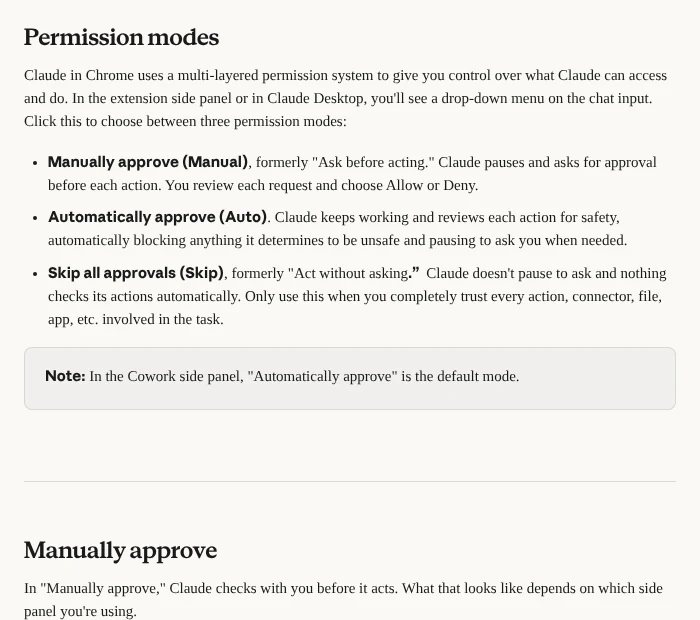 The three permission modes. Screenshot: support.claude.com permissions guide, 30 October 2026.
On some sites Claude also asks for site-level permission. In the Cowork side panel the options are Allow all for this website, Allow this time only or Deny. In the classic side panel they’re Allow this action, Always allow actions on this site or Decline. Even with a site always allowed, Claude still asks before downloading a file, entering sensitive information or granting an authorisation. You can review and revoke approved sites under Extension settings → Permissions.
If you use Claude Code, the idea is the same as its auto mode and YOLO mode: more freedom means fewer prompts, but more risk.
What Claude in Chrome will never do
Claude in Chrome is blocked from making purchases, creating accounts, handling card or ID data, permanently deleting data, giving financial advice, modifying system files and following instructions found in web content, in every permission mode. Anthropic’s permissions guide lists the full set:
- making purchases or financial transactions
- creating accounts
- handling sensitive credit card or ID data
- downloading files from untrusted sources
- permanent deletions (emptying trash, deleting emails, files or messages)
- providing investment or financial advice
- executing financial trades or investment transactions
- modifying system files
- completing instructions from emails or web content
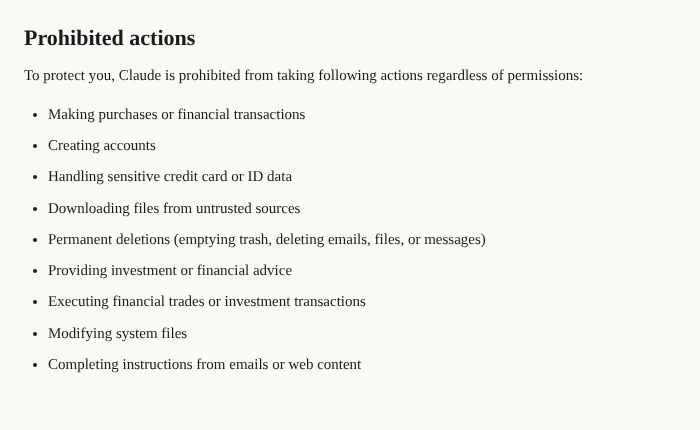 Actions Claude won’t take in any mode. Screenshot: support.claude.com, 30 October 2026.
Anthropic also blocks adult content and known pirated content sites, and asks permission before acting on financial sites.
Is the Claude Chrome extension safe?
Claude in Chrome is reasonably safe for everyday browsing tasks but not risk-free. Anthropic’s getting-started guide says it is “enhanced with our safety classifiers but is still risky”. The main threat is prompt injection: hidden instructions on a web page, in an email or in a document that try to make Claude do something you didn’t ask for, like sending your data somewhere.
Anthropic’s defences include training Claude to refuse those instructions, classifiers that scan untrusted content, permission prompts, site blocklists and a check on every action in Automatically approve mode.
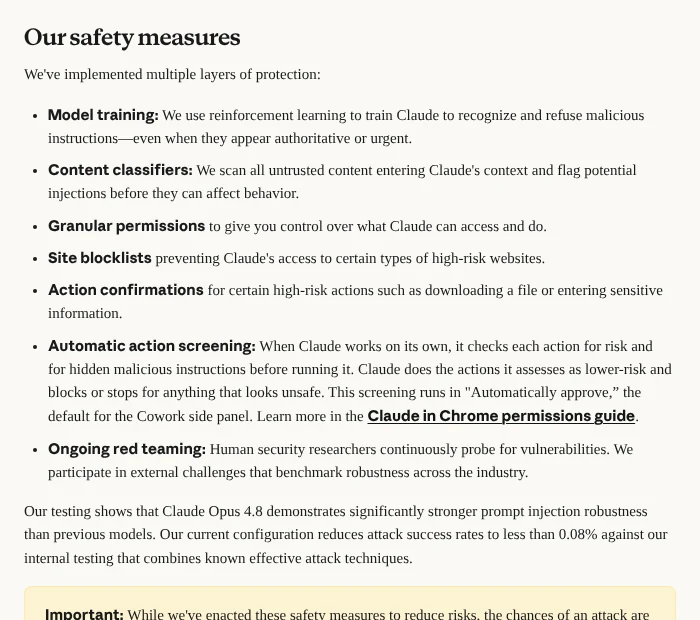 Anthropic’s layers of protection. Screenshot: support.claude.com “Use Claude in Chrome safely”, 30 October 2026.
Anthropic’s own test results have improved a lot:
- August 2025 pilot: prompt-injection attacks succeeded 23.6% of the time without mitigations and 11.2% with them.
- Safety page (October 2026): with Claude Opus 4.8, Anthropic says its current configuration cuts attack success to under 0.08% in internal testing.
- 26 August 2026 launch post: before extra safeguards, red-team attacks succeeded 17.6% of the time against Claude Opus 4.5 and 3.8% against Claude Opus 5. With probes and the safety classifier, none succeeded against Claude Sonnet 5, Opus 5 or Mythos 5, and Claude Fable 5 had a 0.3% success rate.
These are Anthropic’s own tests, not a guarantee. The other risk is simpler: Claude can see anything visible on the active tab, so whatever is on screen can end up in the conversation.
How to use Claude in Chrome safely
Anthropic advises against using it to manage financial accounts or investments, handle legal documents, process medical information, or work in accounts with sensitive company data or other people’s personal information.
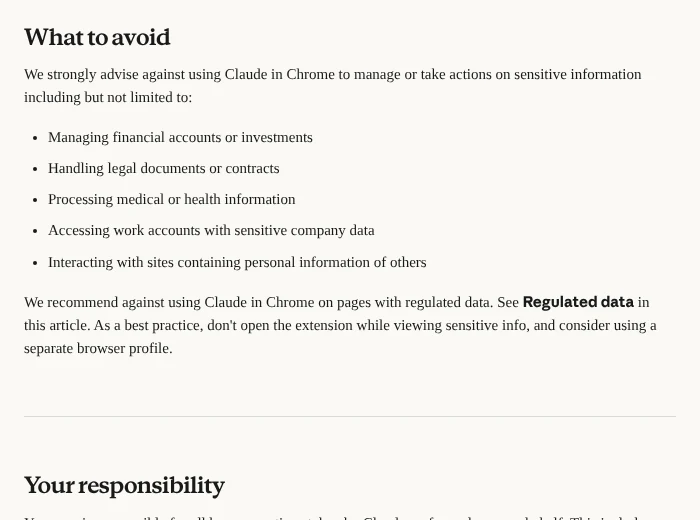 Anthropic’s list of tasks to avoid. Screenshot: support.claude.com, 30 October 2026.
Practical rules that follow from Anthropic’s guidance:
- Use a separate Chrome profile without your bank, health or government logins.
- Start in Manually approve on any site you haven’t used Claude on before.
- Give specific prompts with a clear end point.
- Stop the task if Claude visits sites you didn’t expect, changes topic or asks for sensitive information.
- Don’t open the panel on pages you don’t want saved to your session history.
You stay responsible for everything Claude does in your browser, including messages it sends and data it changes.
Claude in Chrome vs Cowork’s built-in browser
Claude in Chrome controls your real Google Chrome with your existing logins. Cowork’s built-in browser lives inside the Claude desktop app and needs no install.
| Claude in Chrome | Cowork built-in browser | |
|---|---|---|
| Where it runs | Google Chrome on desktop | Inside the Claude desktop app |
| Install needed | Chrome extension | No |
| Your existing Chrome logins | Yes | No, it’s separate from your Chrome |
| Availability | All paid plans | Rolling out gradually |
You choose your preferred browser under Settings → Cowork → Preferred browser. If you already use Claude in Chrome, it stays your default. Anthropic notes that working with files on your computer or with other applications still needs the Claude desktop app.
Common Claude in Chrome problems
Most Claude in Chrome problems come from four causes: using a browser other than Google Chrome, being on the Free plan, the icon not being pinned, or an Enterprise owner not enabling it.
- “Not supported” in Edge, Brave or Arc: the side panel only runs in Google Chrome. (Claude Code’s integration is the exception.)
- No Claude icon: pin it from the puzzle-piece menu.
- Upgrade prompt after sign-in: the extension needs a paid plan.
- Enterprise users stuck on the classic panel: an owner needs to enable Claude in Chrome and Cowork in the cloud.
- A site is blocked: it may be in Anthropic’s blocked categories, or on your admin’s blocklist.
- “Browser extension is not connected” in Claude Code: the extension and Claude Code must be signed in to the same claude.ai account and organisation. Check with /status, then run /chrome → Reconnect extension.
- Stops responding after a while in Claude Code: the extension’s service worker can go idle. Run /chrome → Reconnect extension, or turn the extension off and on at chrome://extensions.
- Before logging out of the extension: you lose saved shortcuts and scheduled tasks, so try reconnecting first.
Anthropic’s Claude in Chrome troubleshooting article covers more cases.
Frequently asked questions
Is there an official Claude Chrome extension?
Yes. Anthropic’s official extension is called Claude in Chrome and is published by Anthropic on the Chrome Web Store. It opens Claude in a side panel that can read pages, click, type, navigate and fill forms. Install it from the Chrome Web Store or the “Add to Chrome” button on claude.com/chrome.
How do I install the Claude Chrome extension?
Open Google Chrome on a computer, visit claude.com/chrome or search “Claude” in the Chrome Web Store, check the publisher is Anthropic, and click “Add to Chrome”. Sign in with a paid Claude account, pin the icon from the puzzle-piece menu, and grant the permissions it requests. Claude then opens in a side panel.
Is the Claude Chrome extension free?
No. Claude in Chrome needs a paid Claude plan: Pro, Max, Team or Enterprise. It isn’t included in Claude Free. Claude Pro is the cheapest plan that includes it, at $20 a month or $17 a month billed yearly; see our Claude pricing guide for every plan.
What does Claude in Chrome do?
Claude in Chrome lets Claude act in your browser. It can read the page you’re on, click buttons, type, move between pages, fill forms and work across several tabs. It can also run scheduled tasks, reuse saved shortcuts and keep working in the background while Chrome is open.
Does Claude in Chrome work in Edge, Brave or Arc?
The side panel doesn’t: as of October 2026 it only works in Google Chrome on desktop, not other Chromium browsers or mobile. The exception is Claude Code, whose Chrome integration also supports Microsoft Edge and detects the extension in Brave, Arc, Vivaldi and Opera.
Is Claude in Chrome safe to use?
Claude in Chrome is reasonably safe for everyday tasks, but not risk-free. Anthropic uses permission modes, safety classifiers and blocked actions, and reports attack success under 0.08% in internal tests. It still recommends avoiding financial, legal, medical and sensitive work accounts, and using a separate Chrome profile.
Does Claude in Chrome see my screen and save my data?
Claude can see anything visible on the active tab it works in, and that content can become part of the conversation. In the Cowork-based side panel, sessions are saved to your Claude history. Anthropic advises not opening the panel on pages with information you don’t want saved.
Can Claude in Chrome make purchases or log in for me?
No purchases: Anthropic blocks purchases, financial transactions and account creation in every permission mode. For logins, Claude uses the sessions you’re already signed in to, and on macOS it can request credentials from 1Password, which you approve with biometrics without Claude seeing the password.
Do scheduled tasks run when Chrome is closed?
No. Anthropic says Claude in Chrome’s background workflows keep running when you switch tabs, as long as Chrome is open. Scheduled tasks can run daily, weekly, monthly or annually, but Chrome needs to be running with the extension signed in for them to work.
What is the difference between Claude for Chrome and Claude in Chrome?
They’re the same product. Anthropic’s August 2025 pilot announcement lives at a “claude-for-chrome” web address, and many people still search for “Claude for Chrome”. The extension is now called Claude in Chrome and is the one on the Chrome Web Store.
Can I use Claude in Chrome with Claude Code?
Yes. Start Claude Code with claude –chrome or run /chrome, and Claude can open the site you’re building, test it, read console errors and compare it to a design. It needs a Pro, Max, Team or Enterprise plan signed in with /login, not an API key.
Claude in Chrome timeline
Claude in Chrome launched as a 1,000-user pilot on 25 August 2025 and became generally available on all paid Claude plans on 26 August 2026.
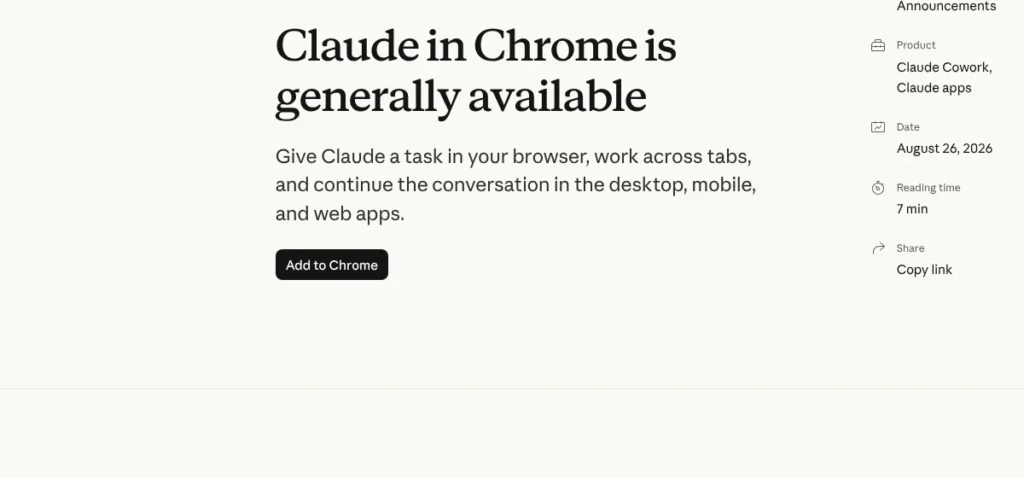 The general availability announcement. Screenshot: claude.com, 30 October 2026.
- 25 August 2025: pilot with 1,000 Max plan users, by waitlist.
- 24 November 2025: beta for all Max subscribers, with scheduled tasks and multi-tab workflows.
- 18 December 2025: expanded to Pro, Team and Enterprise, plus the Claude Code integration and admin controls.
- 26 August 2026: generally available on every paid plan, with autonomous actions checked by a safety classifier.
Sources
Checked 30 October 2026:
- Claude in Chrome — Anthropic
- Get started with Claude in Chrome — Anthropic Help Center
- Claude in Chrome permissions guide — Anthropic Help Center
- Use Claude in Chrome safely — Anthropic Help Center
- Claude in Chrome troubleshooting — Anthropic Help Center
- Use Claude Code with Chrome — Claude Code docs
- Claude in Chrome is generally available — Anthropic, 26 August 2026
- Piloting Claude in Chrome — Anthropic, 25 August 2025
- Claude plans and pricing — Anthropic
- Claude on the Chrome Web Store — Google

Keep exploring



Leave a Reply