

- Quick answer: On macOS or Linux, run curl -fsSL https://chatgpt.com/codex/install.sh | sh, then run codex and pick "Sign in with ChatGPT". That is the whole install. Homebrew and npm both work too. On Windows there is a native PowerShell installer, but OpenAI's own requirements page lists Windows 11 via WSL2 only — if the native route misbehaves, that is why.
Codex CLI is OpenAI’s coding agent, written in Rust and run locally. Installing it takes one command. The parts worth reading are what to install it with, which sign-in to choose, and the handful of things that go wrong afterwards.
What do you need before installing Codex CLI?
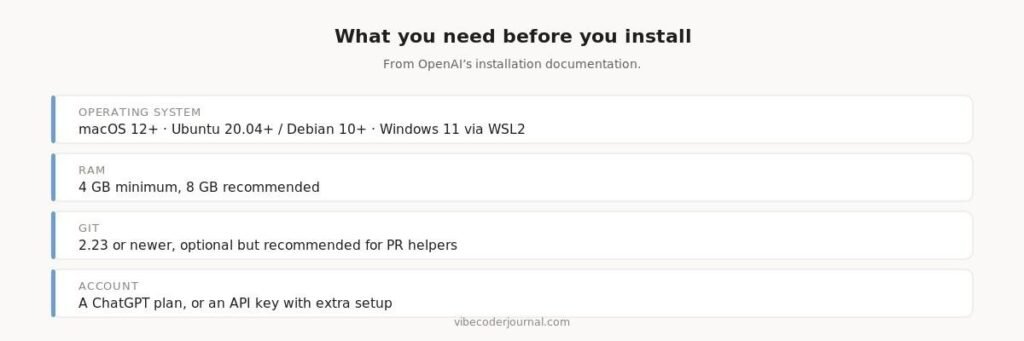
OpenAI’s published requirements for Codex CLI.
| Requirement | Detail |
|---|---|
| Operating system | macOS 12+, Ubuntu 20.04+ / Debian 10+, or Windows 11 via WSL2 |
| RAM | 4 GB minimum, 8 GB recommended |
| Git | 2.23 or newer — optional, needed for the built-in PR helpers |
| Account | A ChatGPT plan, or an API key with additional setup |
Source: openai/codex docs/install.md, read 19 August 2026.
The RAM figure is worth taking seriously. Codex runs the agent loop locally, and 4 GB is a floor rather than a comfortable target. On a machine already running an IDE and a browser, 8 GB is the practical minimum.
How do you install Codex CLI?
Five official routes. They all produce the same binary, so choose by how you want to handle updates.
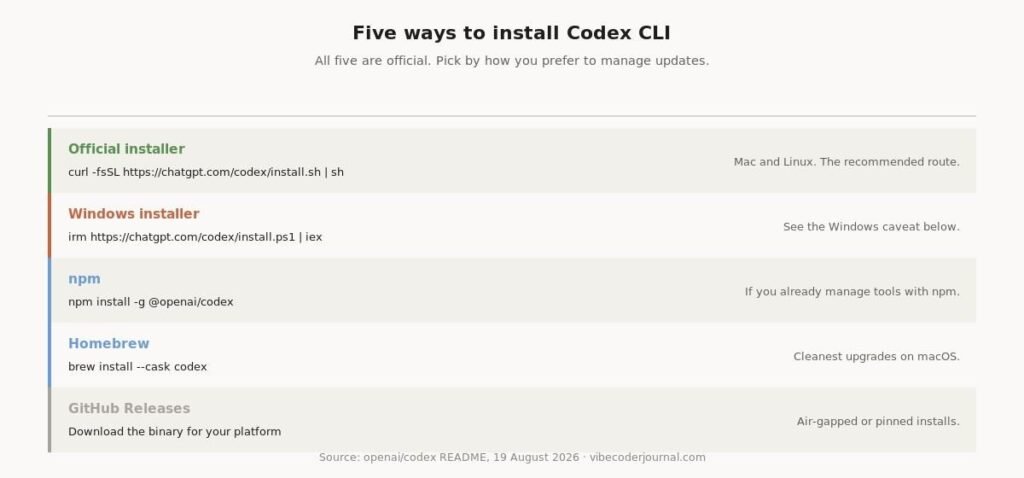
Every official installation method, with the command for each.
macOS and Linux
curl -fsSL https://chatgpt.com/codex/install.sh | shHomebrew
brew install --cask codexnpm
npm install -g @openai/codexWindows
powershell -ExecutionPolicy ByPass -c “irm https://chatgpt.com/codex/install.ps1 | iex”
| Method | Command | Best for |
|---|---|---|
| Official installer | curl -fsSL https://chatgpt.com/codex/install.sh | sh | Mac and Linux, recommended |
| Windows installer | irm https://chatgpt.com/codex/install.ps1 | iex | See the Windows caveat |
| npm | npm install -g @openai/codex | Already managing tools with npm |
| Homebrew | brew install –cask codex | Cleanest upgrades on macOS |
| GitHub Releases | Download the binary for your platform | Air-gapped or pinned installs |
All five commands are taken from OpenAI’s README.
A detail that matters on locked-down networks. The standalone installers pull from releases.openai.com and fall back to GitHub Releases if that is unreachable. You can force the GitHub path:
curl -fsSL https://chatgpt.com/codex/install.sh \| CODEX_INSTALLER_USE_RELEASES_OPENAI_COM=false sh
Does Codex CLI work on Windows?
Yes and no, and OpenAI’s own documentation is the reason for the confusion.
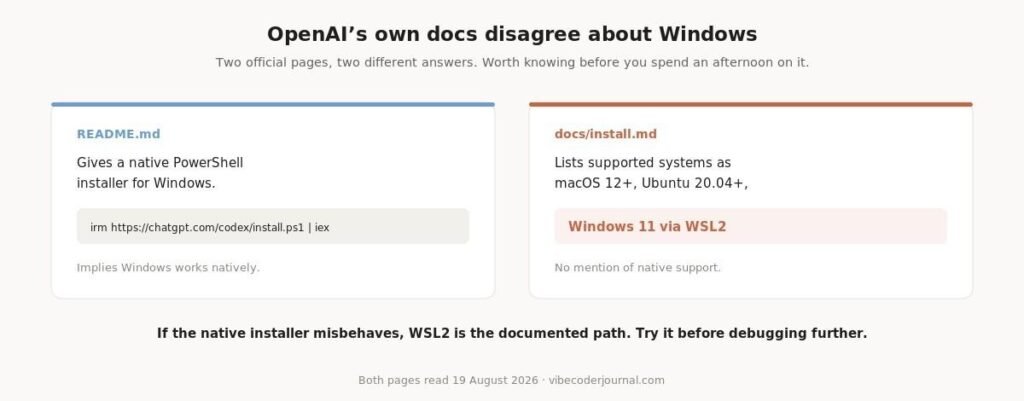
Two official pages, two different answers about Windows support.
The README provides a native PowerShell installer. The installation requirements page lists supported systems as macOS 12+, Ubuntu 20.04+/Debian 10+, or Windows 11 via WSL2, with no mention of native Windows.
The practical reading: try the native installer, because it exists and it works for many people. If you hit anything strange — PATH problems, sandbox errors, odd terminal rendering — do not spend the afternoon debugging it. Install inside WSL2, which is the documented configuration.
How do you sign in to Codex CLI?
Run codex and choose “Sign in with ChatGPT”. This is the option you want if you already pay for ChatGPT, because Codex is included rather than billed separately.
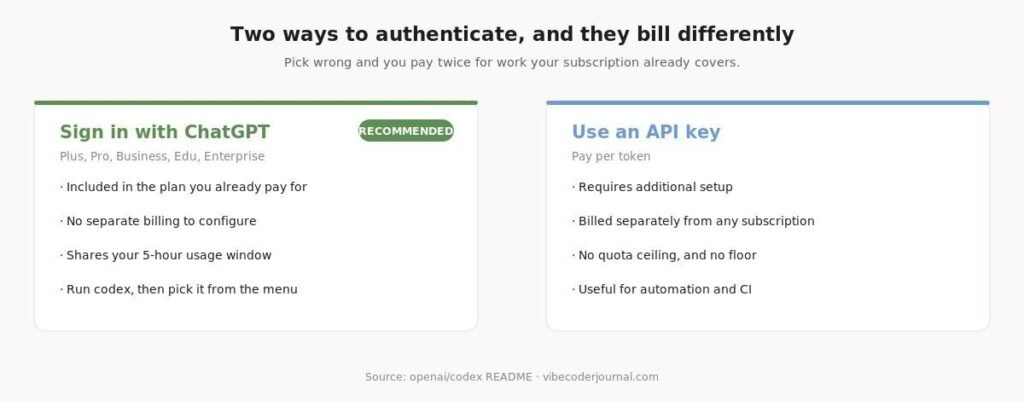
The two authentication routes, and how each one bills.
OpenAI’s README lists the plans that include Codex as Plus, Pro, Business, Edu and Enterprise. Note that ChatGPT Go is not named there, despite several third-party guides claiming it is included — if you are on Go specifically, verify before relying on it.
The expensive mistake. If an API key is configured in your environment, Codex may use it instead of your subscription, and you will be billed per token for work your plan already covers. If you are paying for ChatGPT, sign in with the account and leave API keys out of your shell.
Codex shares a rolling five-hour usage window across the CLI, the web app and the IDE extension — the same mechanic Claude Code uses. We compared both in Codex CLI vs Claude Code.
How do you check the installation worked?
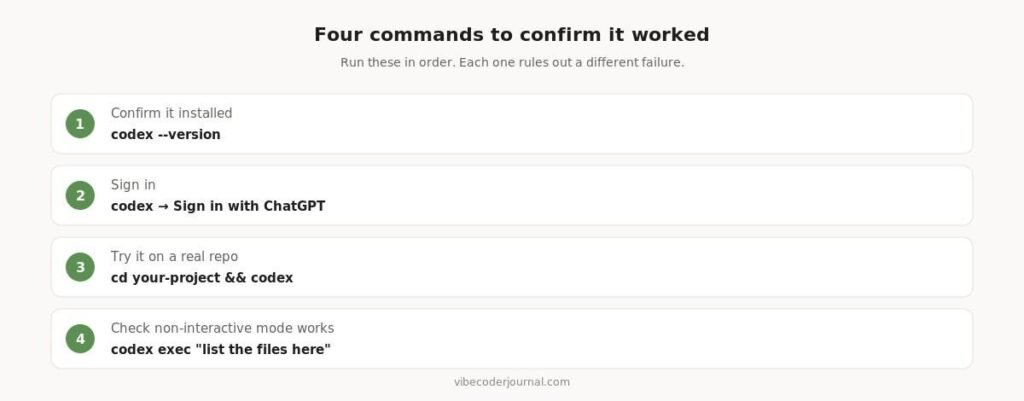
Four commands that each rule out a different failure.
codex --versioncodex # sign in, then try a prompt
cd your-project && codex
codex exec "list the files here"If codex –version returns “command not found”, the install worked but the directory is not on your PATH. Restart the terminal first — that fixes it most of the time — then check with which codex on Unix or where codex on Windows.
What are the different ways to run Codex?
One install gives you three interfaces, and most guides only mention the first.
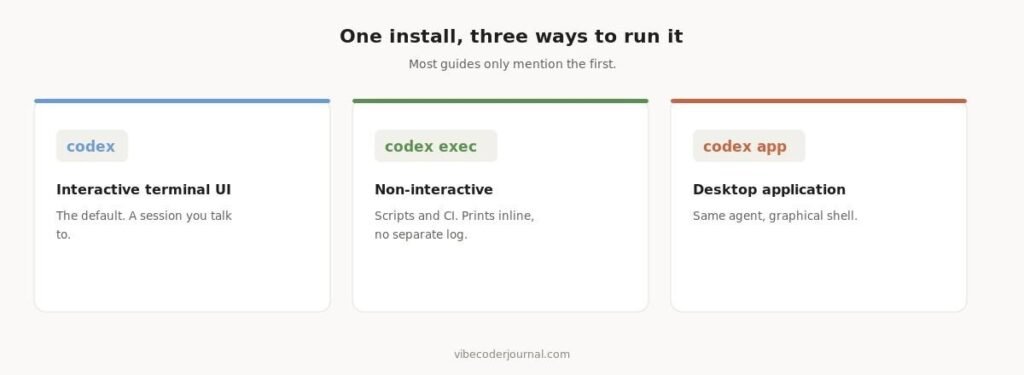
Interactive, non-interactive and desktop modes.
codex opens the interactive terminal interface. codex exec runs a single instruction non-interactively and prints results inline, which is what you want in scripts and CI. codex app launches the desktop application.There is also an IDE extension for VS Code, Cursor and Windsurf, and Codex Web at chatgpt.com/codex for the cloud agent. All of them draw on the same subscription.
Common installation problems
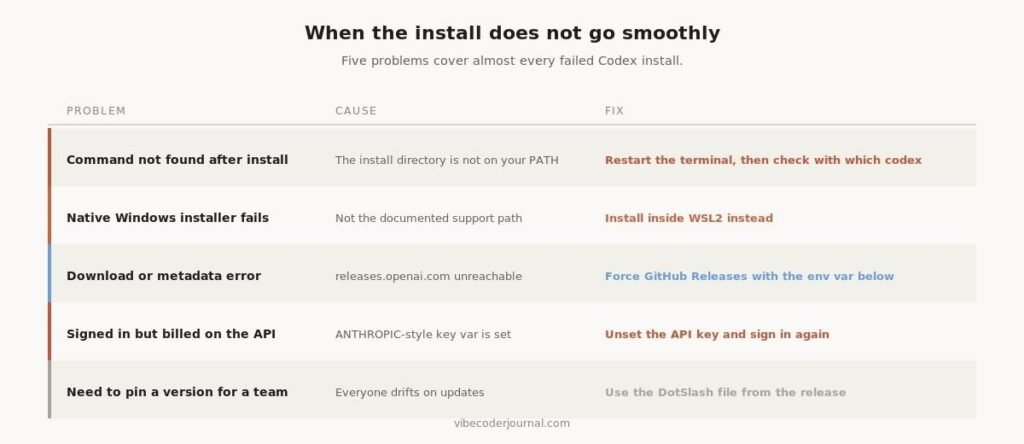
Five problems that cover almost every failed Codex install.
Turning on verbose logging
Codex is written in Rust and honours the standard Rust logging variable. The interactive interface keeps diagnostics in bounded local stores by default, so set a log directory explicitly when you need a plain-text file:
codex -c log_dir=./.codex-logtail -F ./.codex-log/codex-tui.log
Non-interactive mode behaves differently. codex exec defaults to error-level logging and prints inline, so there is no separate file to watch.
Pinning a version across a team
Each GitHub release includes a DotSlash file named codex. Commit it to your repository and every contributor runs the same version regardless of platform — a cleaner solution than asking people to match version numbers by hand.
Is Codex CLI open source?
The client is. The repository is Apache-2.0 licensed and actively maintained.
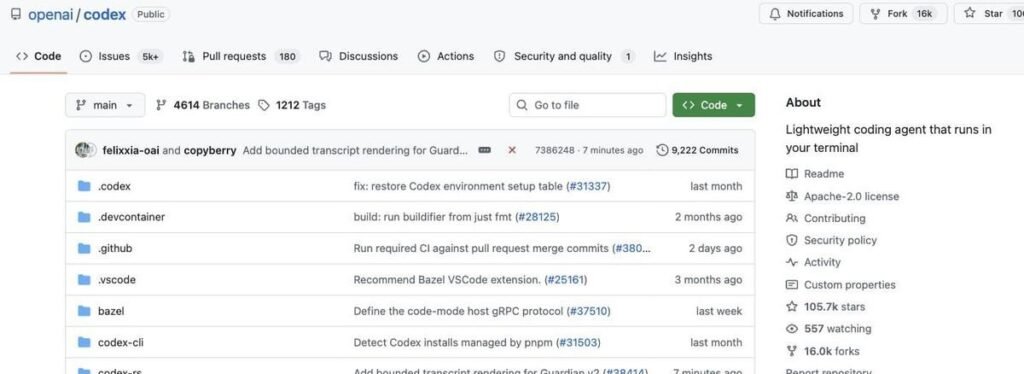
The openai/codex repository, Apache-2.0 and actively developed.
At the time of writing the repository carries 105,700 stars, 16,000 forks and over 9,200 commits, with releases shipping weekly. The models it calls are not open, so this is an open client talking to a closed service — worth being precise about if open licensing is a procurement requirement.
Frequently asked questions
How do I install Codex CLI?
On macOS or Linux run curl -fsSL https://chatgpt.com/codex/install.sh | sh. You can also use brew install –cask codex or npm install -g @openai/codex. Then run codex and sign in with your ChatGPT account.
Does Codex CLI work on Windows?
There is a native PowerShell installer in OpenAI’s README, but the official requirements page lists Windows 11 via WSL2 as the supported configuration. Try the native installer; fall back to WSL2 if you hit problems.
Is Codex CLI free?
The client is free and open source under Apache-2.0. Using it requires either a ChatGPT plan — the README names Plus, Pro, Business, Edu and Enterprise — or an API key billed per token.
Do I need an API key for Codex CLI?
No. Signing in with a ChatGPT account is the recommended route and uses the plan you already pay for. An API key is possible but requires extra setup and bills separately.
What are the system requirements for Codex CLI?
macOS 12 or newer, Ubuntu 20.04+/Debian 10+, or Windows 11 via WSL2. Four gigabytes of RAM minimum, eight recommended. Git 2.23 or newer is optional but enables the built-in pull request helpers.
Why does codex say command not found after installing?
The install directory is not on your PATH in that shell session. Restart the terminal, then confirm with which codex on Unix or where codex on Windows.
How do I update Codex CLI?
Re-run the installer you used. Homebrew and npm handle upgrades through their normal update commands, which is the main reason to prefer them over the standalone script.
Methodology
Every command, path and requirement on this page was taken from OpenAI’s official repository — the README and docs/install.md — and read on 19 August 2026 rather than copied from other articles. Where the two official pages conflict, as they do on Windows support, we show both and say which one to trust in practice.
For developer teams pairing command-line agents with backend automation pipelines, see our breakdown of n8n pricing and workflow costs.
We have no commercial relationship with OpenAI and this page contains no affiliate links.
Sources
- openai/codex README — install commands, authentication, run modes
- Codex installing and building guide — system requirements, logging, DotSlash
- Codex documentation — authentication and IDE integration
Verified against OpenAI’s repository on 19 August 2026. Codex ships weekly — if a command here no longer matches the source, tell us and we will re-verify.


[…] or with codex exec for one-off tasks. If you haven’t set Codex up yet, follow our guide to install Codex CLI […]