Copilot vs ChatGPT: which is better? For Microsoft 365 enterprise office workflows, Copilot wins hands down; for general writing, deep reasoning, and versatile analysis, ChatGPT is the superior standalone assistant. Both offer mainstream subscriptions at $20 per month and share underlying OpenAI foundation models, but they serve fundamentally different needs. In this copilot vs chatgpt evaluation, we analyze verified October 2026 pricing, plan limits, IDE coding, data privacy, and a decision framework to pick the right tool.
If your daily routine centers on Word, Excel, PowerPoint, Outlook, and Teams, Microsoft Copilot provides native application automation no standalone chatbot can match. For dedicated software engineering inside VS Code or JetBrains, GitHub Copilot is purpose-built with low-latency autocomplete and multi-model switching across Claude Sonnet 5.5 and GPT-5.6 Sol. For flexible creative writing, advanced research, Canvas editing, and standalone OpenAI frontier reasoning with GPT-6 Astra, ChatGPT Plus remains the ultimate all-rounder.
- Is Copilot the Same as ChatGPT?
- Which “Copilot” Do You Mean?
- Copilot vs ChatGPT at a Glance
- Pricing and Plans Compared
- Core Features Compared
- Coding: Copilot vs ChatGPT
- Free Plan Limits
- Privacy and Data Protection
- Which Should You Choose?
- Final Verdict
- Official Sources & Verification
- Frequently Asked Questions
Is Copilot the Same as ChatGPT?
Is Copilot the same as ChatGPT? No. While both tools rely on OpenAI’s foundation models, they are separate products created by different companies for distinct environments. ChatGPT is an independent conversational platform built directly by OpenAI, whereas Microsoft Copilot is an AI productivity suite engineered by Microsoft to integrate generative intelligence directly across Windows, Bing web search, and Microsoft 365 desktop software.
Users often confuse the two due to shared architectural roots. Through its partnership with OpenAI, Microsoft licenses OpenAI’s frontier models—including the GPT-5.6 family and reasoning models. However, does Copilot use ChatGPT directly? No. Copilot licenses model weights and wraps them in Microsoft’s proprietary Prometheus orchestration engine, index pipelines, and live Bing search grounding.
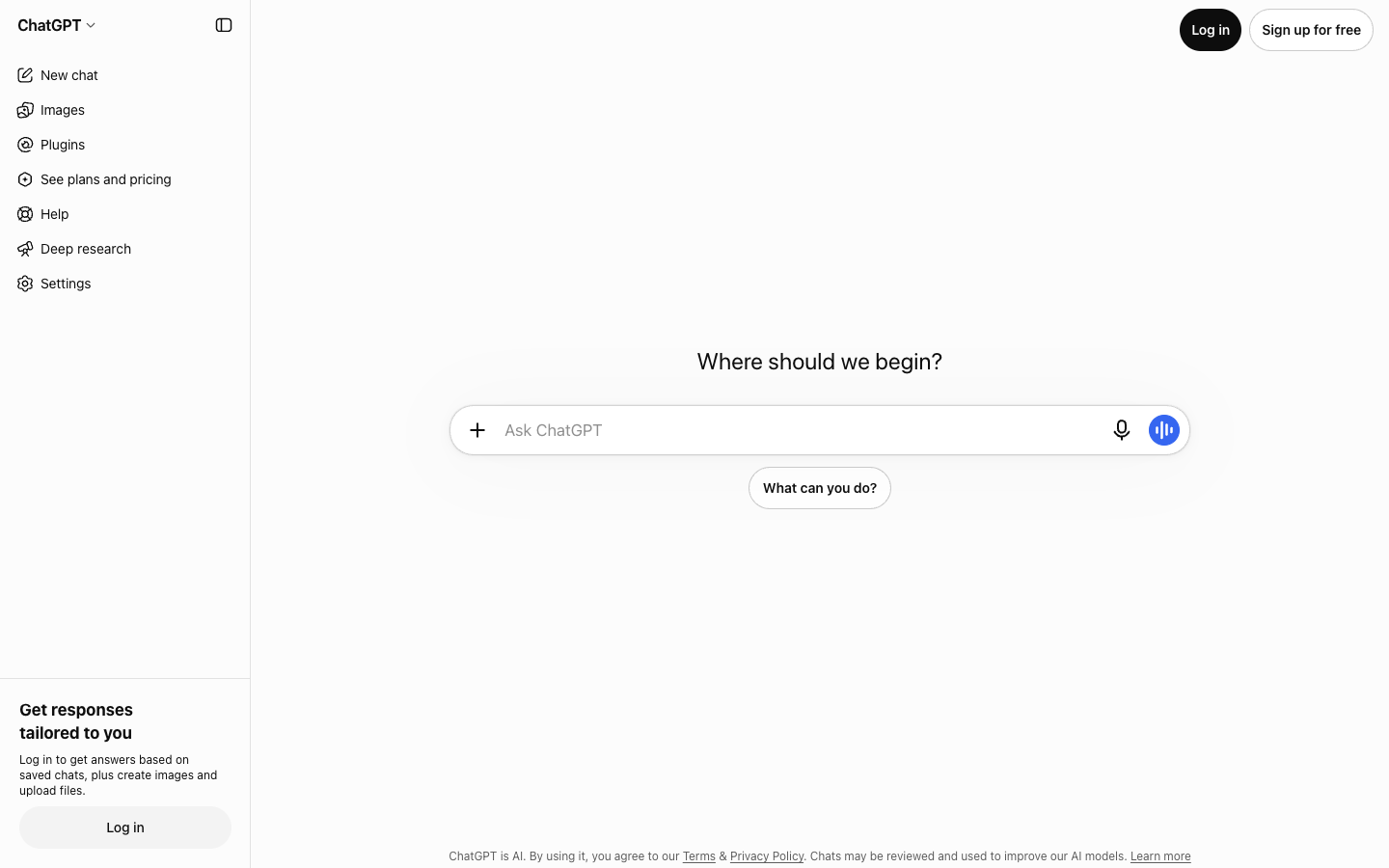
In contrast, ChatGPT provides OpenAI’s native product experience: the interactive Canvas workspace for side-by-side editing, Advanced Voice Mode for expressive speech-to-speech dialogue, deep data analysis with an integrated Python runtime, and custom GPTs. It operates as a flexible, standalone partner untethered to corporate office suites.
Which “Copilot” Do You Mean? (Microsoft Copilot vs GitHub Copilot)
The single biggest mistake in most copilot vs chatgpt comparisons is treating “Copilot” as one single tool. In reality, Microsoft offers two distinct product tiers under the Copilot umbrella for personal and business productivity, while GitHub operates an independent developer product for software engineering:
- Microsoft Copilot (Consumer Web, Windows & Copilot Pro): Free at copilot.microsoft.com and in Windows 11. Offers general chat, Bing search citations, Copilot Voice, and Microsoft Designer image creation. An optional Copilot Pro subscription ($20/month) provides priority frontier model access, 100 daily Designer boosts, and embedded AI assistance inside personal Word, Excel, and PowerPoint apps.
- Microsoft 365 Copilot (Enterprise / Work): A $30 per user/month add-on for commercial Microsoft 365 plans (such as Business Standard, Business Premium, E3, and E5). Connects directly to Microsoft Graph to summarize Teams meetings, draft Outlook emails, and parse internal company documents under strict Commercial Data Protection.
- GitHub Copilot (IDE Coding Assistant): Operated by GitHub. Lives inside VS Code, Visual Studio, JetBrains, and Neovim to generate inline code completions, execute terminal commands, and coordinate multi-file agentic edits. Includes a free tier (2,000 completions/month) and paid plans starting at $10/month.
For general writing and everyday desktop tasks, the choice is Microsoft Copilot vs ChatGPT Plus. For software engineering, the showdown is GitHub Copilot vs ChatGPT. We evaluate both dimensions below in our complete head-to-head analysis.
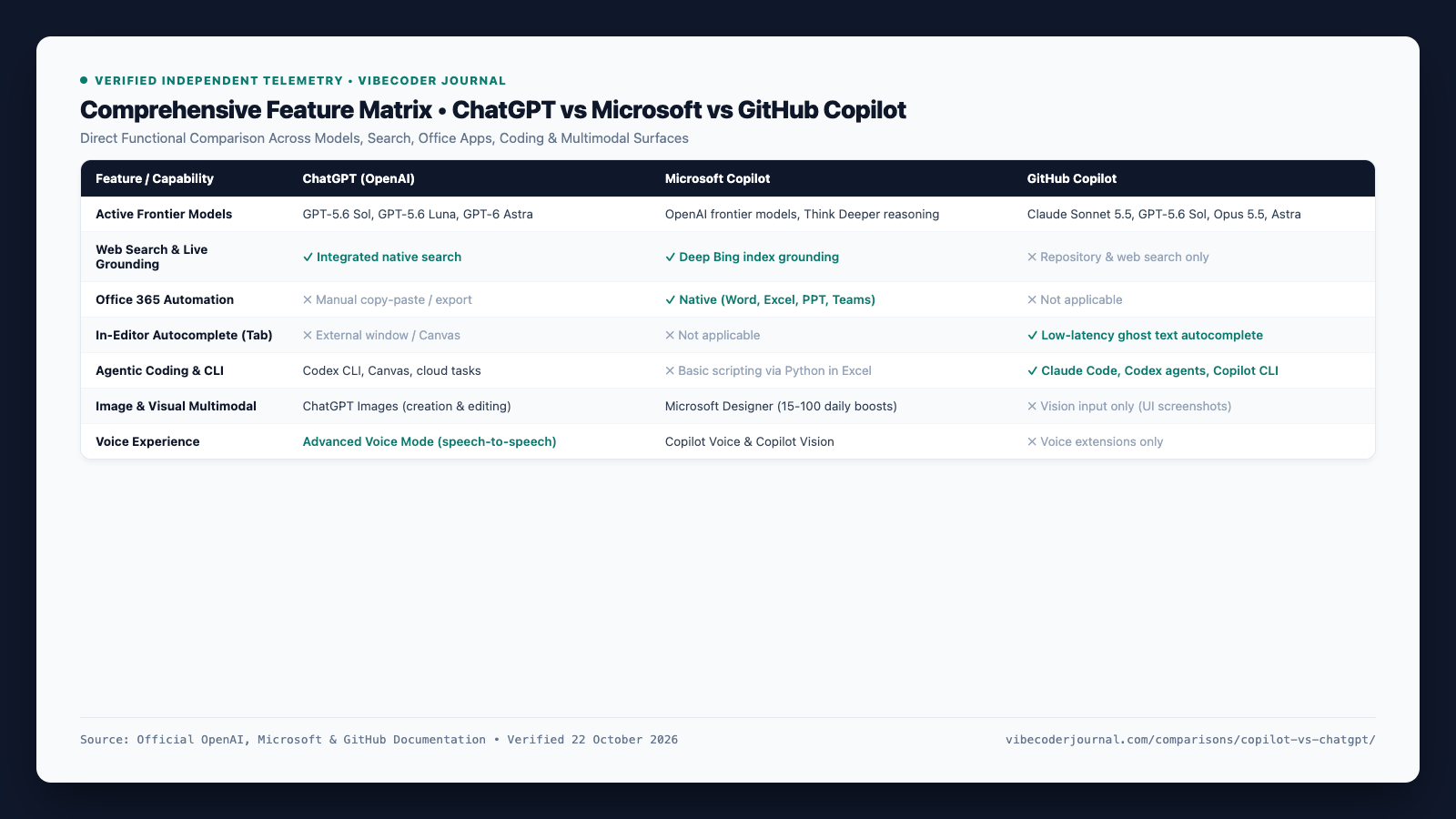
Copilot vs ChatGPT at a Glance
Here is how the mainstream offerings compare side-by-side across core capabilities, underlying models, pricing, and ecosystem integrations as verified in October 2026:
| Feature | ChatGPT (OpenAI) | Microsoft Copilot | GitHub Copilot |
|---|---|---|---|
| Developer | OpenAI | Microsoft | GitHub / Microsoft |
| Interface Surfaces | Web, Desktop apps, Mobile, CLI | Web, Windows 11, M365 Apps, Mobile | VS Code, JetBrains, Visual Studio, CLI |
| Active Frontier Models | GPT-5.6 Sol, GPT-5.6 Luna, GPT-6 Astra | OpenAI frontier models, Think Deeper reasoning | Claude Sonnet 5.5, GPT-5.6 Sol, Claude Opus 5.5, GPT-6 Astra |
| Free Tier Available | Yes (GPT-5.6 Luna default) | Yes (Web chat + 15 Designer boosts) | Yes (2,000 completions / 50 chats/mo) |
| Entry Paid Price | $20 / mo (Plus) | $20 / mo (Copilot Pro) | $10 / mo (Copilot Pro) |
| Web Search & Grounding | Native real-time search | Deep live Bing search grounding | Repository & codebase search only |
| Image Creation | ChatGPT Images (in-chat editing) | Microsoft Designer (15-100 daily boosts) | None (UI Vision input only) |
| Office 365 Integration | None (Manual upload / export) | Native (Word, Excel, PPT, Teams) | None |
| IDE Autocomplete | None (Canvas or external terminal) | None | Native (Ghost text Tab autocomplete) |
| Primary Strength | Writing, reasoning, data analysis | Office document & enterprise workflows | In-editor software engineering & agents |
Pricing and Plans Compared (October 2026)
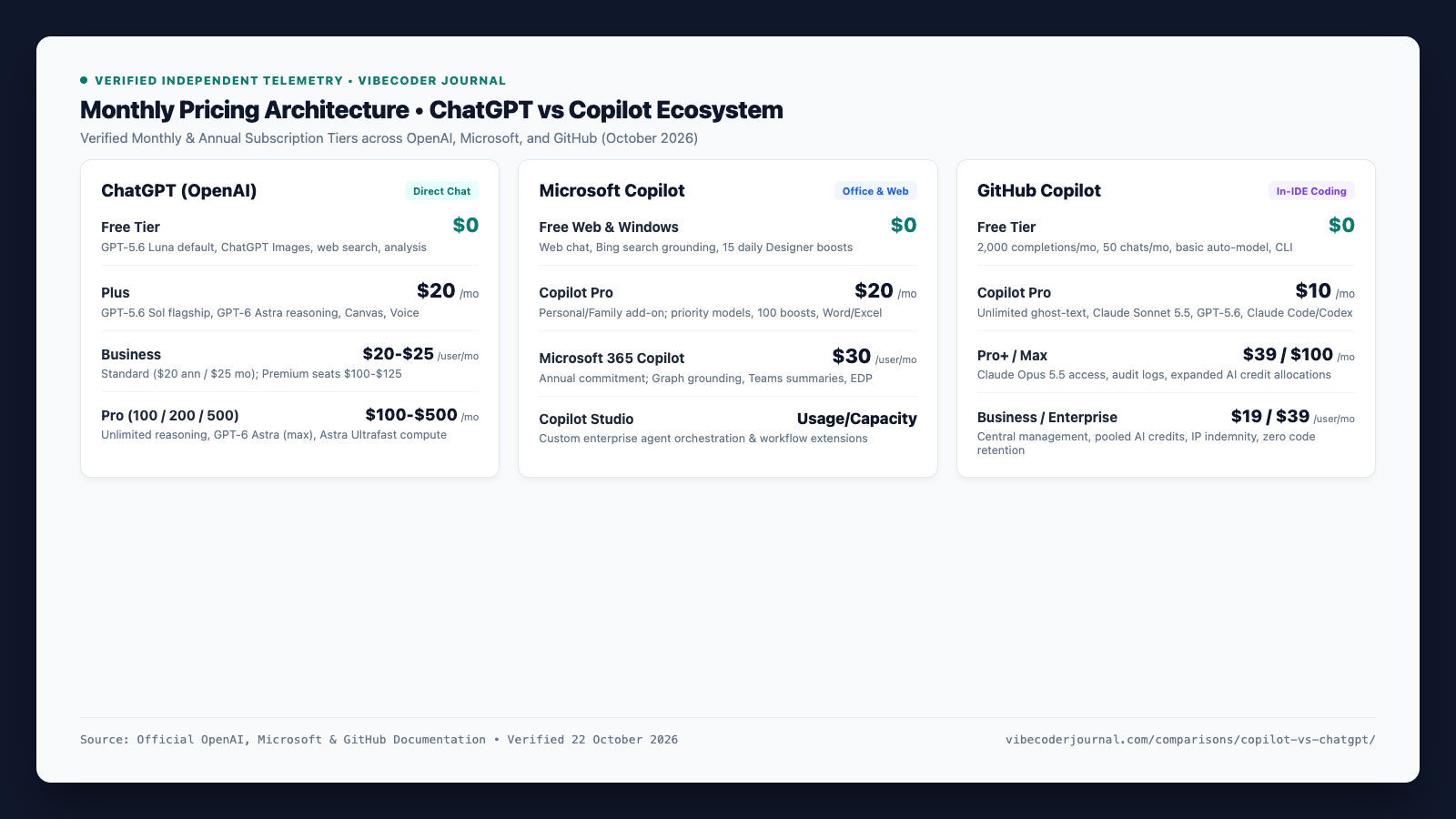
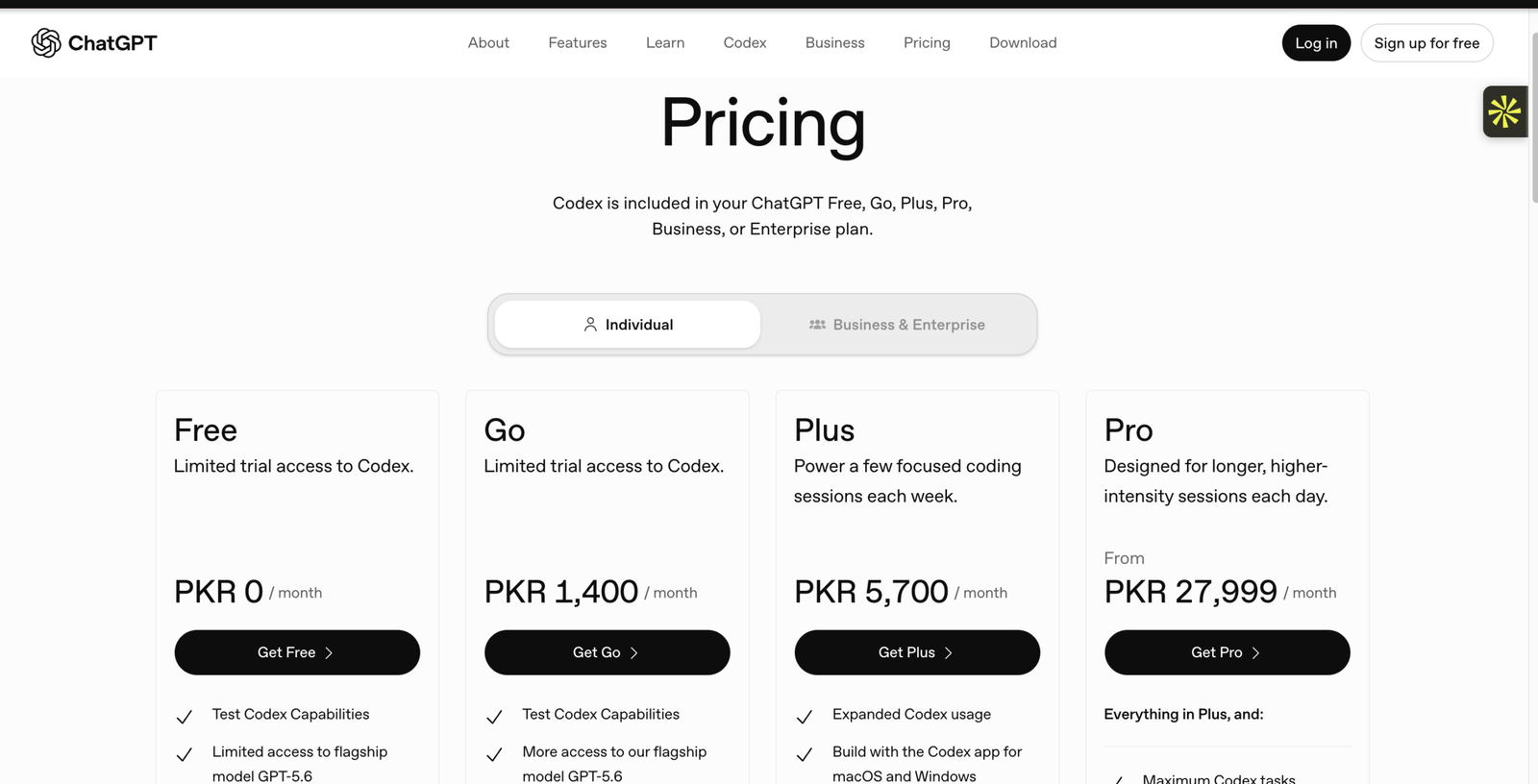
Both OpenAI and Microsoft organize subscriptions into tiers for casual users, individual professionals, and organizations. Here is the verified pricing structure as of October 2026 across all three product lines:
| Product Tier | Price | Billing Cycle | Core Entitlements & Models |
|---|---|---|---|
| ChatGPT Free | $0 | Free | GPT-5.6 Luna default model, web search, ChatGPT Images, file analysis, custom GPTs. |
| ChatGPT Plus | $20 / mo | Monthly | High quotas on GPT-5.6 Sol, GPT-6 Astra reasoning, Canvas editing, Advanced Voice Mode, Deep Research. |
| ChatGPT Business | $20 / user / mo | Annual ($25/mo monthly) | Standard seats ($20 ann / $25 mo; min 2 seats); Premium seats ($100 ann / $125 mo); admin console, shared workspace, zero data training policy. |
| ChatGPT Pro | $100 – $500 / mo | Monthly | Pro 100 ($100/mo), Pro 200 ($200/mo), Pro 500 ($500/mo) with unlimited reasoning queries, GPT-6 Astra (max), Astra Ultrafast compute access. |
| Microsoft Copilot Free | $0 | Free | Web/Windows chat, live Bing citations, 15 daily Designer boosts, Copilot Voice & Vision. |
| Microsoft Copilot Pro | $20 / mo | Monthly | Personal/Family standalone or add-on: priority frontier access, 100 daily boosts, Copilot in Word, Excel, PowerPoint, Outlook. |
| Microsoft 365 Copilot | $30 / user / mo | Annual commitment | Enterprise add-on: full Microsoft Graph grounding, real-time Teams meeting recaps, Commercial Data Protection. |
| GitHub Copilot Free | $0 | Free | 2,000 code completions/mo, 50 chats/mo in VS Code/JetBrains, basic auto-model selection, Copilot CLI. |
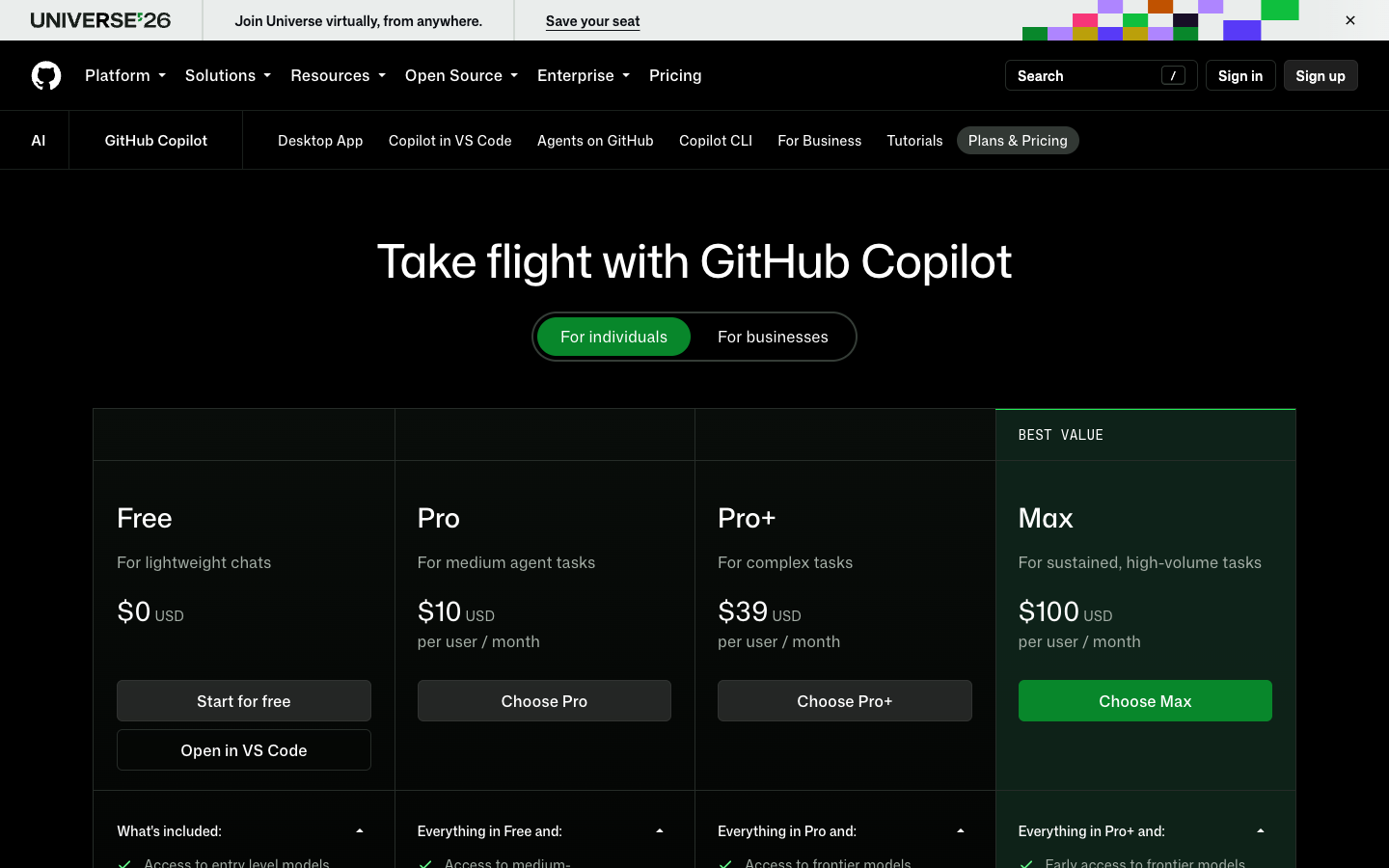
| GitHub Copilot Pro | $10 / mo | Monthly ($100/yr) | Unlimited code completions, next-edit suggestions, model picker (Claude Sonnet 5.5, GPT-5.6 Sol, GPT-6 Astra), 3rd party agents (Claude Code, Codex), ~$15 credit pool. |
| GitHub Copilot Pro+ | $39 / mo | Monthly | Everything in Pro, premium models including Claude Opus 5.5, audit logs, expanded AI credit allowance (~3,900 credits / $70 value tier). |
| GitHub Copilot Max | $100 / mo | Monthly | High-volume autonomous agent workflows, priority access to new models, largest individual monthly AI credit pool (~$200 credit value). |
| GitHub Copilot Business | $19 / user / mo | Monthly | Organization policy controls, pooled credits, IP indemnity, public code filter, zero snippet retention. |
| GitHub Copilot Enterprise | $39 / user / mo | Monthly | Enterprise Cloud integration, codebase indexing and chat on github.com, PR summaries, higher pooled credits. |
Pricing verified directly against official OpenAI, Microsoft, and GitHub pricing pages on 22 October 2026. Taxes are excluded and regional prices may differ outside the United States. For an in-depth breakdown of Anthropic’s stand-alone pricing tiers, consult our complete guide to Claude pricing plans.
Core Features Compared: Where Each Tool Wins
1. Writing, Brainstorming, and Chat Versatility
For open-ended conversational fluidity and creative drafting, ChatGPT holds a clear edge. OpenAI’s interface adapts smoothly to nuanced instructions, managing long documents and complex tonal adjustments without sounding mechanical. For essays, strategic memos, or outlines, ChatGPT feels like an agile creative partner.
Microsoft Copilot is tuned more conservatively, producing concise, business-oriented responses. While reliable for factual summaries and data tables, it can feel restrained during brainstorming. For open dialogue and narrative drafting, ChatGPT remains noticeably more flexible.
2. Research, Web Search, and Live Grounding
Microsoft Copilot excels at everyday factual research. Powered by Bing’s index, Copilot surfaces documentation, filings, and news with numbered footnote citations, making source verification fast and seamless.
ChatGPT also features integrated real-time web search and Deep Research capabilities on Plus and Pro tiers. While ChatGPT synthesizes broader narrative context, Copilot remains exceptionally fast at direct source retrieval. If you are also comparing alternative search engines, see our Grok vs ChatGPT head-to-head comparison.
3. Office 365 and Desktop Workflow Integration
If your work centers on Word documents, Excel workbooks, PowerPoint slides, Outlook emails, and Teams meetings, Microsoft Copilot is unmatched.
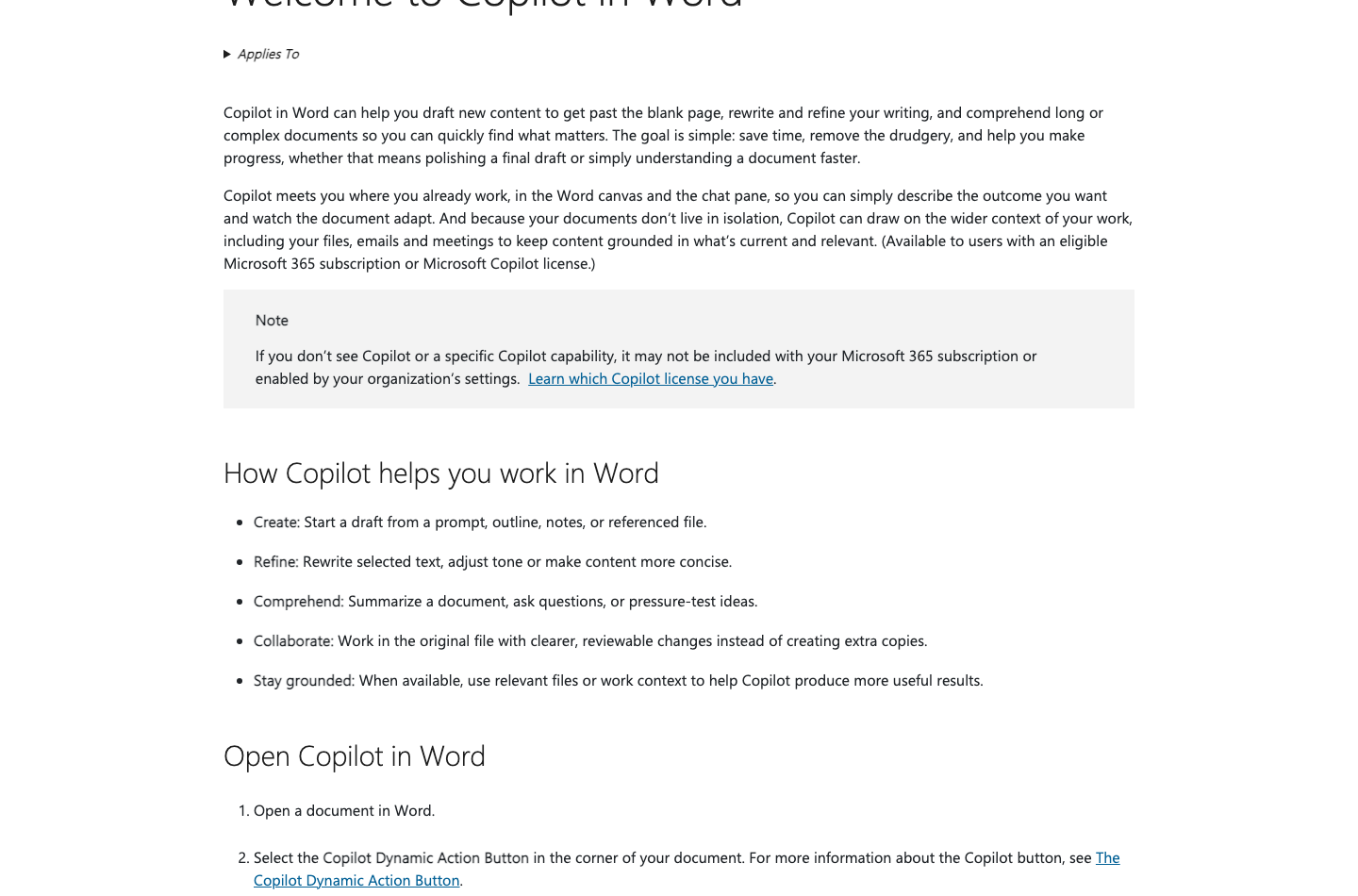
With Copilot embedded directly into Microsoft 365 applications, you can:
- Draft, summarize, and rewrite paragraphs directly inside Word based on internal briefs or customer emails.
- Turn Word outlines into fully styled PowerPoint decks complete with speaker notes automatically.
- Execute Python in Excel using natural language prompts for advanced data modeling, regression analysis, and visualization without manual formula syntax.
- Generate real-time summaries and action item lists from Microsoft Teams meetings as they happen.
With ChatGPT, handling these tasks requires manually exporting files, uploading them to a browser chat, waiting for processing, and pasting results back into your documents. Copilot eliminates this round-trip friction entirely.
4. Image Generation, Voice, and Multimodal Tools
Both ecosystems provide advanced visual and audio capabilities. ChatGPT uses ChatGPT Images for creating and editing visuals in-chat with aspect ratio and in-painting controls. Microsoft Copilot uses Microsoft Designer, offering 15 daily boosts on Free and 100 on Copilot Pro.
For voice, ChatGPT’s Advanced Voice Mode delivers speech-to-speech dialogue that handles natural interruptions. Microsoft Copilot provides Copilot Voice (with synthetic voices like Meadow and Wave) and Copilot Vision for live screen and document analysis.
Copilot vs ChatGPT for Coding: Which Is Better for Developers?
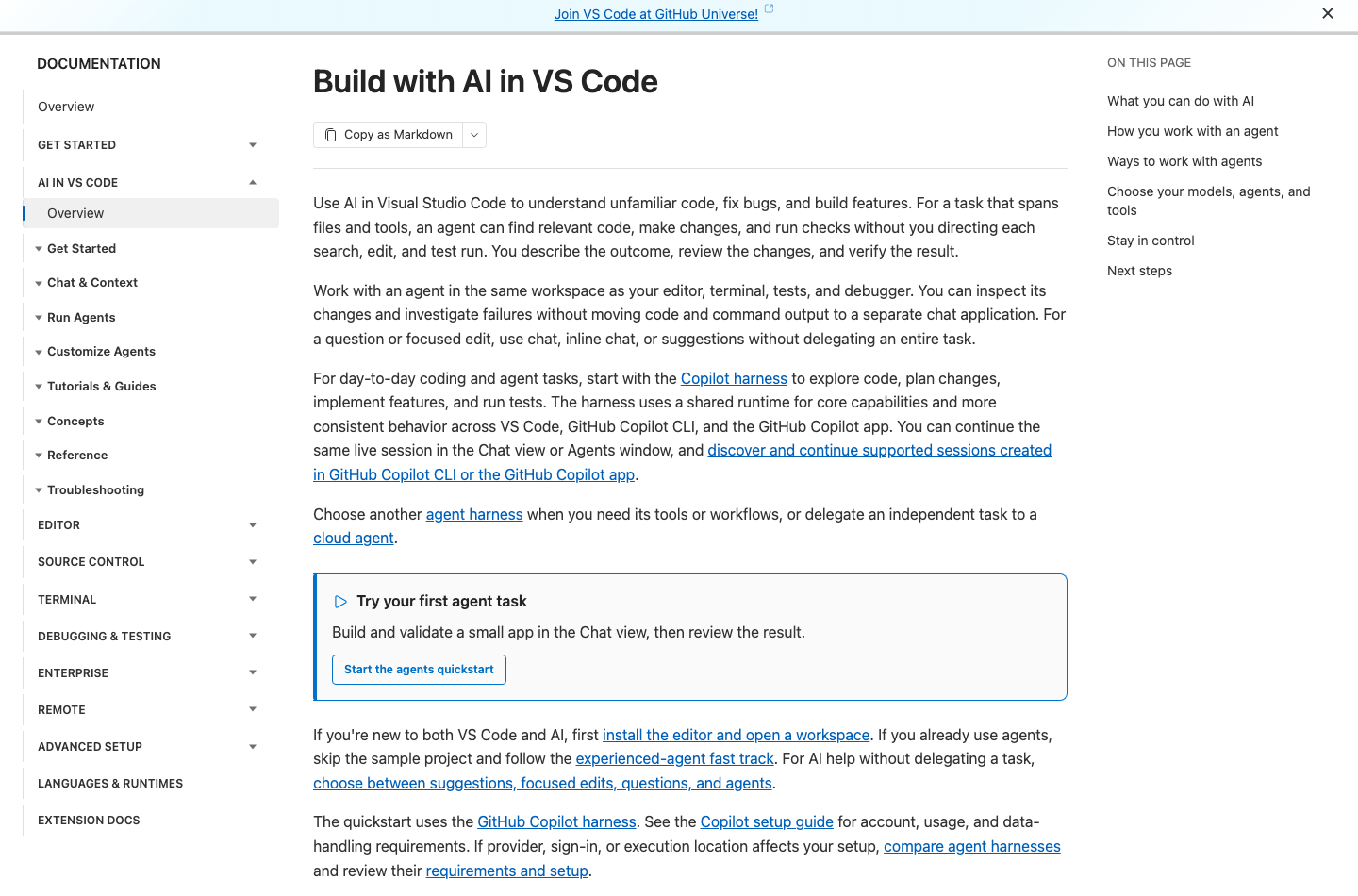
For software engineering, comparing copilot vs chatgpt for coding comes down to GitHub Copilot versus ChatGPT (with Canvas and Codex). Here is how their developer workflows diverge:
In-Editor Autocomplete vs Chat-Based Coding
GitHub Copilot lives inside your IDE. As you type in Visual Studio Code, IntelliJ, PyCharm, or Neovim, Copilot analyzes open files, cursor location, and imports to suggest entire functions and complex boilerplate in grey ghost text. You press Tab to accept the suggestion without breaking focus. Furthermore, Copilot’s inline chat and edit commands allow you to modify functions in place.
ChatGPT requires window switching—pasting snippets into chat and copying results back. While ChatGPT’s Canvas interface enables side-by-side editing and diffs, it remains decoupled from your local compiler, linters, and terminal. For an editor-first comparison, see our Cursor Pro vs ChatGPT Plus evaluation.
Multi-Model Flexibility and Agent Ecosystem
GitHub Copilot indexes your repository using @workspace to answer codebase-wide architectural questions. Crucially, GitHub Copilot supports multi-model switching. Inside VS Code, you can toggle between Anthropic’s Claude Sonnet 5.5, OpenAI’s GPT-5.6 Sol, Claude Opus 5.5, and GPT-6 Astra. As documented on our Frontier AI Coding Leaderboard and verified benchmark telemetry, Claude Sonnet 5.5 and Claude Opus 5.5 hold top tier positions on SWE-bench Verified and Terminal-Bench.
Furthermore, GitHub Copilot Pro ($10/month) includes native access to 3rd-party coding agents like Claude Code and Codex, allowing developers to execute agentic terminal loops directly within their existing plan. For a deep dive into how these autonomous agents compare on real terminal benchmarks, explore our Claude Code vs GitHub Copilot comparison and our Codex CLI vs Claude Code benchmark analysis. If you are comparing model pricing families across OpenAI’s stack, check our GPT-5.6 Sol vs Terra vs Luna context and pricing guide, and discover other popular development environments in our roundup of the best vibe coding tools in 2026.
Free Plan Limits: What Can You Do Without Paying?
Is Copilot free? Yes. Both platforms offer robust no-cost tiers with distinct operational boundaries:
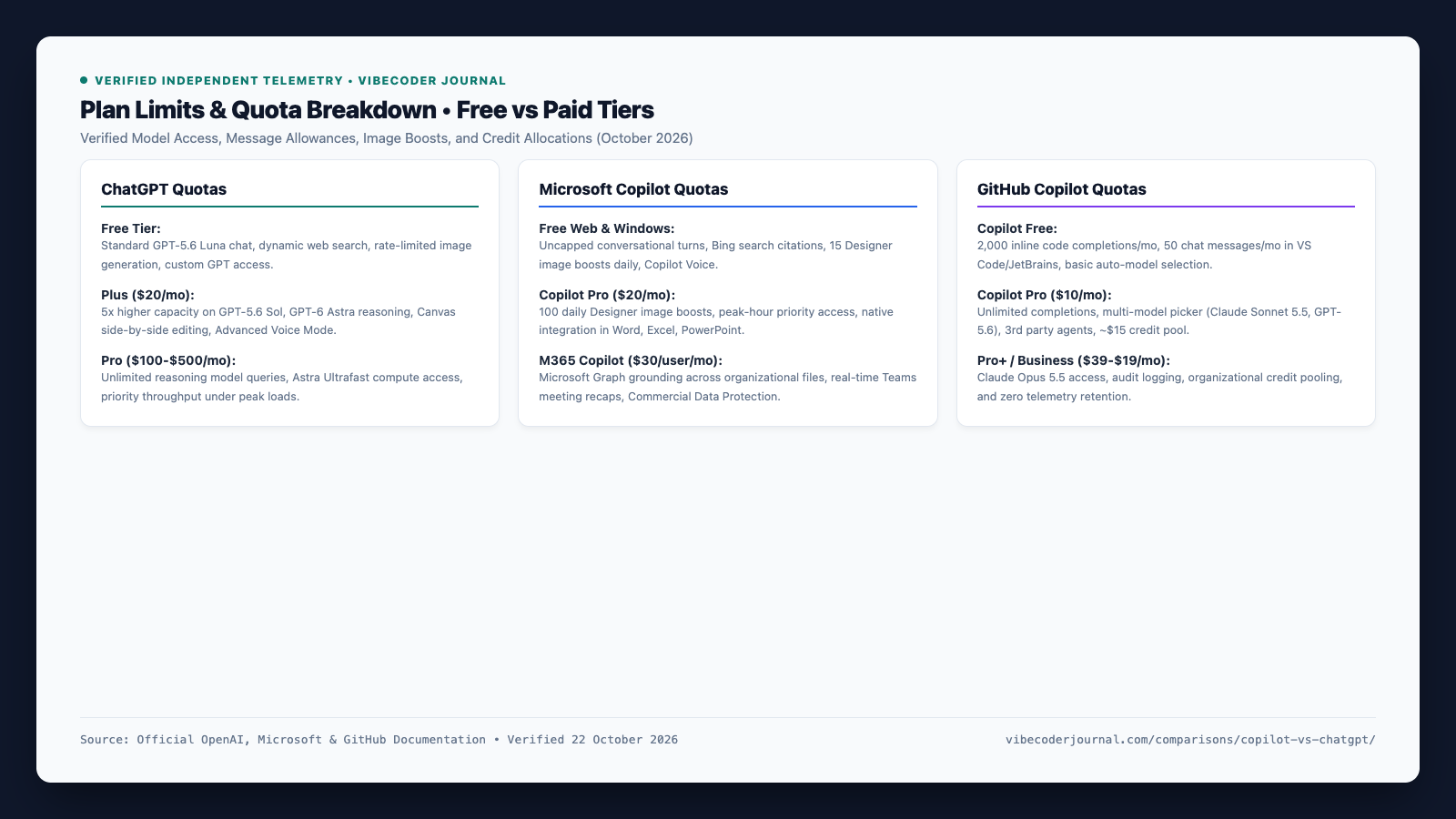
- ChatGPT Free: Provides standard conversational access to the efficient GPT-5.6 Luna model, real-time web search, file analysis, custom GPT usage, and image creation via ChatGPT Images. Advanced Voice Mode and high-compute frontier reasoning models are reserved for Plus and Pro tiers.
- Microsoft Copilot Free: Accessible at copilot.microsoft.com and in Windows 11. Includes standard conversational turns, live Bing search citations, 15 daily Designer image boosts, Copilot Voice, and Copilot Vision. Does not include integration inside Word, Excel, or PowerPoint desktop applications.
- GitHub Copilot Free: Delivers 2,000 code completions per month and 50 chat messages per month in VS Code, Visual Studio, and JetBrains at zero cost, alongside access to Copilot CLI and lightweight auto-selected models.
Privacy and Data Protection: Who Trains on Your Prompts?
Data governance and telemetry controls are primary concerns for developers, enterprise architects, and legal compliance teams:
ChatGPT Data Privacy
On Free and Plus accounts, OpenAI trains models on conversations by default; users can opt out under Settings > Data Controls. On ChatGPT Business and Enterprise tiers, model training is disabled by default, data is encrypted in transit and at rest, and agreements meet SOC 2 Type II compliance.
Microsoft Copilot Data Privacy
Microsoft applies Commercial Data Protection (EDP) whenever users sign in with an Entra ID account. Prompts and responses are not logged or accessible to Microsoft staff, data is never used to train models, and queries respect Microsoft Graph permission boundaries.
GitHub Copilot Data Privacy
On GitHub Copilot Pro ($10/month), code snippet collection for suggestion improvement can be toggled off in account settings. On GitHub Copilot Business and Enterprise tiers, code snippets are never retained or used to train public models. Furthermore, both commercial tiers include an automated public code filter that blocks suggestions matching known public GitHub repositories to prevent copyright concerns.
Which Should You Choose? Use-Case Recommendations
To determine whether to choose copilot vs chatgpt, map your daily workflow to these four clear scenarios:
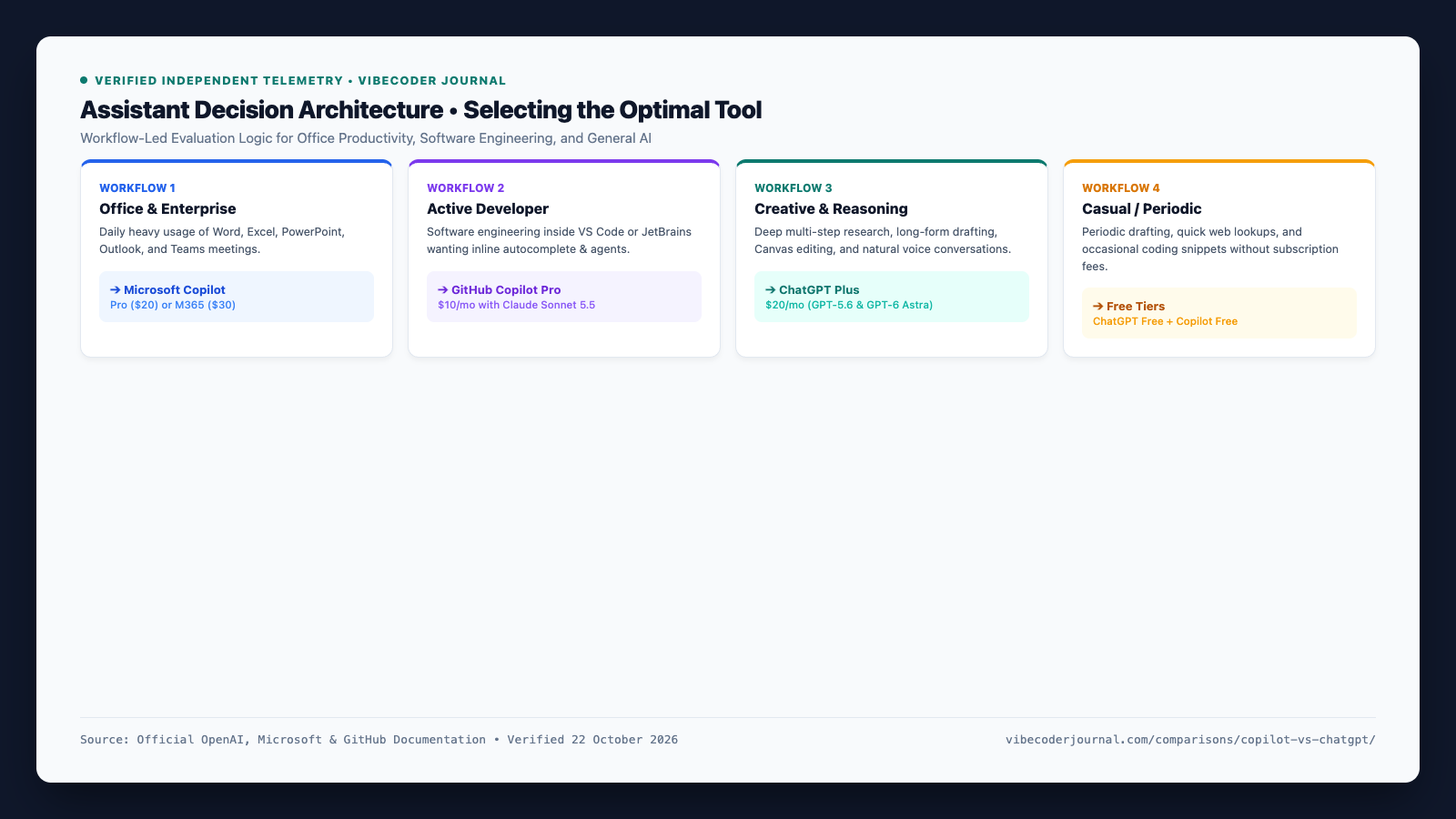
- Choose Microsoft Copilot (Copilot Pro or M365 Copilot) if: Your daily job centers on drafting in Word, building PowerPoint decks, managing Outlook, and analyzing Excel workbooks. Native ribbon integration eliminates manual copying and pasting.
- Choose GitHub Copilot Pro ($10/mo) if: You are an active developer in VS Code or JetBrains who wants low-latency autocomplete, multi-model switching with Claude Sonnet 5.5, and terminal agent execution.
- Choose ChatGPT Plus ($20/mo) if: You want the most versatile standalone assistant for drafting, multi-step reasoning with GPT-6 Astra, Canvas side-by-side editing, data analysis, and voice chat.
- Choose Free Tiers if: You only need periodic assistance drafting emails, looking up information online, or writing small code snippets without committing to recurring subscription fees.
Final Verdict: The Bottom Line on Copilot vs ChatGPT
In the final analysis, the copilot vs chatgpt decision is not about which tool has a smarter underlying model—both tap into the same cutting-edge OpenAI foundation. Instead, the real distinction is environment and integration.
If your daily productivity lives inside Microsoft Office, choose Microsoft Copilot. If you write code for a living in an editor, choose GitHub Copilot. For creative drafting, exploratory research, deep reasoning, and versatile standalone problem-solving, ChatGPT remains the gold standard.
Official Sources & Verification Log
Verified Documentation Sources (Checked October 22, 2026)
- OpenAI ChatGPT Pricing & Plans: chatgpt.com/pricing — Verified Free, Plus ($20/mo), and Pro tiers ($100-$500/mo).
- OpenAI Help Center (Subscriptions & Business): help.openai.com — Verified ChatGPT Plus feature set, ChatGPT Business standard ($20 annual / $25 monthly) and premium seats.
- Microsoft Copilot Consumer & Pro: copilot.microsoft.com and microsoft.com/en-us/microsoft-365/copilot — Verified Copilot Pro ($20/mo) and Microsoft 365 Copilot ($30/user/mo annual).
- Microsoft Support Documentation: support.microsoft.com — Verified Copilot Voice, Copilot Vision, Think Deeper reasoning, and Designer image boost quotas (15 daily Free, 100 daily Pro).
- GitHub Copilot Plans & Pricing: github.com/features/copilot/plans — Verified Copilot Free, Pro ($10/mo), Pro+ ($39/mo), Max ($100/mo), Business ($19/mo), and Enterprise ($39/mo).
- GitHub Docs (Supported AI Models): docs.github.com — Verified active model catalog including Claude Sonnet 5.5, GPT-5.6 Sol, Claude Opus 5.5, GPT-6 Astra, and 3rd-party agents (Claude Code, Codex).
Frequently Asked Questions (FAQ)
Is Copilot the same as ChatGPT?
No. While Microsoft Copilot uses OpenAI foundation models, it is developed and operated by Microsoft with deep native integration across Windows, Bing web search, and Microsoft 365 applications. ChatGPT is built and operated directly by OpenAI as an independent conversational platform.
Does Copilot use ChatGPT or GPT models?
Copilot uses OpenAI’s GPT models (including GPT-5.6 and frontier reasoning models) through Microsoft’s Prometheus framework, but it does not use ChatGPT itself. Microsoft licenses model weights and orchestrates them through its own search and enterprise security pipelines.
Is Copilot free to use?
Yes. Microsoft Copilot is free on the web, Windows 11, and mobile apps with live Bing search grounding, Copilot Voice, and 15 daily Designer image boosts. GitHub Copilot also provides a free tier with 2,000 monthly code completions and 50 chat messages in VS Code and JetBrains.
Is Microsoft Copilot better than ChatGPT?
Microsoft Copilot is better for Microsoft 365 desktop workflows in Word, Excel, PowerPoint, and Teams. ChatGPT is superior for open-ended writing, deep multi-step reasoning with GPT-6 Astra, Canvas side-by-side editing, and low-latency voice conversations.
Which is better for coding: GitHub Copilot or ChatGPT?
GitHub Copilot is significantly better for active development inside code editors thanks to real-time inline ghost-text autocomplete and multi-model switching (including Claude Sonnet 5.5 and GPT-5.6 Sol). ChatGPT is better for high-level software architecture, conceptual explanations, and isolated debugging sessions in Canvas.Is ChatGPT Plus worth it over Copilot Pro?
ChatGPT Plus ($20/mo) is worth it if you want superior creative writing, GPT-6 Astra reasoning, Canvas editing, and Advanced Voice Mode. Copilot Pro ($20/mo) is worth it if you specifically need generative AI embedded inside your personal Word, Excel, PowerPoint, and Outlook desktop apps.