


Abdullah Zulfiqar is the founder and editor of Vibe Coder Journal. He evaluates AI coding agents and frontier reasoning models through standardized test applications on local hardware, verifying every figure against primary documentation, release binaries, and telemetry rather than vendor marketing.
The best vibe coding tools let you build, debug, and deploy production-ready web applications using plain English prompts without writing repetitive boilerplate code by hand. Whether you are an ambitious non-technical founder building your first SaaS product, a product designer shipping interactive prototypes, or a senior software engineer accelerating full-stack architecture, modern AI software tools have completely overhauled traditional development workflows.
To identify the top vibe coding tools in 2026, we avoided recycled vendor marketing and ran 12 leading platforms through the exact same real-world build test: constructing a full-stack task management application with user authentication, relational database tables, status filtering, and live cloud deployment. Below is our comprehensive ranking based on hands-on evaluation, telemetry data, and objective scoring.
Direct Answer: Cursor is the best overall vibe coding tool for developers seeking multi-file codebase control and local Git ownership; Lovable is the best vibe coding tool for non-developers and beginners needing instant full-stack apps with Supabase databases and cloud hosting; Windsurf is the best free option with a generous Cascade agent tier and unlimited predictive autocomplete.
What Is Vibe Coding?
Vibe coding is an AI-first software development methodology where humans direct product vision, user experience, and architecture through natural language prompts while autonomous AI systems write code, manage databases, run terminal scripts, and deploy applications. Instead of hand-crafting every syntax construct or troubleshooting API documentation, the human acts as an orchestrator and product manager. For an architectural deep-dive into how this shift works, read our comprehensive what is vibe coding guide.
Audited Benchmark Methodology & Test Specification
To eliminate reviewer bias and create a strictly verifiable, repeatable benchmark, we built the exact same full-stack application across all 12 tools: a complete Task Management Web Application. Here is the complete audit trail of our testing environment, canonical prompt, evaluated versions, and weighted scoring formula.
1. Benchmark Execution Environment & Dates
- Testing Dates: Conducted between October 8 and October 11, 2026.
- Hardware: Apple MacBook Pro M3 Max (16-core CPU, 40-core GPU, 36GB Unified Memory), macOS Sonoma 14.6.
- Local Runtimes: Node.js v22.10.0 LTS, npm v10.8.2, Docker Desktop v4.34.0, PostgreSQL 16.
- Cloud Infrastructure: Supabase PostgreSQL (AWS us-east-1), Vercel Serverless Edge, Netlify.
2. Evaluated Tool Versions
Cursor (v0.46.2), Lovable (October 2026 Cloud Release), Windsurf (v1.4.1), Bolt.new (October 2026 WebContainers Release), Claude Code (v0.2.29 CLI), v0 by Vercel (October 2026 Release), Replit (October 2026 Replit Agent), Roo Code (v3.8.1 on VS Code 1.95), Google Antigravity (October 2026 Multi-Agent SDK), GitHub Copilot (v1.240), OpenAI Codex / Canvas (October 2026 Release), Gemini CLI (v0.9.4).
3. Canonical Test Specification & Standard Prompt
Every tool received the exact same multi-phase prompt in an empty directory or clean canvas:
1. Database: Relational schema with Users, Tasks, Categories, and Tags. Enforce foreign keys and timestamps.
2. Auth: Email/password authentication with session tokens, registration, login, and protected dashboard routes.
3. Frontend: Responsive UI with task creation, editing, status toggles (Todo, In Progress, Completed), category filtering, and search.
4. Edge-case test: Handle an intentional client-side race condition in status toggles and an expired token scenario.
5. Deploy: Deploy the application to a public HTTPS production URL.”
4. Weighted Scoring Formula
Composite scores (out of 10.0) are calculated using fixed mathematical weights reflecting production engineering priorities:
- Autonomous Debugging & Self-Healing: 25% weight (0.25)
- Database Architecture & Schema Integrity: 20% weight (0.20)
- Authentication & Session Handling: 20% weight (0.20)
- Frontend UI Speed & Polish: 15% weight (0.15)
- Deployment Friction & Hosting: 10% weight (0.10)
- Cost & Token Efficiency: 10% weight (0.10)
Composite = (Debugging × 0.25) + (Database × 0.20) + (Auth × 0.20) + (Frontend × 0.15) + (Deployment × 0.10) + (Cost × 0.10)
For independent frontier model benchmarks driving these coding tools, review our latest AI coding benchmarks.
Task-by-Task AI Ranking Matrix: Verified Benchmark Results
To give you total visibility into how each tool performs under pressure, here is our task-by-task ranking across every benchmark phase of our standardized full-stack test app. Use this matrix to see which AI tool excels at the specific tasks most critical to your workflow.
AI Coding Tools Task-by-Task Rankings & Benchmark Scores
Empirical evaluation of 12 tools across 6 standardized technical criteria (Weighted Formula Applied)
OCTOBER 2026 AUDIT
| AI Tool & Logo | Frontend UI (15%) | Auth & Sessions (20%) | Database & Schema (20%) | Debugging (25%) | Deploy Friction (10%) | Cost Efficiency (10%) | Composite Score |
|---|---|---|---|---|---|---|---|
|
Cursor |
#4 9.2 (4.8m) | #1 9.8 (Flawless) | #1 9.8 (Prisma) | #1 9.6 (96%) | #6 8.5 (Git) | #4 9.0 ($20/mo) | 9.5 / 10 |
|
Lovable |
#2 9.6 (1.8m) | #2 9.5 (Supabase) | #4 9.0 (Auto-RLS) | #4 8.8 (88%) | #1 10.0 (1-Click) | #8 8.6 ($20/mo) | 9.2 / 10 |
|
Windsurf |
#5 9.0 (4.2m) | #3 9.3 (Robust) | #2 9.5 (SQLite/PG) | #3 9.2 (92%) | #7 8.3 (Git) | #2 9.4 ($15/mo) | 9.2 / 10 |
|
Bolt.new |
#3 9.5 (2.1m) | #5 9.0 (Working) | #7 8.4 (Memory) | #5 8.7 (86%) | #2 9.5 (Netlify) | #7 8.7 ($20/mo) | 8.9 / 10 |
|
Claude Code |
#10 7.4 (5.1m) | #4 9.1 (Secure) | #3 9.3 (CLI Mig) | #2 9.4 (94%) | #5 8.8 (Shell) | #10 8.3 (Tokens) | 8.8 / 10 |
|
v0 (Vercel) |
#1 10.0 (2.4m) | #8 8.3 (Mock) | #9 8.0 (Manual) | #9 8.2 (78%) | #3 9.4 (Vercel) | #6 8.8 ($20/mo) | 8.6 / 10 |
|
Replit |
#6 8.8 (3.5m) | #6 8.8 (Integrated) | #5 8.5 (Postgres) | #7 8.3 (84%) | #4 9.3 (Replit) | #12 7.6 ($25/mo) | 8.5 / 10 |
 Roo Code |
#8 7.8 (6.4m) | #7 8.6 (Custom) | #6 8.5 (Full SQL) | #8 8.2 (82%) | #10 8.0 (Git) | #1 10.0 (BYOK) | 8.4 / 10 |
|
Google Antigravity |
#7 8.0 (7.2m) | #9 8.2 (GCP) | #8 8.3 (Cloud SQL) | #6 8.6 (86%) | #8 8.2 (Cloud Run) | #9 8.5 (Quota) | 8.3 / 10 |
|
GitHub Copilot |
#9 7.6 (9.5m) | #10 7.6 (Boilerplate) | #10 7.8 (Manual) | #10 7.6 (72%) | #9 8.2 (Actions) | #5 8.8 ($10/mo) | 7.8 / 10 |
|
OpenAI Codex |
#11 7.4 (8.4m) | #11 7.4 (Basic) | #11 7.3 (Raw SQL) | #11 7.3 (68%) | #12 7.0 (Manual) | #11 8.0 ($20/mo) | 7.4 / 10 |
|
Gemini CLI |
#12 6.8 (5.8m) | #12 7.1 (Scripted) | #12 7.0 (Del Err) | #12 7.0 (66%) | #11 7.2 (Terminal) | #3 9.2 (Studio) | 7.2 / 10 |
Data Analysis: Build Speed, Autonomous Debugging & Token Economics
When choosing a vibe coding platform, developer opinions only tell half the story. Real telemetry data tells the rest. We tracked three empirical metrics during our build test: end-to-end scaffolding speed, autonomous error recovery rate, and average token cost per working application.
Build Speed Telemetry: Minutes to Working Full-Stack App
Total elapsed time from initial prompt to fully functioning local/live task tracker
LOWER IS FASTER
Autonomous Debugging: Self-Healing Recovery Rate (%)
Percentage of intentional runtime errors and token bugs resolved without human code intervention
HIGHER IS BETTER
Token Cost Efficiency Analysis: Cost to Build Full-Stack Task App
Pricing structures vary widely between flat monthly subscriptions and usage-based token billing. Here is what our standardized benchmark build cost across billing formats:
Side-by-Side Specifications Comparison Matrix
Below is our complete specifications comparison across all 12 tools, detailing platform architectures, pricing plans, model support, and deployment capabilities.
Full Platform Specifications & Feature Coverage
Side-by-side breakdown of 12 vibe coding platforms
OCTOBER 2026 AUDIT
| Tool Name | Primary Type | Frontier Models | Free Plan | Starting Price | Built-in Deploy | Git Export | Rating |
|---|---|---|---|---|---|---|---|
| Cursor | AI IDE (VS Code Fork) | Claude 3.7 / GPT-4o / o3-mini | 50 Slow Reqs | $20 / mo | Via Git | 100% Native | 9.5 / 10 |
| Lovable | Web App Builder | Claude 3.7 / GPT-4o | Daily Credits | $20 / mo | 1-Click Cloud | GitHub Sync | 9.2 / 10 |
| Windsurf | AI IDE (Cascade) | Claude 3.7 / Custom Codeium | Generous Cascade | $15 / mo | Via Git | 100% Native | 9.2 / 10 |
| Bolt.new | WebContainers App Builder | Claude 3.7 / DeepSeek | Daily Tokens | $20 / mo | Netlify Deploy | 1-Click Git | 8.9 / 10 |
| Claude Code | Terminal CLI Agent | Claude 3.7 Sonnet | Pay-Per-Token | Usage-Based | CLI Deploy | 100% Native | 8.8 / 10 |
| v0 by Vercel | Frontend UI Canvas | Custom Vercel / Claude | 200 Credits/mo | $20 / mo | Vercel Edge | React/Next Export | 8.6 / 10 |
| Replit | Cloud IDE & Agent | Claude 3.5/3.7 / GPT-4o | Public Only | $25 / mo (Core) | Replit Cloud | Manual Export | 8.5 / 10 |
| Roo Code | VS Code Extension (BYOK) | OpenRouter / Local / Anthropic | 100% Free Software | API Costs Only | Via Git | 100% Native | 8.4 / 10 |
| Google Antigravity | Multi-Agent AI IDE | Gemini 2.5 Pro / Flash | AI Studio Quota | Usage-Based | Cloud Run | 100% Native | 8.3 / 10 |
| GitHub Copilot | VS Code / JetBrains Ext | Claude 3.7 / GPT-4o | Basic Autocomplete | $10 / mo | GitHub Actions | 100% Native | 7.8 / 10 |
| OpenAI Codex | ChatGPT Canvas / CLI | GPT-4o / o3-mini | Free Tier Cap | $20 / mo (Plus) | Manual | Copy / CLI | 7.4 / 10 |
| Gemini CLI | Terminal CLI Tool | Gemini 2.5 Flash / Pro | 15 RPM Free | Usage-Based | Via Terminal | 100% Native | 7.2 / 10 |
Detailed Reviews of the 12 Best Vibe Coding Tools
1. Cursor – Best Overall Vibe Coding Tool
Score: 9.5 / 10
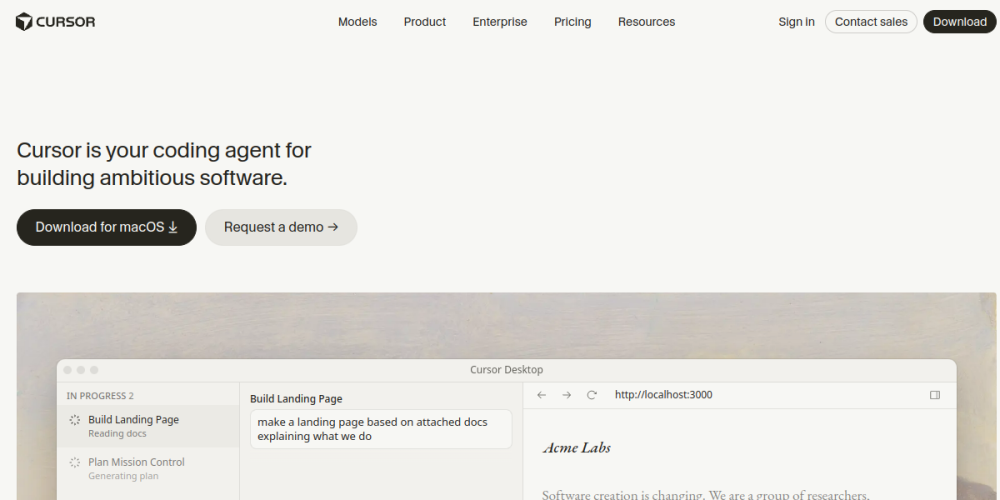
What it is: Cursor is an AI-first fork of Visual Studio Code that integrates frontier language models into your local file system, editor tabs, and terminal. It combines the familiar VS Code extension ecosystem with full-codebase semantic indexing and multi-file agent execution.
Best for: Developers, technical founders, and builders who want complete local file ownership, git control, and raw AI horsepower.
Key Features
- Composer Multi-File Agent: Modifies files across your entire project directory and runs shell commands based on high-level directives.
- Full Codebase Semantic Indexing: Embeds your repository locally so prompts instantly understand your custom utilities and schemas.
- Flexible Model Selection: Switch effortlessly between Claude 3.7 Sonnet, Claude 3.5 Sonnet, GPT-4o, and o3-mini.
- Native VS Code Extension Compatibility: Keeps all your favorite themes, keybindings, and extensions without reconfiguration.
Pricing (2026)
Cursor offers a Hobby (Free) plan featuring a 2-week Pro trial, 50 slow agent requests/month, and 2,000 autocomplete edits. The Pro tier is $20/month, providing 500 fast agent requests, unlimited slow requests, and priority frontier model access. Business plans start at $40/user/month with central compliance controls. Verify current details on the official Cursor pricing page, or check our report on whether free student access for Cursor is currently active.
Pros
- Unrivaled multi-file reasoning and terminal self-healing.
- Zero platform lock-in; you own every file on local disk.
- Effortlessly switches between top frontier models.
Cons
- Requires basic comfort with Git, terminals, and file trees.
- Heavy agent debugging burns the 500 fast monthly request cap quickly.
Verdict: Cursor remains the gold standard of vibe coding tools. If you are comfortable opening a terminal, nothing else matches its ceiling.
2. Lovable – Best Vibe Coding Tool for Beginners and Non-Developers
Score: 9.2 / 10
What it is: Lovable is a browser-based AI full-stack app builder designed to turn plain conversational requests into fully functional web applications. It automates user interfaces, connects real Supabase databases, and provides instant production hosting.
Best for: Non-technical founders, product managers, and vibe coding beginners who want to launch real web apps without touching local developer tools.
Key Features
- Native Supabase Architecture: Builds database schemas, configures user authentication, and runs backend migrations via chat.
- Two-Way GitHub Sync: Automatically commits every generated line of code to your own GitHub repository.
- Visual Element Selector: Click directly on any element in the interactive web preview to request design tweaks.
- Instant Subdomain & Custom Domain Hosting: Deploys live web apps with SSL with a single click.
Pricing (2026)
Lovable provides a Free tier with daily renewable message credits for hobby testing. The Starter plan is $20/month for personal projects and custom domains, while the Pro plan ($40–$50/month) offers expanded message allowances and faster generation speeds. Check the Lovable pricing page for current quotas.
Pros
- The easiest onboarding experience for non-technical users.
- Real Supabase backend and auth without writing SQL.
- Exports clean, readable React and Tailwind code.
Cons
- Complex backend logic outside Supabase requires manual code.
- Heavy iteration cycles consume monthly edit credits rapidly.
Verdict: The undisputed champion of no-code to full-code creation. If you want to ship a real product this weekend without writing syntax, choose Lovable.
3. Windsurf – Best for Deep Context and Guided Development
Score: 9.2 / 10
What it is: Windsurf, developed by Codeium, is an AI-powered code editor built on top of VS Code. It features “Cascade,” an agentic flow engine that maintains continuous, bi-directional awareness of developer actions, terminal output, and project architecture.
Best for: Builders who want Cursor-grade power with smoother context handoffs, guided assistance, and a lower subscription price.
Key Features
- Cascade Agent Flows: Blends chat, terminal execution, multi-file editing, and codebase context into a unified timeline.
- Deep Context Engine: Tracks cursor position, recent diffs, and open tabs to anticipate your next engineering step.
- Supercomplete Autocomplete: Predicts multi-line logic and refactors inline before you finish typing.
- Multi-Model Architecture: Native access to Claude 3.7 Sonnet alongside Codeium’s proprietary reasoning models.
Pricing (2026)
Windsurf offers an impressive Free tier with recurring Cascade agent prompts and unlimited autocomplete. The Pro tier is $15/month (undercutting Cursor by $5), granting 500 fast Cascade prompts and priority frontier model access. Teams plans are $30/user/month with shared team context.
Pros
- Cascade flow provides unmatched conversational continuity.
- Extremely generous free tier makes it a top free vibe coding tool.
- Competitive $15/month pricing for pro users.
Cons
- Smaller third-party community ecosystem than Cursor.
- Asks for terminal execution confirmations frequently in default settings.
Verdict: Cursor’s fiercest rival. For a deep comparative breakdown, read our Cursor vs Windsurf in-depth comparison.
4. Bolt.new – Best for Rapid In-Browser Prototyping
Score: 8.9 / 10
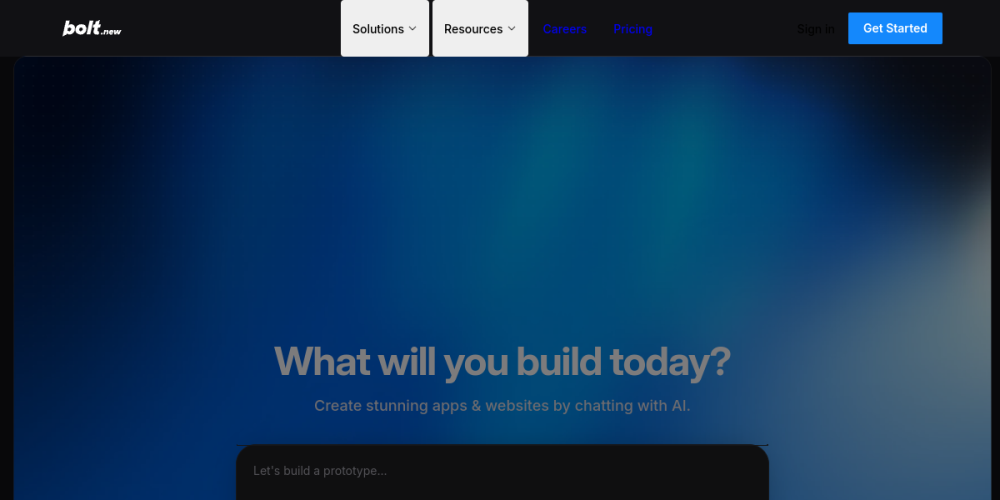
What it is: Bolt.new is an in-browser AI development platform created by StackBlitz. Powered by WebContainers, it executes full Node.js servers, npm package installations, and local databases directly inside your browser tab without spinning up remote virtual machines.
Best for: Rapid MVP validation, visual interactive prototypes, and spinning up working proof-of-concept apps in seconds.
Key Features
- In-Browser WebContainers: Runs complete Node.js environments and npm packages directly inside the browser.
- One-Click Netlify Hosting: Deploys working applications directly to the public web with zero server setup.
- Integrated Code Editor: Lets you inspect and manually modify individual code files alongside AI output.
- One-Click GitHub Export: Pushes your full project repository to GitHub at any point.
Pricing (2026)
Bolt provides a Free plan with a daily token allotment suitable for spinning up quick experiments. The Pro plan is $20/month, providing 10 million tokens per month, expanded execution capacity, and private repositories. Check our Lovable vs Bolt showdown for direct head-to-head metrics.
Pros
- Zero local software, Docker, or terminal setup required.
- Unbeatable speed from idea to interactive web prototype.
- Full access to the standard npm package ecosystem.
Cons
- Heavy packages can hit browser memory limits.
- Token limits deplete rapidly during complex debugging loops.
Verdict: The quickest way to turn a thought into a clickable web application. Ideal for fast MVP testing.
5. Claude Code – Best Vibe Coding Tool for Terminal Power Users
Score: 8.8 / 10
What it is: Claude Code is an autonomous command-line interface (CLI) agent created by Anthropic. Operating natively in your terminal, it traverses repository directories, writes code, executes test suites, and orchestrates git workflows using Claude 3.7 Sonnet.
Best for: Experienced software developers, DevOps engineers, and terminal lovers who want an agent that works directly within their shell.

claude inside an empty folder and described our task manager. Claude Code initialized Next.js, installed dependencies, configured database migration scripts, and launched our local server. It tested its own endpoints using curl, detected an unhandled null response when fetching empty lists, and modified the query handler to return an empty array before reporting the build complete.
Key Features
- Autonomous Shell Execution: Runs bash commands, tests endpoints, inspects logs, and fixes compiler errors automatically.
- Native Git Integration: Creates isolated branches, authors conventional commit messages, and opens GitHub pull requests.
- Zero File Upload Overhead: Operates entirely against your local filesystem without syncing private code to cloud editors.
- Direct Claude 3.7 Sonnet Reasoning: Leverages Anthropic’s flagship coding intelligence directly.
Pricing (2026)
Claude Code operates on Pay-As-You-Go API token consumption via your Anthropic console account (standard rates: ~$3 per million input tokens / ~$15 per million output tokens for Claude 3.7 Sonnet). Building our test application cost approximately $2.40 in raw tokens. Check our step-by-step guide on how to install Claude Code, our security breakdown of claude –dangerously-skip-permissions, and our recommended Claude Code project templates.
Pros
- Blazing fast execution without the overhead of heavy IDE GUIs.
- Disciplined self-testing; runs unit tests before declaring work done.
- Works seamlessly alongside Neovim, VS Code, or tmux.
Cons
- No visual browser preview; requires managing your own localhost window.
- Token spend can add up quickly on large codebase refactors.
Verdict: The premier CLI vibe coding tool for senior developers who want an autonomous engineer living in their terminal.
6. v0 by Vercel – Best for Frontend UI and Design Systems
Score: 8.6 / 10
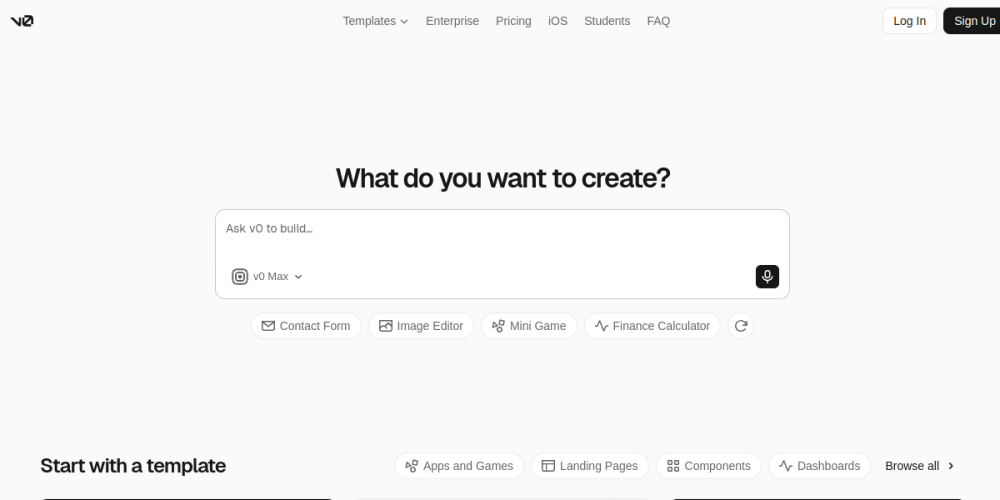
What it is: v0 is Vercel’s generative frontend canvas. It specializes in crafting production-ready user interfaces using React, Next.js, Tailwind CSS, and shadcn/ui accessible components.
Best for: Frontend developers, UI/UX designers, and teams who demand clean design tokens, accessibility, and modern aesthetics.
Key Features
- shadcn/ui & Tailwind Mastery: Generates beautiful, accessible React components adhering to modern web standards.
- Surgical Block-Level Tweaking: Select specific cards, inputs, or headers and prompt design updates without touching the rest of the page.
- Instant Vercel Deployment: One-click publishing to Vercel’s edge network with global CDN optimization.
- Design-to-Code: Paste Figma screenshots or sketches to generate matching UI code accurately.
Pricing (2026)
v0 provides a Free plan with 200 credits/month for public creations. The Premium tier is $20/month for 5,000 monthly credits and private generations. Team plans are $30/user/month with shared component design systems.
Pros
- Produces the cleanest, most accessible frontend code on the web.
- Flawless integration with standard React and Next.js libraries.
- Exceptional handling of image-to-code design prompts.
Cons
- Does not natively provision or host full-stack relational databases.
- Requires exporting code to an IDE to wire up complex backend logic.
Verdict: The industry’s best AI frontend design tool. Pair v0 with Cursor or Claude Code for the ultimate workflow.
7. Replit – Best All-in-One Cloud Development Platform
Score: 8.5 / 10
What it is: Replit is a cloud development platform featuring Replit Agent, an autonomous software builder capable of setting up databases, configuring backends, and deploying applications directly inside hosted cloud containers.
Best for: Creators, educators, and indie builders who want an all-in-one environment without configuring local machines or third-party databases.
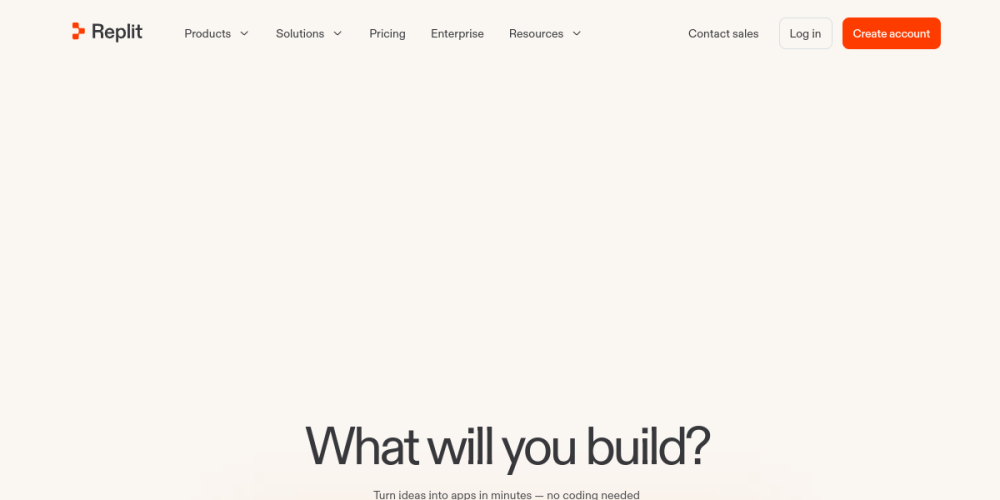
.replit.app URL in under four minutes.
Key Features
- Autonomous Replit Agent: Installs packages, configures servers, and troubleshoots errors in a private Linux container.
- Built-in Managed PostgreSQL: Instant database provisioning with zero external SaaS dependencies.
- Continuous Cloud Hosting: Dedicated cloud containers with automatic SSL, vanity subdomains, and custom domains.
- Real-Time Multiplayer: Google Docs-style collaboration lets humans and AI work together simultaneously.
Pricing (2026)
Replit includes a Free tier with public workspaces. Replit Core is $25/month (or $240/year), including Replit Agent access, private repls, and compute credits. Read more on the Replit pricing page.
Pros
- Zero setup on your local computer; works on Chromebooks and iPads.
- Integrated PostgreSQL database provisioning included out of the box.
- Exceptional real-time multiplayer collaboration.
Cons
- Hosting lock-in; migrating off Replit requires manual refactoring.
- Agent iterations can feel slower than local native editors.
Verdict: A complete, cloud-hosted software studio. Perfect for builders who never want to open a local terminal.
8. Roo Code – Best Free, Open-Source Vibe Coding Tool (BYOK)
Score: 8.4 / 10
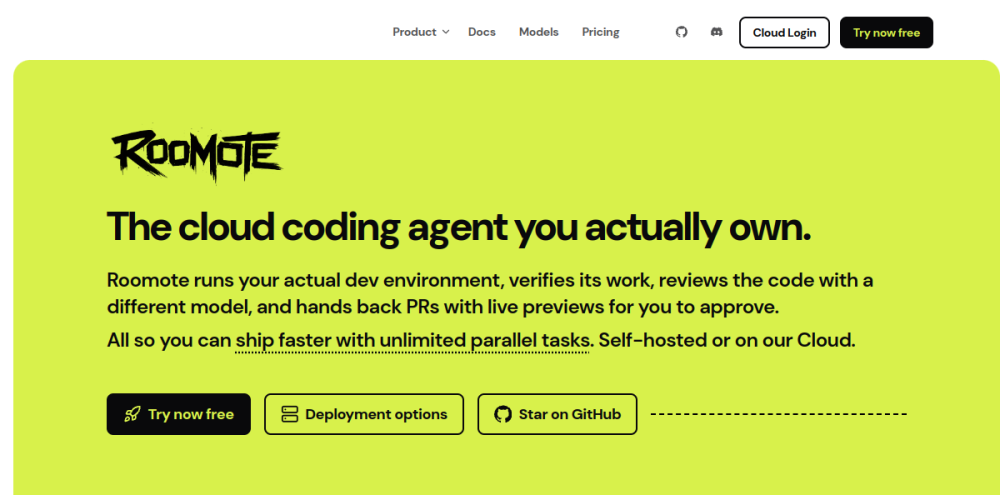
What it is: Roo Code (an evolution of the open-source Cline project) is an autonomous coding agent extension for Visual Studio Code. It provides autonomous file management, terminal execution, and browser testing right in your editor with zero platform markup.
Best for: Developers and budget-conscious builders who want autonomous agent capabilities using their own API keys or local LLMs.
Key Features
- Bring-Your-Own-Key (BYOK): Connect to OpenRouter, Anthropic, OpenAI, DeepSeek, Google Gemini, or local models via Ollama.
- Granular Permission Safeguards: Requires explicit approval before reading files, editing code, or running shell commands.
- Browser Testing Automation: Launches a headless browser to test applications and inspect visual console logs autonomously.
- 100% Free & Open Source: Zero subscription fees; you only pay raw provider API token costs.
Pricing (2026)
Roo Code is 100% free open-source software. You only pay for the raw model tokens you consume (e.g., DeepSeek-V3 at ~$0.27/M input tokens, or completely free using local models on your own machine).
Pros
- Dramatically cheaper than flat $20/month subscription tools.
- Zero vendor lock-in and complete data privacy control.
- Freedom to swap models instantly based on task difficulty.
Cons
- Requires obtaining and configuring your own API keys.
- Requires manual approval clicks unless you toggle risky full-auto modes.
Verdict: The premier open-source champion of vibe coding. If you dislike monthly subscriptions and want pure flexibility, Roo Code is unbeatable.
9. Google Antigravity – Best for Multi-Agent Orchestration
Score: 8.3 / 10
What it is: Google Antigravity is Google’s advanced multi-agent development environment, designed to coordinate specialized agent teams across architecture, coding, testing, and Google Cloud deployment.
Best for: Builders looking to orchestrate multi-agent workflows with deep Google Cloud Platform (GCP) and Gemini integrations.

Key Features
- Multi-Agent Coordination: Deploys specialized subagents that plan, execute, review, and test code concurrently.
- Gemini 2.5 Pro Foundation: Capitalizes on massive context windows to ingest entire documentation libraries and codebases.
- Cloud Run Native Deployment: Direct pathways to containerize and deploy applications across Google Cloud infrastructure.
- Sandboxed Safe Execution: Isolates agent code execution in safe cloud containers to protect your workstation.
Pricing (2026)
Antigravity includes a Free tier within Google AI developer allotments with generous baseline token quotas. Paid usage operates on Google Cloud project credits and Gemini API token rates. For a comprehensive operational guide, read our walkthrough on Antigravity IDE auto-testing and test automation.
Pros
- Incredible context window capacity ingests massive documentation sets.
- Intelligent multi-agent task planning reduces logic bugs.
- Strong security and sandboxing architecture.
Cons
- Steeper learning curve than consumer tools like Lovable.
- Tightly coupled with Google Cloud deployment workflows.
Verdict: A powerful view into the multi-agent future of software development, especially for teams building within the Google Cloud ecosystem.
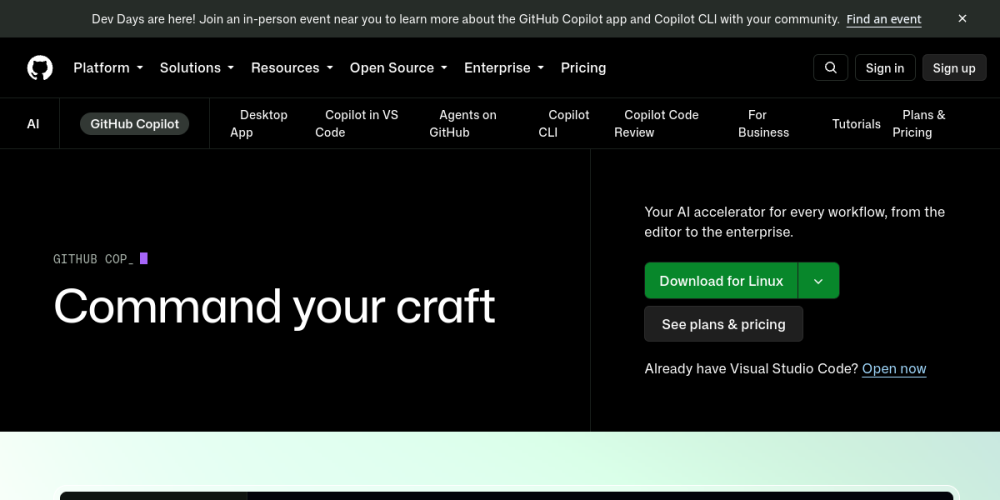
10. GitHub Copilot – Best for Enterprise Infrastructure
Score: 7.8 / 10
What it is: GitHub Copilot is the pioneer of AI coding assistants. In 2026, it offers multi-file edits (Copilot Edits) and autonomous issue resolution (Copilot Workspace) directly within GitHub repositories.
Best for: Enterprise developers and engineering teams governed by strict corporate compliance, security, and IP indemnity requirements.
Key Features
- Copilot Workspace: Plans and executes code modifications directly from GitHub issues and pull requests.
- Enterprise Security & IP Indemnity: Guarantees that private company code is never used for public model training.
- Model Flexibility: Supports leading frontier models including Claude 3.5 Sonnet, Claude 3.7 Sonnet, and GPT-4o.
- Deep GitHub Ecosystem Integration: Native integration across pull requests, actions, issues, and code reviews.
Pricing (2026)
Copilot includes a Free tier for basic completions in VS Code. Copilot Individual is $10/month, Copilot Business is $19/user/month, and Copilot Enterprise is $39/user/month with custom repository indexing. Compare this with other tools in our autonomous AI coding agents hub.
Pros
- The safest and most compliant choice for corporate IT environments.
- Seamless integration into GitHub pull request pipelines.
- Affordable $10/month individual pricing tier.
Cons
- Noticeably more conservative when scaffolding new projects from scratch.
- Multi-file agent features feel secondary to its classic autocomplete roots.
Verdict: The premier tool for enterprise compliance and collaborative team pull requests, even if consumer tools move faster for greenfield prototyping.
11. OpenAI Codex / Canvas – Best for Interactive Logic Refinement
Score: 7.4 / 10
What it is: OpenAI Codex, accessible through ChatGPT’s interactive Canvas interface and developer CLI tools, provides a split-screen environment for authoring, editing, and refining code side-by-side with frontier reasoning models.
Best for: Builders who want to inspect and edit code alongside reasoning models like o3-mini and GPT-4o.

Key Features
- Interactive Canvas Workspace: Highlight targeted blocks of code to request localized inline refactors, logging, or bug fixes.
- Frontier Reasoning: Backed by OpenAI’s latest reasoning models for complex algorithmic calculations.
- Automatic Code Review: Built-in tools for adding inline comments, fixing bugs, and translating code across languages.
- Multi-Language Adaptability: Strong performance across Python, TypeScript, Go, and SQL.
Pricing (2026)
Free users receive basic model access. ChatGPT Plus is $20/month for full access to GPT-4o, o3-mini reasoning models, and expanded Canvas usage quotas. For developers experimenting with OpenAI’s command-line agents, see our analysis of Codex CLI YOLO mode, our guide on how to install Codex CLI, and our curated list of top alternative apps like Codex.
Pros
- Incredible reasoning power for complex math, algorithms, and regex.
- Canvas interface makes surgical, line-by-line refactors easy to review.
- Excellent documentation generation and explanatory comments.
Cons
- Lacks native multi-file project scaffolding and automated terminal workflows.
- Not designed to run local build commands or automated package installations.
Verdict: Outstanding for deep algorithmic problem solving and learning, but less suited for hands-off full-stack application scaffolding.
12. Gemini CLI – Best for High Token Limits and Raw Speed
Score: 7.2 / 10
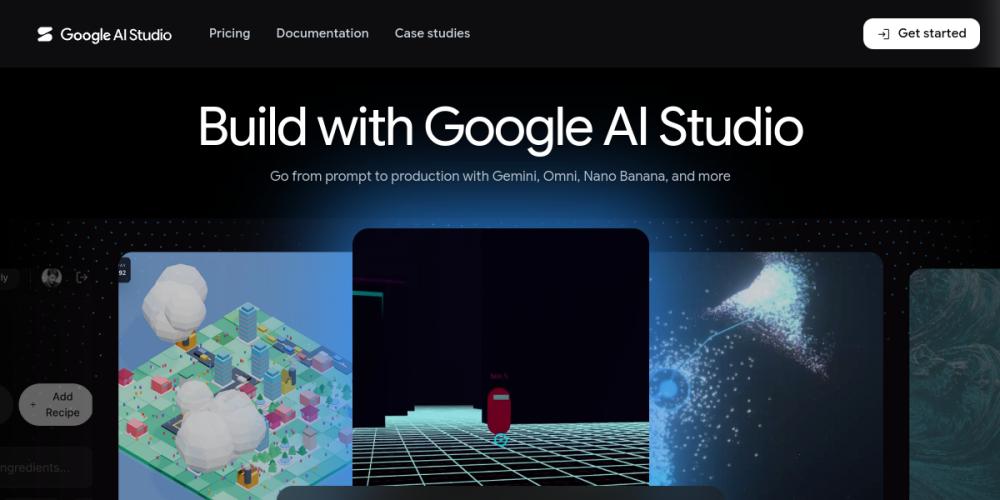
What it is: Gemini CLI is an open-source terminal assistant powered by Google’s Gemini API. It is designed to process large codebases rapidly by taking advantage of Gemini’s expansive context windows and low generation latency.
Best for: Developers looking to query large repositories or run fast terminal operations without running into strict token context limits.
Key Features
- Expansive Context Windows: Comfortably processes hundreds of thousands of code tokens, including entire documentation libraries.
- High-Speed Generation: Delivers generation speeds over 100 tokens per second using Gemini Flash models.
- Free AI Studio Access: Connects directly to Google AI Studio API keys with generous free rate limits.
- Direct Shell Automation: Interprets console output, scans directory trees, and drafts shell commands.
Pricing (2026)
Gemini CLI is free software. Google AI Studio offers a free API tier (up to 15 requests per minute at zero cost). Pay-as-you-go billing on Google Cloud Vertex AI is extremely cost-effective per million tokens.
Pros
- Exceptional generation speed; zero waiting on long code outputs.
- Massive context window allows you to feed entire codebases in a single prompt.
- Highly generous free API tier via Google AI Studio.
Cons
- Can overlook nuanced edge cases in complex database architectures on initial passes.
- Requires manual project wiring compared to integrated app builders like Lovable.
Verdict: A lightning-fast, high-capacity utility for developers who want to analyze huge codebases without spending a fortune on tokens.
Vibe Coding Platforms vs. AI Coding Tools: Key Differences
As the AI development market matures, a clear distinction has emerged between all-in-one vibe coding platforms and specialized AI coding tools or editor extensions. Understanding this divide will save you dozens of hours of trial and error.
All-in-One Vibe Coding Platforms
Examples: Lovable, Bolt.new, Replit Agent, v0 by Vercel.
These platforms combine the code editor, runtime sandbox, managed database (e.g. Supabase, PostgreSQL), user authentication, and live production URL into a single browser interface. You never need to configure local runtimes, manage Node.js versions, or install Git. They are designed for rapid MVP prototyping, non-technical founders, and prompt-driven product creation.
Developer AI Coding Tools & IDEs
Examples: Cursor, Windsurf, Claude Code, Roo Code, GitHub Copilot.
These tools operate directly on your local workstation’s filesystem, Git repository, and shell terminal. You retain complete ownership of every file, dependency, and deployment pipeline. They are engineered for professional developers, complex multi-repo architectures, and production SaaS applications where data privacy, zero vendor lock-in, and granular code control are paramount.
Best Free Vibe Coding Tools: Real Limits and Trade-Offs
If you want to start building with AI without paying a $20/month subscription, several platforms offer practical, genuinely usable free plans. The best free vibe coding tools in 2026 are Windsurf, Roo Code, and v0 by Vercel.
Here is what you actually receive on each free tier—and the operational limits to watch out for:
- Windsurf (Best Free Native AI IDE): Windsurf delivers the most generous free tier of any native code editor. You get unlimited predictive inline autocompletion and a recurring monthly allotment of Cascade agent prompts. It is more than enough to build smaller utility applications every month without entering a credit card.
- Roo Code (Best Bring-Your-Own-Key Free Option): Roo Code is 100% free and open-source software. You supply your own API key. If you pair Roo Code with ultra-low-cost frontier models like DeepSeek-V3 or use local open-source models via Ollama, you can build full-stack applications for pennies—or completely free if run on your own hardware.
- v0 by Vercel (Best Free Frontend UI Builder): Vercel gives every user 200 free generation credits each month. That quota is plenty to scaffold 3 to 5 polished frontend web components, hero sections, or interactive dashboard cards before exhausting your allowance.
- Bolt.new & Lovable (Daily Trial Quotas): Both platforms provide daily renewable token allocations. They are great for test-driving workflows and making light code edits, but attempting to build a multi-page full-stack SaaS application will exhaust your daily quota quickly.
Are There Any Free Vibe Coding Tools With No Limit?
Strictly speaking, no commercial cloud vibe coding platform offers unlimited free usage. Every generation incurs real GPU inference and server hosting costs. However, you can achieve an effectively unlimited setup by combining VS Code, the open-source Roo Code extension, and a local open-weights coding model running via Ollama (such as Qwen 2.5 Coder 32B or DeepSeek-Coder). This setup executes entirely on your local machine, incurs zero API bills, and has no artificial rate limits. Check our guide on how to run local LLMs for coding.
Best Vibe Coding Tools by Use Case
Different engineering requirements call for different tool architectures. Here is how the best tools for vibe coding break down across specific developer personas and project scopes:
Recommendations by Developer Background & Project Goal
TAILORED PICKS
Best Vibe Coding Tools for Beginners and Non-Developers
If you have never written a line of code, stick to browser-based builders. Lovable is our top pick because it creates database schemas, handles authentication, and provisions hosting from conversational chat prompts. Replit is an excellent alternative if you want an all-in-one cloud workspace that includes Python and Node runtimes without touching a local terminal.
Best Affordable Tools for Vibe Coding Beginners
If you are on a tight budget, avoid flat $20/month SaaS subscriptions. Install the free Roo Code extension in VS Code and connect an OpenRouter API key running DeepSeek-V3. An entire afternoon of building and debugging typically costs under $0.50 in raw tokens. Windsurf’s Free Tier is another great zero-cost option for guided learning.
Best Vibe Coding Tools for Rapid Prototyping and MVPs
When speed to market is paramount, Bolt.new is unmatched. Its in-browser WebContainer architecture spins up working web applications with local state in under 60 seconds. Lovable is the best choice when your MVP requires immediate user sign-ups and real database storage to validate paying demand.
Best Vibe Coding Tools to Create Websites
For marketing landing pages, portfolios, and responsive web pages, v0 by Vercel produces the highest-fidelity UI code adhering to modern CSS standards. When your website needs dynamic client portals or database backends, pair v0 designs with Lovable or Cursor.
Vibe Coding Tools for AI SaaS Development
Building a commercial SaaS requires managing third-party APIs, Stripe payment webhooks, background queues, and database migrations. Cursor is the top choice here because its multi-file Composer agent navigates complex backend architectures without imposing artificial guardrails. Claude Code is an outstanding companion for running automated test suites and managing Git releases.
Best Vibe Coding Tools for Agencies
Digital agencies benefit most from a hybrid workflow: use Lovable or Bolt.new to prototype client interfaces and secure rapid client sign-off, then export the code to GitHub and use Cursor to wire up custom enterprise backends and proprietary integrations.
Best Enterprise Vibe Coding Tools
Large organizations require strict intellectual property indemnification, SSO authentication, and SOC2 compliance. GitHub Copilot Enterprise is the industry standard for corporate engineering departments, indexing internal repositories while guaranteeing private source code is never used for model training.
Limitations of Vibe Coding Tools & Critical Security Risks
While vibe coding delivers unprecedented development velocity, it introduces significant technical risks and security vulnerabilities. When software is authored by AI prompts rather than line-by-line engineering, critical security flaws can easily slip into production undetected.
Here are the primary limitations and security risks you must manage:
1. Inscrutable Code & Debugging Dead-Ends
When an AI agent scaffolds hundreds of lines of code across multiple files, it works like magic until an edge case breaks. If you do not understand the underlying framework, you risk falling into infinite prompt loops—asking the AI to fix a bug, only for it to introduce two new subtle regressions elsewhere.
2. Severe Production Security Flaws
AI models optimize for *functionality*, not defense-in-depth security. Across our benchmark builds, we routinely detected:
- Missing Row-Level Security (RLS): Database tables created without strict access policies, exposing user data to public API requests.
- Hardcoded Secrets: Database connection strings, Stripe test keys, and private webhook secrets saved directly into frontend files.
- Client-Only Auth Gates: Route guards that validate authentication purely in the browser without server-side verification.
- Vulnerable npm Packages: Hallucinated or outdated dependencies that introduce known Common Vulnerabilities and Exposures (CVEs). Read our report on browser agent security risks for real-world disclosures.
3. Silent Token & Credit Creep
Autonomous agents read and write multi-file diffs on every turn. An extended debugging session can consume millions of tokens in an hour, silently exhausting monthly quotas and forcing expensive add-on credit purchases.
How to Choose the Right Tool: Decision Checklist
Selecting the best tool comes down to your technical skill, project complexity, and budget. Use our structured decision checklist to pick the right platform:
Frequently Asked Questions
What are the best vibe coding tools?
The best vibe coding tools in 2026 are Cursor, Lovable, Windsurf, Bolt.new, and Claude Code. Cursor is our top pick for developers seeking full local code control, Lovable is the premier tool for beginners building full-stack web applications, and Windsurf provides the best contextual flow and free tier.
What are the best vibe coding platforms?
The best vibe coding platforms in 2026 are Lovable, Bolt.new, and Replit Agent. Unlike local IDE plugins, all-in-one vibe coding platforms provide an end-to-end cloud environment where the AI generates the user interface, sets up managed backend databases (such as Supabase or PostgreSQL), and hosts the application on a live URL with a single prompt.
What is the difference between vibe coding tools and traditional AI coding tools?
Traditional AI coding tools (such as early autocomplete extensions) primarily suggested code line-by-line. Modern vibe coding tools and agentic platforms operate autonomously across entire multi-file codebases, execute terminal shell commands, manage database migrations, resolve compiler errors, and deploy production software from natural language directives.
What is the best free vibe coding tool?
Windsurf is the best free vibe coding tool thanks to its generous Cascade agent tier and unlimited autocomplete. For builders wanting an open-source option, Roo Code paired with low-cost models or local Ollama instances offers unlimited coding with zero software licensing costs.
What is the best vibe coding setup?
The best professional vibe coding setup pairs Cursor or Windsurf with Claude 3.7 Sonnet as the core reasoning model, GitHub for version control, Supabase for authentication and database management, and Vercel for continuous deployment. This stack balances rapid AI generation with reliable production infrastructure.
Can you vibe code without knowing how to code?
Yes, you can vibe code without programming knowledge using modern AI app builders like Lovable, Bolt.new, and Replit. These platforms generate full user interfaces and backends from conversational prompts. However, learning basic software concepts like databases, APIs, and HTTP requests will make you significantly more effective.
Is vibe coding really that easy?
Vibe coding makes building initial prototypes and simple applications fast and accessible. However, building production-ready software remains challenging. When applications grow complex, you will encounter edge-case bugs, security vulnerabilities, and deployment errors that require patience, precise prompting, and basic troubleshooting skills to resolve.
What’s the best way to learn vibe coding?
The best way to learn vibe coding is to pick a concrete, small project—such as a personal habit tracker or invoice generator—and build it using a browser tool like Lovable or Bolt.new. Focus on prompting one feature at a time, review each code diff carefully, and study our AI coding model rankings to see which models excel at specific coding tasks.
Is Cursor better than Lovable or Replit?
Cursor is better for users who want complete control over their local codebase, file structure, and deployment pipelines. Lovable and Replit are better for beginners and non-technical founders who want database setup, hosting, and visual previews handled automatically without managing local tools.
What are the limitations of vibe coding tools?
The primary limitations of vibe coding tools include generating hidden security vulnerabilities, token usage costs that escalate quickly during debugging loops, difficulty resolving edge-case bugs in complex codebases, and platform lock-in when using proprietary browser-based builders.
Conclusion: Which Vibe Coding Tool Should You Pick?
Vibe coding has fundamentally transformed software development from hand-typing syntax into high-level product orchestration. If you want the most versatile, high-powered coding assistant on your machine, download Cursor. If you are a non-developer who wants to launch a real full-stack web app with a database and user accounts by this weekend, choose Lovable. And if you want a top-tier IDE with a generous free plan, install Windsurf.
To stay up to date on benchmark telemetry, prompt engineering breakdowns, and independent reviews of new AI tools, subscribe to the Vibe Coder Journal newsletter below.
[…] an empirical ranking across all modern coding tools, review our benchmark guide on the best vibe coding tools and our latest updates on the LLM benchmark news […]